当前位置:网站首页>浅浅理解.net core的路由
浅浅理解.net core的路由
2022-07-07 15:32:00 【旧时量刑】
路由:
web的请求到达后端服务时,controller(控制器)会处理传入的http请求并响应用户操作,请求的url会被映射到控制器的操作方法上。
此映射过程由应用程序中定义的路由规则完成。
ASP.NET.Core MVC中的路由
路由使用一对由UseRouting和UseEndPoints注册的中间件:
UseRouting向中间件管道添加路由匹配。此中间件会查看应用中定义的终结点集,并根据请求选择最佳匹配
UseEndpoints向中间件管道添加终结点执行。
asp.net.core有两种路由技术:常规路由和属性路由
常规路由:
public void Configure(IApplicationBuilder app, IHostingEnvironment env)
{
    if (env.IsDevelopment())
    {
        app.UseDeveloperExceptionPage();
    }

    app.UseStaticFiles();

    app.UseMvcWithDefaultRoute();
}
默认路由模板{controller=Home}/{action = Index}/{id?},大多数的URL都会按照这个规则进行映射。问号表示 id 参数可有可无。

如果要定义自己的路径模板,要使用 UseMvc()方法,而不是 UseMvcWithDefaultRoute()方法。
app.UseMvc(routes =>
{
    routes.MapRoute("default","{controller=Home}/{action = Index}/{id?}");
});
//1、启用默认路由
app.UseStaticFiles();
app.UseRouting();
app.UseMvcWithDefaultRoute();


//2、自定义路由模板
app.UseStaticFiles();
app.UseRouting();
app.UseMvc(routes =>
{
    routes.MapRoute(
    name: "default",
    template: "{controller=Home}/{action=Index}/{id?}");
});

//3、使用UseEndpoints自定义路由模板
app.UseStaticFiles();
app.UseRouting();
app.UseEndpoints(endpoints =>
{
   endpoints.MapControllerRoute(
   name: "default",
   pattern: "{controller=Home}/{action=Index}/{id?}");

});
属性路由:
使用属性路由,可以在Controller或 Controller 的操作方法上应用Route属性。
在Startp.cs文件Configure方法中,我们只使用app.UseMvc();然后在Controller的Action方法上通过特性Route来配置。
 [Route("[controller]/[action]")]
    public class HomeController : Controller
    {
        private readonly IStudentRepository _studentRepository;
        //构造函数注入
        public HomeController(IStudentRepository studentRepository)
        {
            _studentRepository = studentRepository;
        }

        [Route("")]
        [Route("~/")] //解决 http://localhost:44338/ 访问不了问题
        [Route("~/home")] //解决 http://localhost:44338/home 访问不了问题
        public IActionResult Index(int id)
        {
            return Json(_studentRepository.GetStudent(id));
        }

        [Route("{id?}")]
        public IActionResult Details(int? id)
        {
            Student model = _studentRepository.GetStudent(id??1);
            return View(model);
        }

        public ObjectResult detail()
        {
            return new ObjectResult(_studentRepository.GetStudent(1));
        }
    }
在实际项目中运用到的例子---下载文件
[ApiExplorerSettings(IgnoreApi = true)]
    public class DownFileController : Controller
    {
        private ILogger _logger;

        /// <summary>
        /// 下载Pscan文件
        /// </summary>
        /// <param name="taskId"></param>
        /// <param name="DownloadFilePath"></param>
        /// <param name="fileNameList"></param>
        /// <returns></returns>
        [Route("[Controller]/{taskId}/{DownloadFilePath?}/{fileName?}")]
        public IActionResult GetDownFileMessage(string taskId, string DownloadFilePath, string fileName)
        {
            try
            {

                if (fileName != null)
                {


                    //远程部署
                    //string path = "/home/ftp_flow/Data/TaskData/" + taskId + "/" + DownloadFilePath;
                    //string zipPath = "/Data/PscanDownFile/" + $"{DownloadFilePath+"/"+fileNameList}.zip";

                    //本地调试
                    string path = @"E:\beijingData\TaskData\" + taskId + "/" + DownloadFilePath;

                    Console.WriteLine(path);

                    var filePath = Path.Combine(path, fileName);
                    if (System.IO.File.Exists(filePath))
                    {
                        Console.WriteLine(filePath);
                        string fileExt = Path.GetExtension(filePath);
                        //获取文件的ContentType
                        var provider = new FileExtensionContentTypeProvider();
                        var memi = provider.Mappings[fileExt];
                        var stream = System.IO.File.OpenRead(filePath);
                        Console.WriteLine("success");
                        return File(stream, memi, Path.GetFileName(filePath));


                    }
                    else
                    {
                        return NotFound();
                    }

                }
                else
                {
                    return NotFound();
                }

            }
            catch (Exception ex)
            {
                return NotFound();
            }
        }
}边栏推荐
- LeetCode 1981. 最小化目标值与所选元素的差 每日一题
- dapp丨defi丨nft丨lp单双币流动性挖矿系统开发详细说明及源码
- Cesium(3):ThirdParty/zip. js
- "The" "PIP" "entry cannot be recognized as the name of a cmdlet, function, script file, or runnable program."
- Temperature sensor chip used in temperature detector
- Module VI
- 无法将“pip”项识别为 cmdlet、函数、脚本文件或可运行程序的名称
- What is the difference between IP address and physical address
- Arduino 控制的双足机器人
- 如何选择合适的自动化测试工具?
猜你喜欢
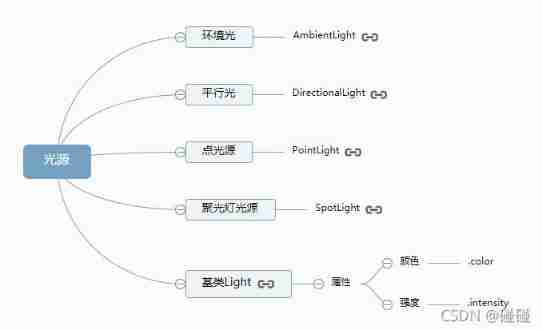
Three. JS series (1): API structure diagram-1
![[medical segmentation] attention Unet](/img/f4/cf5b8fe543a19a5554897a09b26e68.png)
[medical segmentation] attention Unet
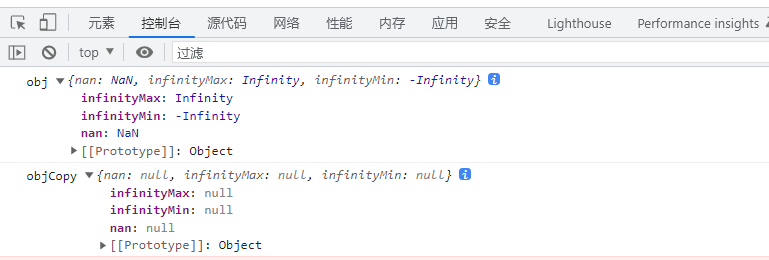
使用JSON.stringify()去实现深拷贝,要小心哦,可能有巨坑
掌握这套精编Android高级面试题解析,oppoAndroid面试题

Imitate the choice of enterprise wechat conference room

Prediction - Grey Prediction

网关Gateway的介绍与使用
Direct dry goods, 100% praise

无法将“pip”项识别为 cmdlet、函数、脚本文件或可运行程序的名称
"The" "PIP" "entry cannot be recognized as the name of a cmdlet, function, script file, or runnable program."
随机推荐
Laravel constructor and middleware execution order
spark调优(三):持久化减少二次查询
[designmode] template method pattern
logback.xml配置不同级别日志,设置彩色输出
Horizontal and vertical centering method and compatibility
Laravel5.1 Routing - routing packets
01tire+ chain forward star +dfs+ greedy exercise one
作为Android开发程序员,android高级面试
[Android -- data storage] use SQLite to store data
Prometheus API deletes all data of a specified job
Have fun | latest progress of "spacecraft program" activities
Cesium (4): the reason why gltf model is very dark after loading
AutoLISP series (1): function function 1
SqlServer2014+: 创建表的同时创建索引
最新2022年Android大厂面试经验,安卓View+Handler+Binder
A tour of gRPC:03 - proto序列化/反序列化
"The" "PIP" "entry cannot be recognized as the name of a cmdlet, function, script file, or runnable program."
The latest interview experience of Android manufacturers in 2022, Android view+handler+binder
面向接口编程
1亿单身男女“在线相亲”,撑起130亿IPO