当前位置:网站首页>ansible各个模块详解
ansible各个模块详解
2022-08-05 04:15:00 【cy11114】
1.command,shell,raw,script模块的作用和区别
1.1command shell raw区别
command、shell模块:
相同点:要求受管主机上安装Python。
不同点:command可以在受管主机上执行shell命令,但是不支持环境变量和操作符(例如 '|', '<', '>', '&')
shell模块调用的/bin/sh指令执行。
raw模块:
不需要受管主机上安装Python,直接使用远程shell运行命令,通常用于无法安装Python的系统(例如网络设备等)。
- command
- shell
- raw
应尽量避免使用这三个模块来执行命令,因为其他模块大部分都是幂等性的,可以自动进行更改跟踪。command、shell、raw不具备幂等性。注: 幂等性:简单来讲,就是输入相同,输出相同,无论多少次比如说,确认接口,如果传入订单号,返回确认OK,如果已经确认过了,再次调用确认接口,返回如果还是确认OK,那么这个接口就是满足幂等性.
2、command 模块的使用: 去执行一个脚本文件command.sh, command.sh文件的功能是echo "I am command module"
[[email protected] ~]#vim command.sh

[[email protected] ~]# more ./.ansible/inventory
node1

[node]
node1

[node1:children]
node
test

[test]
node2

[[email protected] ~]# ansible node -m copy -a "src=/root/command.sh dest=/home/student"
[WARNING]: Found both group and host with same name: node1
node1 | CHANGED => {
    "ansible_facts": {
        "discovered_interpreter_python": "/usr/libexec/platform-python"
    },
    "changed": true,
    "checksum": "ce65dc39709980daa42a03e5d2ac1c97210446db",
    "dest": "/home/student/command.sh",
    "gid": 0,
    "group": "root",
    "md5sum": "5f4164eeeea65e4697bdb62d078065bb",
    "mode": "0644",
    "owner": "root",
    "secontext": "unconfined_u:object_r:user_home_t:s0",
    "size": 27,
    "src": "/home/student/.ansible/tmp/ansible-tmp-1659481931.964826-27384-280168700260751/source",
    "state": "file",
    "uid": 0
}
[[email protected] ~]# ansible node -m command -a "ls -l /home/student/"
[WARNING]: Found both group and host with same name: node1
node1 | CHANGED | rc=0 >>
total 4
-rw-r--r--. 1 root root 27 Aug  2 12:33 command.sh
[[email protected] ~]# ansible node -m command -a "sh command.sh chdir=/home/student"
[WARNING]: Found both group and host with same name: node1
node1 | CHANGED | rc=0 >>
I am command module
3、shell模块执行命令 ls /root | grep txt
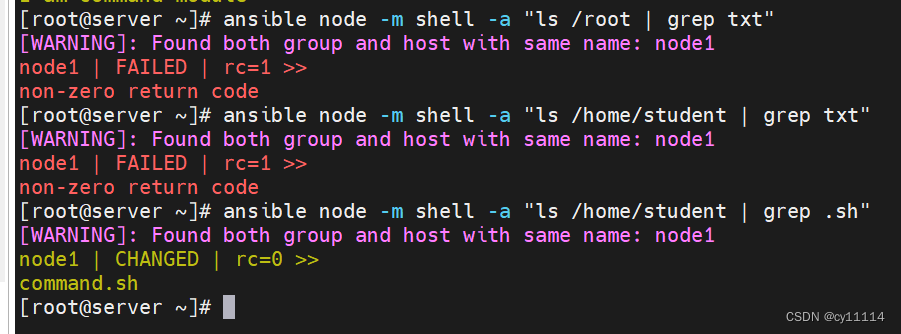
4、 raw模块执行pwd命令

5、script模块执行 script.sh文件,文件的内容为 echo "I am script module"
[[email protected] ~]# vim script.sh
[[email protected] ~]# pwd
/root
[[email protected] ~]# ansible node -m copy -a "src=/root/script.sh dest=/home/student"
[WARNING]: Found both group and host with same name: node1
node1 | CHANGED => {
"ansible_facts": {
"discovered_interpreter_python": "/usr/libexec/platform-python"
},
"changed": true,
"checksum": "7fe9ae1b68ec686919b7799f9eef6c7eff006c8c",
"dest": "/home/student/script.sh",
"gid": 0,
"group": "root",
"md5sum": "ffb843f4c7a3cc3a444c21a7bdc2b2ac",
"mode": "0644",
"owner": "root",
"secontext": "unconfined_u:object_r:user_home_t:s0",
"size": 26,
"src": "/home/student/.ansible/tmp/ansible-tmp-1659482546.7581532-27525-45068860098080/source",
"state": "file",
"uid": 0
}
[[email protected] ~]# ansible node -m command -a "ls -l /home/student"
[WARNING]: Found both group and host with same name: node1
node1 | CHANGED | rc=0 >>
total 8
-rw-r--r--. 1 root root 27 Aug 2 12:33 command.sh
-rw-r--r--. 1 root root 26 Aug 2 12:43 script.sh
[[email protected] ~]# ansible node -m script -a "script.sh chdir=/home/student"
[WARNING]: Found both group and host with same name: node1
node1 | CHANGED => {
"changed": true,
"rc": 0,
"stderr": "Shared connection to node1 closed.\r\n",
"stderr_lines": [
"Shared connection to node1 closed."
],
"stdout": "I am script module\r\n",
"stdout_lines": [
"I am script module"
]
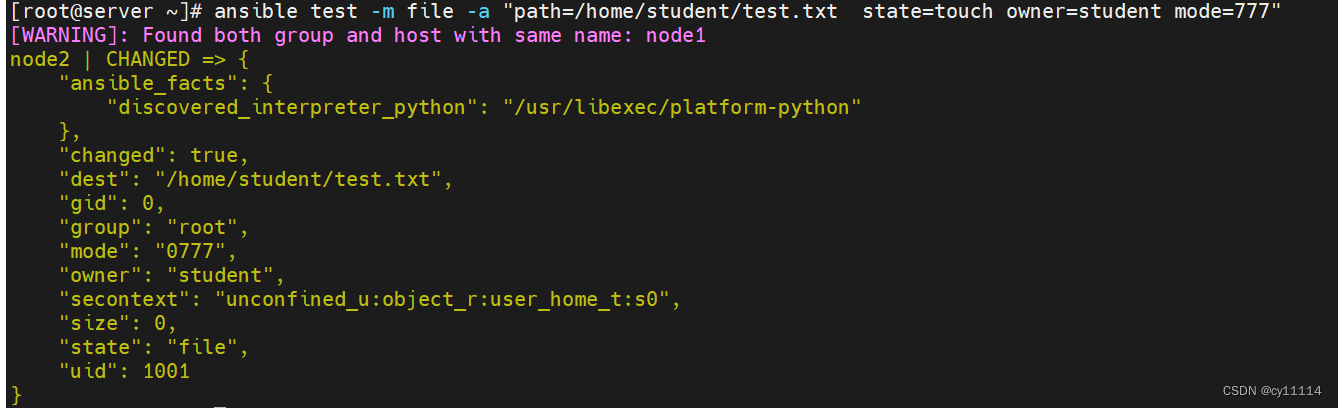
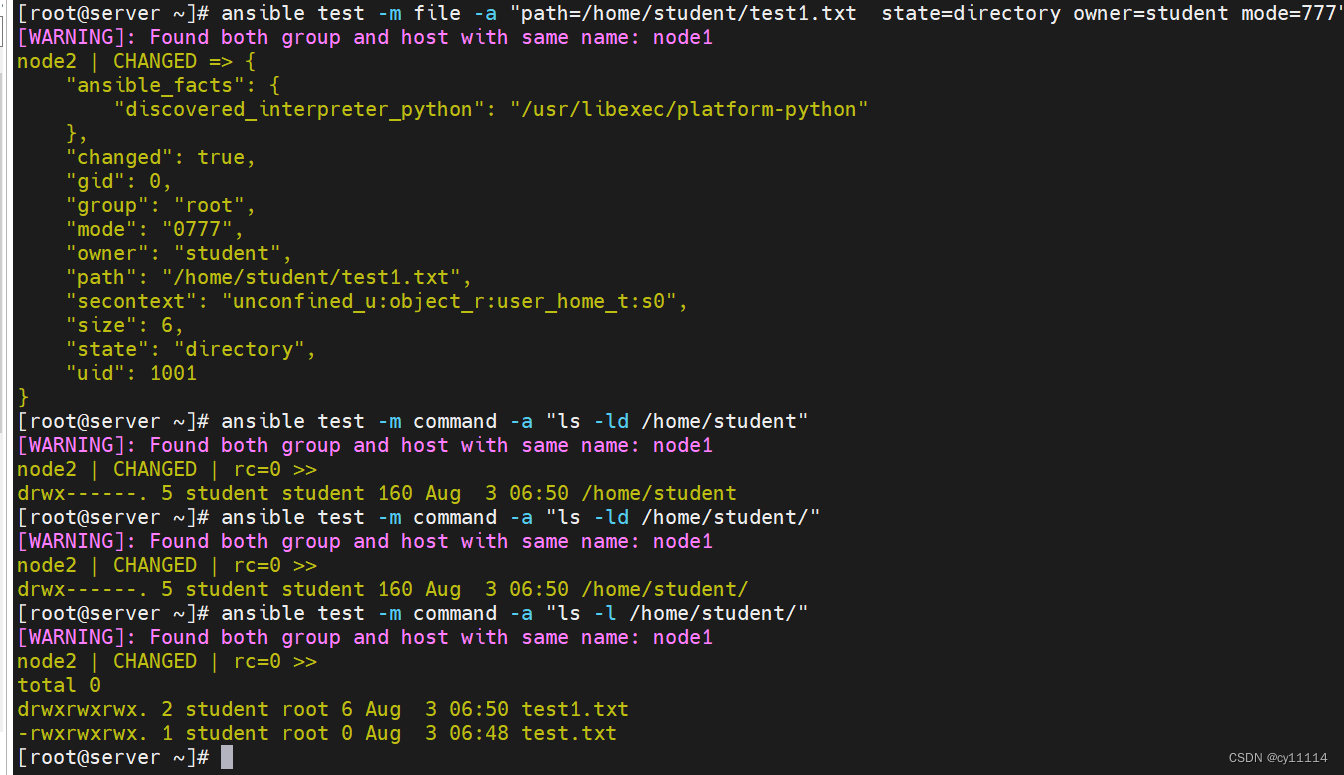
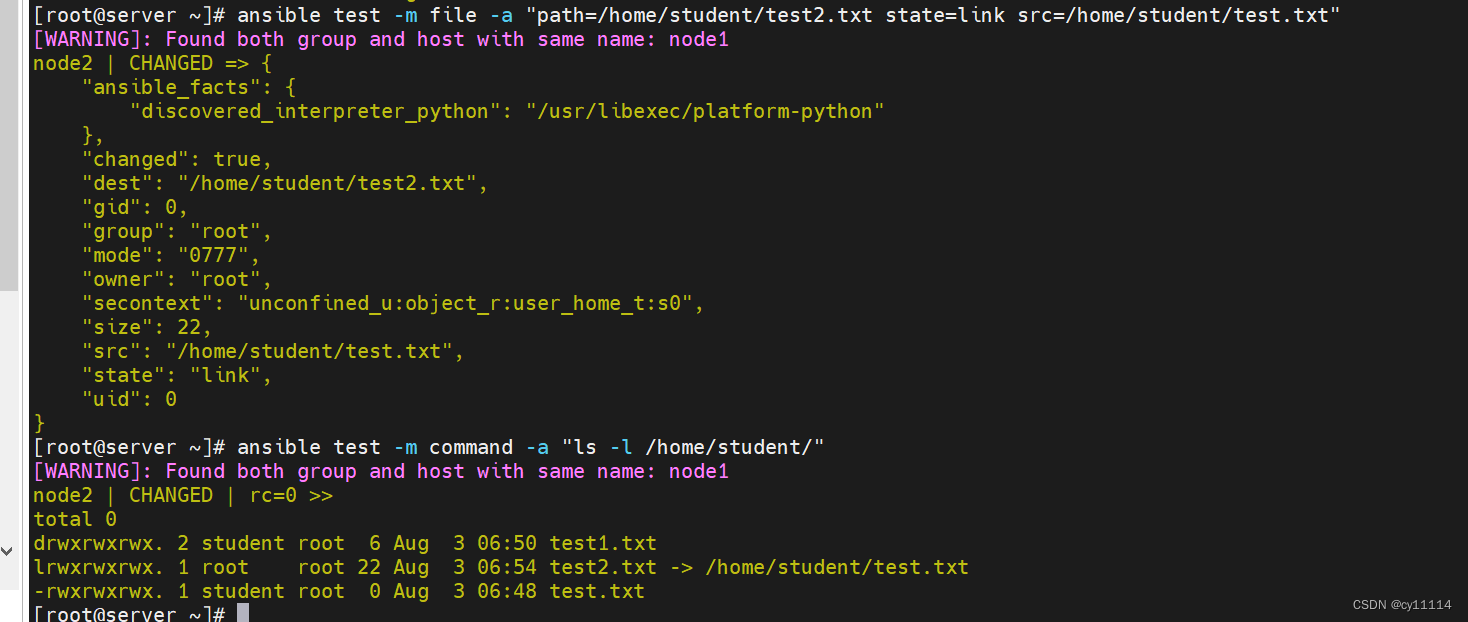
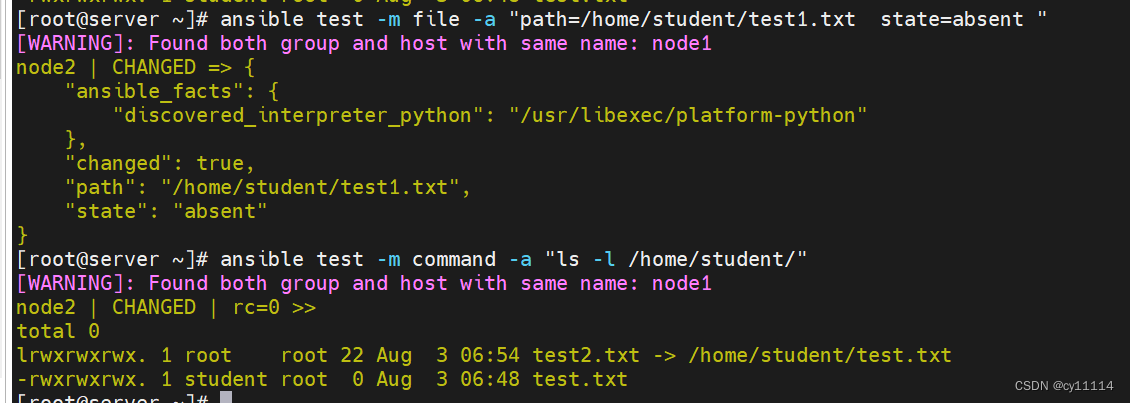
6.file模块:
创建文件,并指定用户,用户组为student, 且权限为600
创建目录,并指定用户,用户组为student, 且权限为755
创建链接文件
删除第一个创建的文件
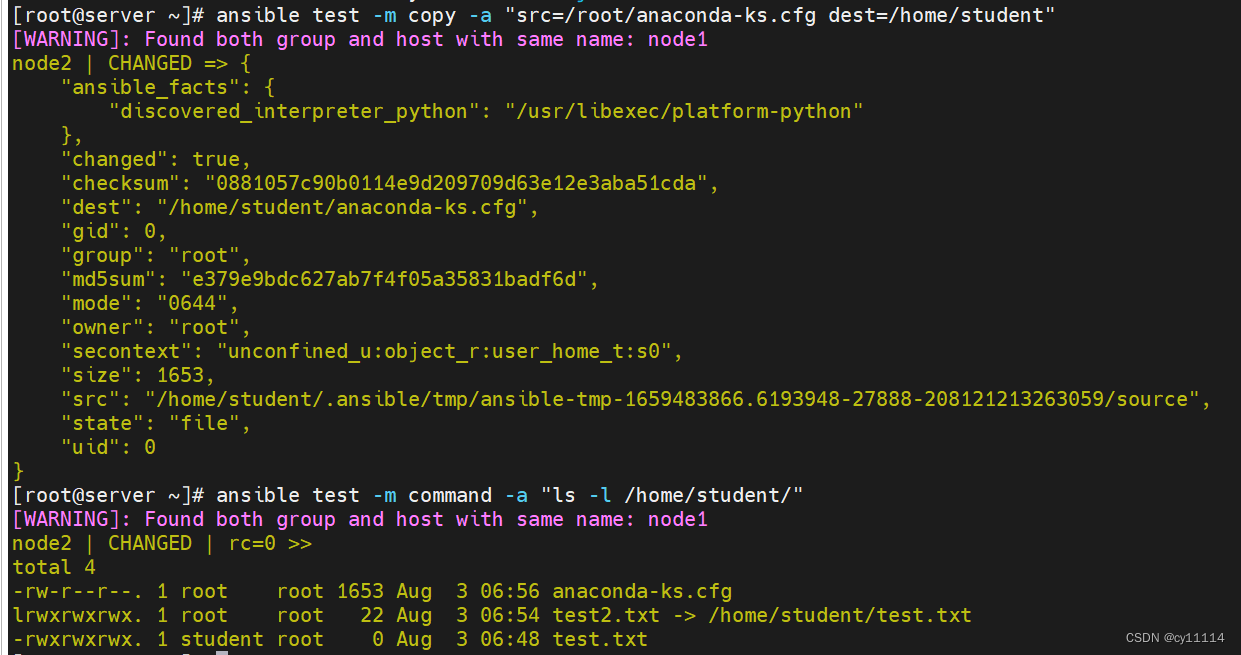
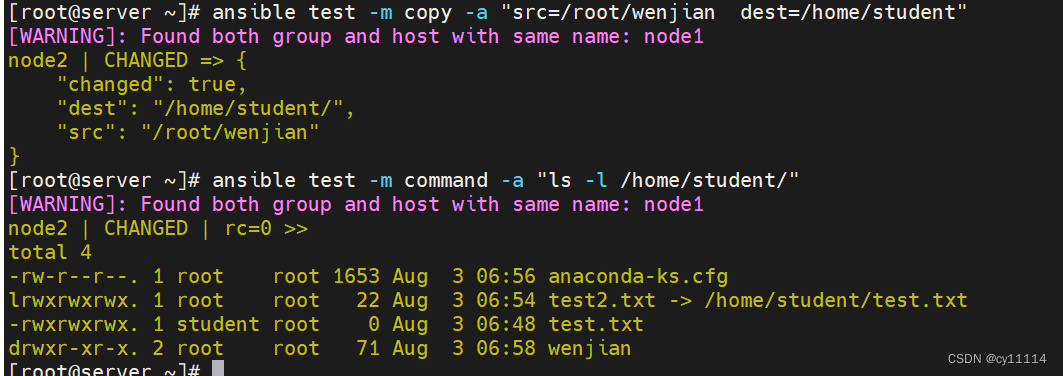
7.copy
复制文件
复制目录


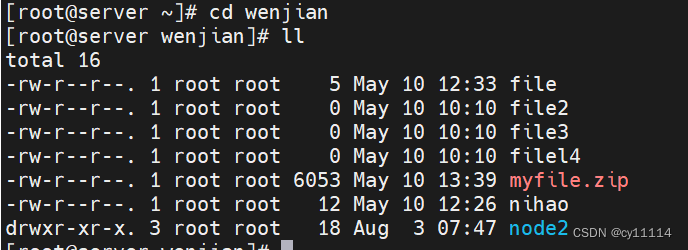
8.synchronize
pull: 从被控制主机上拉取目录
push:往被控制主机上推送目录


边栏推荐
- Four-digit display header design
- Based on holding YOLOv5 custom implementation of FacePose YOLO structure interpretation, YOLO data format conversion, YOLO process modification"
- 狗仔队:表面编辑多视点图像处理
- Android interview question - how to write with his hands a non-blocking thread safe queue ConcurrentLinkedQueue?
- There are several common event handling methods in Swing?How to listen for events?
- Mini Program_Dynamic setting of tabBar theme skin
- 工业级远距离无线传输装置的功能有哪些?
- [极客大挑战 2019]FinalSQL
- write the story about us
- 多列属性column元素的可见性:display、visibility、opacity、垂直对齐方式:vertical-align、z-index 越大越显示在上层
猜你喜欢
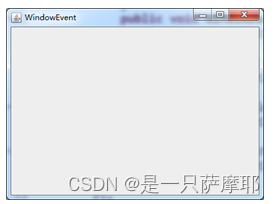
There are several common event handling methods in Swing?How to listen for events?
![Spark Basics [Introduction, Getting Started with WordCount Cases]](/img/90/ebe887db0f8c36895691dea05f62cf.png)
Spark Basics [Introduction, Getting Started with WordCount Cases]
Index Mysql in order to optimize paper 02 】 【 10 kinds of circumstances and the principle of failure
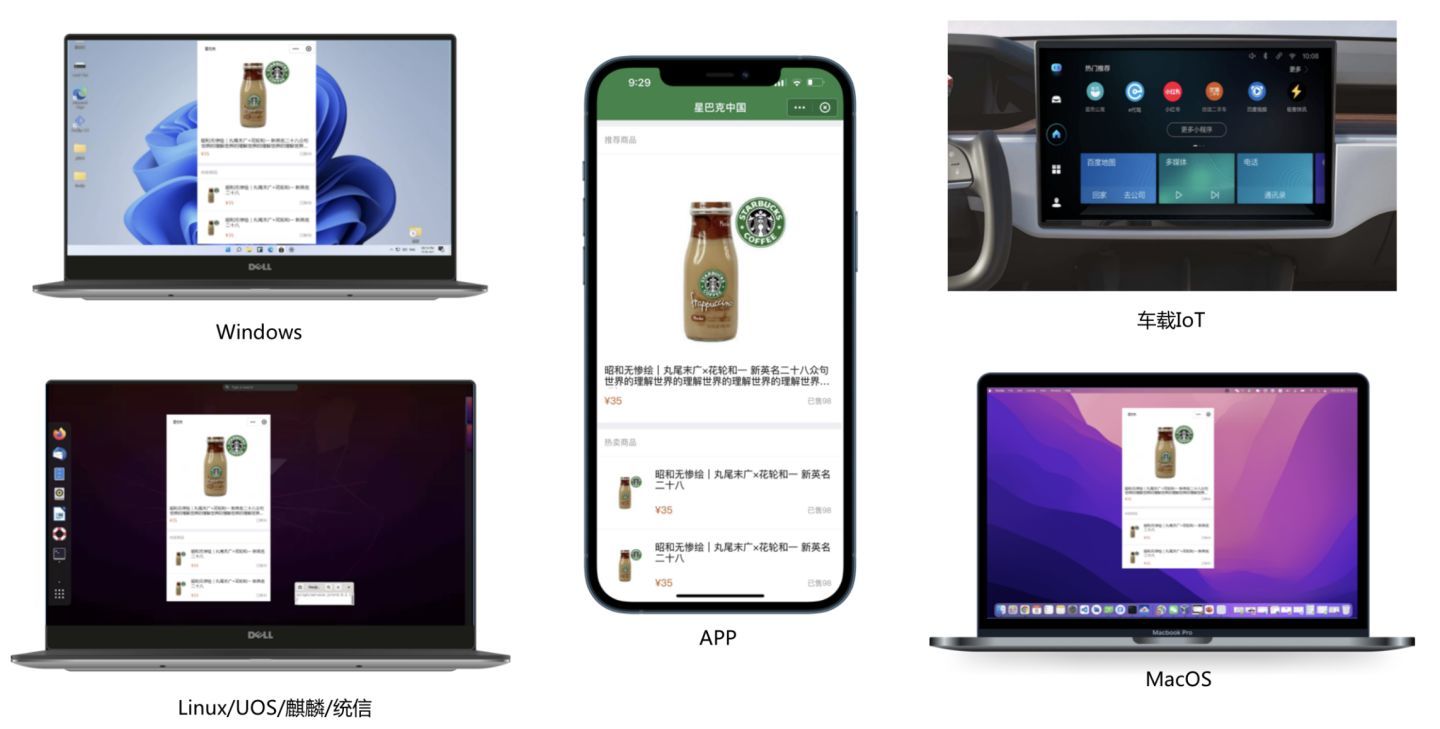
浅析主流跨端技术方案
![【 8.4 】 source code - [math] [calendar] [delete library 】 【 is not a simple sequence (Bonus) 】](/img/b5/716627b370e489ccf320a86540f7ba.png)
【 8.4 】 source code - [math] [calendar] [delete library 】 【 is not a simple sequence (Bonus) 】
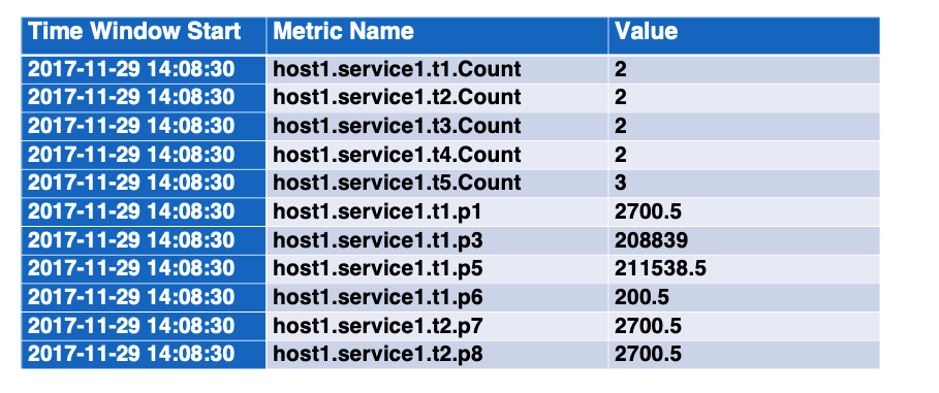
事件解析树Drain3使用方法和解释
Mysql's redo log detailed explanation
![[CISCN2019 South China Division]Web11](/img/15/843334fec0a5cc8cfaba92aab938db.png)
[CISCN2019 South China Division]Web11
虚证、实证如何鉴别?
Mysql的redo log详解

随机推荐
小程序_动态设置tabBar主题皮肤
Based on holding YOLOv5 custom implementation of FacePose YOLO structure interpretation, YOLO data format conversion, YOLO process modification"
markdown如何换行——md文件
How to wrap markdown - md file
阿里本地生活单季营收106亿,大文娱营收72亿,菜鸟营收121亿
Index Mysql in order to optimize paper 02 】 【 10 kinds of circumstances and the principle of failure
10 years of testing experience, worthless in the face of the biological age of 35
C++ core programming
What is the function of industrial-grade remote wireless transmission device?
Mysql的redo log详解
Swing有几种常用的事件处理方式?如何监听事件?
[极客大挑战 2019]FinalSQL
UE4 通过与其它Actor互动开门
UE4 通过重叠事件开启门
how to measure distance from point to face in creo
Redis1: Introduction to Redis, basic features of Redis, relational database, non-relational database, database development stage
1007 Climb Stairs (greedy | C thinking)
四位数显表头设计
UE4 通过互动(键盘按键)开门
SkiaSharp 之 WPF 自绘 粒子花园(案例版)