当前位置:网站首页>Opencv中,imag=cv2.cvtColor(imag,cv2.COLOR_BGR2GRAY) 报错:error:!_src.empty() in function ‘cv::cvtColor‘
Opencv中,imag=cv2.cvtColor(imag,cv2.COLOR_BGR2GRAY) 报错:error:!_src.empty() in function ‘cv::cvtColor‘
2022-08-05 05:13:00 【吃饱了就很强】
Opencv,imag=cv2.cvtColor(imag,cv2.COLOR_BGR2GRAY) 报错:error:!_src.empty() in function ‘cv::cvtColor’
熟练使用Ctrl+C和Ctrl+V大法后
import cv2
path=r"296059.png"
imag=cv2.imdecode(np.fromfile(path),-1)
imag=cv2.cvtColor(imag,cv2.COLOR_BGR2GRAY)
运行报错:cv2.error: OpenCV(4.6.0) D:\a\opencv-python\opencv-python\opencv\modules\imgproc\src\color.cpp:182: error: (-215:Assertion failed) !_src.empty() in function ‘cv::cvtColor’
此处:原因有很多种,可能有以下几个原因:
1.图片路径错误,可能图片路径不存在
2.要写图片后缀名
3.图片中有中文路径
如果排除以上原因,可以尝试以下方法:
解决方法1:
图像分为单通道和多通道
单通道图像,直接cv2.imread(path, 0)以单通道模式读。
import cv2
path=r"296059.png"
imag=cv2.imdecode(np.fromfile(path),-1)
imag=cv2.imread(path,0)
解决方法2:
解决方案来源于(-215:Assertion failed) !_src.empty() in function ‘cv::cvtColor‘
#读取图片
import cv2
imag = cv2.imdecode(np.fromfile(img_path, dtype=np.uint8), 1)

imag = cv2.imdecode(np.fromfile(img_path, dtype=np.uint8), -1)  # 读入完整图片,见下面解释

imag = cv2.imdecode(np.fromfile(img_path, dtype=np.uint8), 0)  # 读成灰度

imag = cv2.imdecode(np.fromfile(img_path, dtype=np.uint8), 1)  # 读成彩图
在cv2.imdecode中补充:dtype=np.uint8,
如下解决:
import cv2
path=r"296059.png"
imag=cv2.imdecode(np.fromfile(path,dtype=np.uint8),1)
imag=cv2.cvtColor(imag,cv2.COLOR_BGR2GRAY)
边栏推荐
猜你喜欢

Multi-threaded query results, add List collection
Flutter真机运行及模拟器运行
Flutter real machine running and simulator running

shell函数
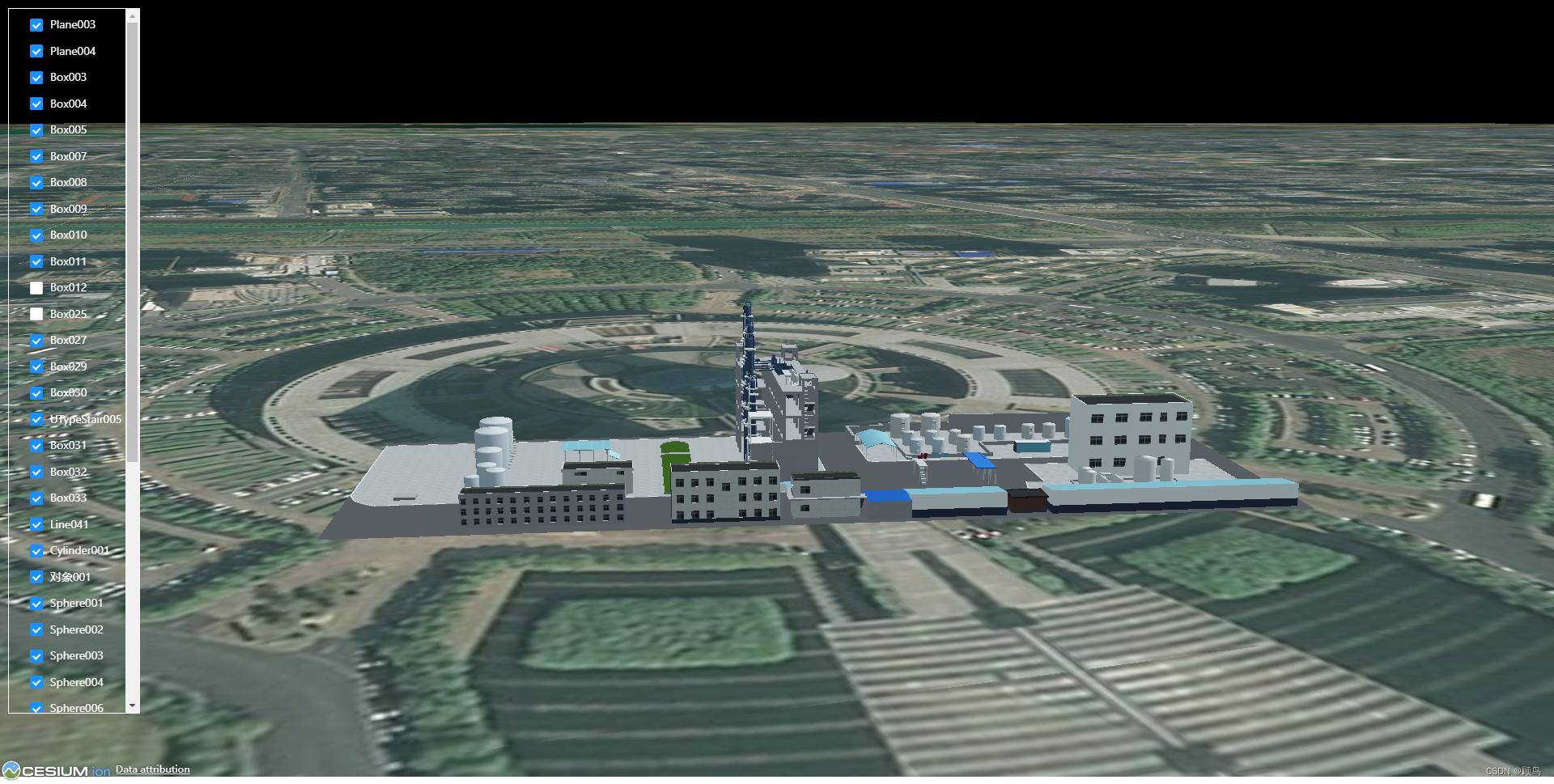
【cesium】3D Tileset 模型加载并与模型树关联
【过一下14】自习室的一天
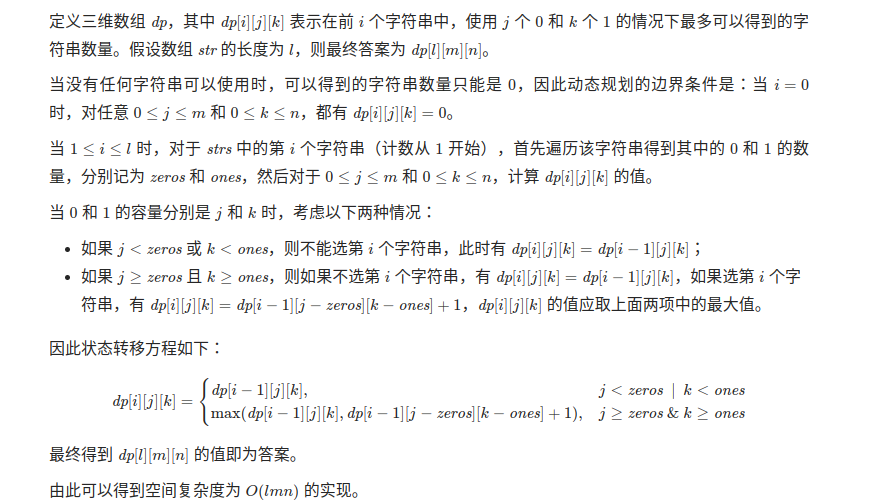
Algorithms - ones and zeros (Kotlin)
The underlying mechanism of the class
ESP32 485光照度
![[Study Notes Dish Dog Learning C] Classic Written Exam Questions of Dynamic Memory Management](/img/0b/f7d9205c616f7785519cf94853d37d.png)
[Study Notes Dish Dog Learning C] Classic Written Exam Questions of Dynamic Memory Management
随机推荐
Qt produces 18 frames of Cupid to express his love, is it your Cupid!!!
位运算符与逻辑运算符的区别
redis 持久化
『递归』递归概念与典型实例
Flutter真机运行及模拟器运行
Redis哨兵模式配置文件详解
入口点注入
human weakness
2023 International Conference on Information and Communication Engineering (JCICE 2023)
一篇博客通关Redis技术栈
redis复制机制
结构光三维重建(二)线结构光三维重建
【过一下12】整整一星期没记录
1068 Find More Coins
flex布局青蛙游戏通关攻略
Understanding and use of C# on set() and get() methods
【Untitled】
Returned object not currently part of this pool
jvm three heap and stack
【过一下11】随机森林和特征工程