当前位置:网站首页>knife4j 初次使用
knife4j 初次使用
2022-06-12 07:14:00 【Aimyone】
1,前言
最近换了一个项目,发现项目不用swagger,而是使用knife4j,使用下来的感受就是,不得不说,还是knife4j用起来比较顺手。
毕竟Knife4j是swagger的升级版,在调试,界面排版等方面都不错。
2,配置knife4j
2.1 引入依赖
 		 <!--swagger接口文档-->
        <dependency>
            <groupId>com.github.xiaoymin</groupId>
            <artifactId>knife4j-spring-boot-starter</artifactId>
            <version>2.0.8</version>
        </dependency>

        <!-- knife4j -->
        <dependency>
            <groupId>com.github.xiaoymin</groupId>
            <artifactId>knife4j-aggregation-spring-boot-starter</artifactId>
            <version>2.0.8</version>
        </dependency>

        <dependency>
            <groupId>com.github.xiaoymin</groupId>
            <artifactId>knife4j-spring-ui</artifactId>
            <version>2.0.8</version>
        </dependency>
2.2 配置文件
import org.springframework.context.annotation.Bean;
import org.springframework.context.annotation.Configuration;
import org.springframework.web.bind.annotation.RestController;
import springfox.documentation.builders.ApiInfoBuilder;
import springfox.documentation.builders.PathSelectors;
import springfox.documentation.builders.RequestHandlerSelectors;
import springfox.documentation.service.ApiInfo;
import springfox.documentation.service.Contact;
import springfox.documentation.spi.DocumentationType;
import springfox.documentation.spring.web.plugins.Docket;
import springfox.documentation.swagger2.annotations.EnableSwagger2WebMvc;

@Configuration
@EnableSwagger2WebMvc
public class SwaggerConfig {


    @Bean
    public Docket defaultApi() {

        return new Docket(DocumentationType.SWAGGER_2)
                .groupName("XXX管理系统后台接口文档")
                .apiInfo(defaultApiInfo())
                .select()
                .apis(RequestHandlerSelectors.withClassAnnotation(RestController.class))
                .paths(PathSelectors.any())
                .build();
    }

    private ApiInfo defaultApiInfo() {

        return new ApiInfoBuilder()
                .title("管理系统后台接口文档")
                .description("管理系统后台接口文档")
                .contact(new Contact("开发组", "", ""))
                .version("1.0")
                .build();
    }

}
2.3 访问
通过访问路径:http://localhost:8080/doc.html
判断配置是否成功,成功的话就会有页面出来
2.4 代码接口描述注解使用
Controller
@Api 接口分类描述
@ApiOperation 接口方法描述
@Api(tags = "用户")
@RestController
@RequestMapping("/user")
public class UserController {


    @ApiOperation("添加")
    @PostMapping("/add")
    public UserVO add(@RequestBody @Valid UserAddRequest userAddRequest) {

        // 将数据写到数据库
**加粗样式**        return null;

    }

    @ApiOperation("修改")
    @PostMapping("/edit")
    public UserVO edit(@RequestBody @Valid UserEditRequest userEditRequest) {

        // 修改数据库的数据
         return null;
    }

    @ApiOperation("查找")
    @GetMapping("/find")
    public List<UserVO> find(UserQueryRequest userQueryRequest) {

         return null;
    }

    @ApiOperation("删除")
    @PostMapping("/delete")
    public void delete(Long id) {

        // 将数据库数据删除
    }
}
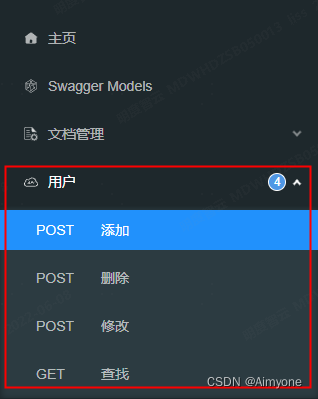
Entity
@ApiModel
@ApiModelProperty
@NotNull
@NotBlank
@Data
@ApiModel("修改用户", description = "用户描述")
public class UserEditRequest {

    @ApiModelProperty(value = "用户ID", required = true)
    @NotNull(message = "用户ID不能为空")
    private Long id;

    @ApiModelProperty(value = "用户名", required = true)
    @NotBlank(message = "用户名不能为空")
    private String userName;

    @ApiModelProperty("昵称")
    private String nickName;

    @ApiModelProperty("邮箱")
    private String email;
}

很不错的博客:
官网:
https://doc.xiaominfo.com/knife4j/documentation/description.html
边栏推荐
- Test manager defines and implements test metrics
- d不能用非常ctfe指针
- Imx6q PWM drive
- openwrt uci c api
- 私有协议的解密游戏:从秘文到明文
- Source code learning - [FreeRTOS] privileged_ Understanding of function meaning
- 【图像去噪】基于高斯滤波、均值滤波、中值滤波、双边滤波四种滤波实现椒盐噪声图像去噪附matlab代码
- 推荐17个提升开发效率的“轮子”
- 9 Sequence container
- Detailed explanation of coordinate tracking of TF2 operation in ROS (example + code)
猜你喜欢
![[Li Kou] curriculum series](/img/eb/c46a6b080224a71367d61f512326fd.jpg)
[Li Kou] curriculum series
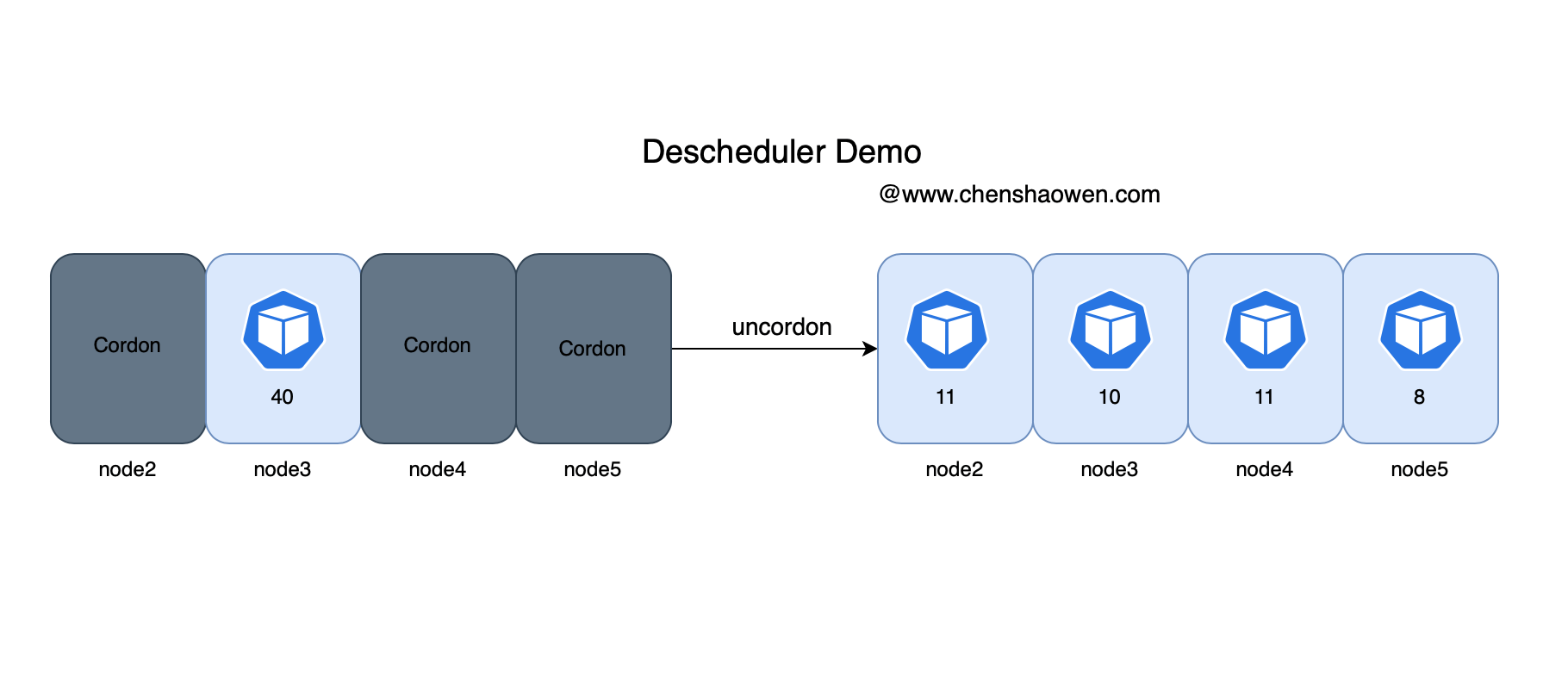
Descscheduler secondary scheduling makes kubernetes load more balanced
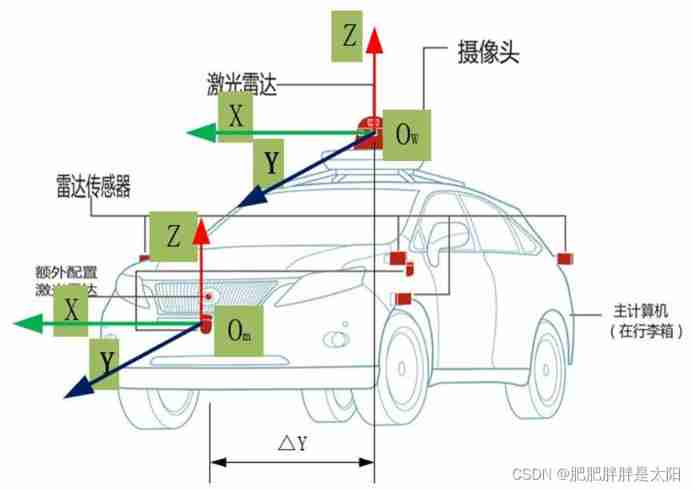
The most understandable explanation of coordinate transformation (push to + diagram)

Design an open source continuous deployment pipeline based on requirements

Node, topic, parameter renaming and global, relative and private namespaces in ROS (example + code)
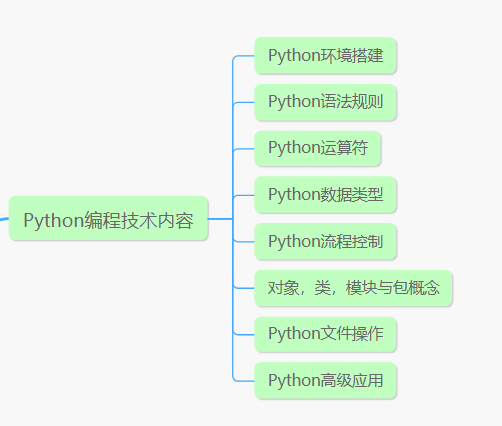
"I was laid off by a big factory"

Nine project management issues that PM should understand

lambda 函数完美使用指南

ROS dynamic parameter configuration: use of dynparam command line tool (example + code)

CL210OpenStack操作的故障排除--章节实验
随机推荐
应届生苦恼:是去华为拿1万多低薪,还是去互联网拿2万多高薪
五、EL 表达式& JSTL 标签库
d中的解耦
2022起重机械指挥考试题模拟考试平台操作
【高考那些事】准大学生看过来,选择方向和未来,自己把握
Detailed explanation of coordinate tracking of TF2 operation in ROS (example + code)
Vscode outline preview cannot find file symbol
5、 El expression & JSTL tag library
Detailed explanation of 8086/8088 system bus (sequence analysis + bus related knowledge)
基于eNSP加防火墙的千人中型校园/企业网络规划与设计(附所有配置命令)
网络丢包问题排查
Demonstrate "topic communication, action communication, service communication and parameter server" with a small turtle case
报表工具的二次革命
Drawing grid navigation by opencv map reading
5 lines of code identify various verification codes
postman拼接替换参数循环调用接口
Host computer development (firmware download software requirement analysis)
Source code learning - [FreeRTOS] privileged_ Understanding of function meaning
Talk about vscode configuration settings JSON knows why (with a large number of configurations)
【数据聚类】本专栏中涉及数据集、可视化及注意事项