当前位置:网站首页>C#版Selenium操作Chrome全屏模式显示(F11)
C#版Selenium操作Chrome全屏模式显示(F11)
2022-07-06 09:33:00 【心蓝168】
最近开发一个教室智能控制软件,主要实现在讲台上对教室里的所有用电设备进行控制,其主要是基于MQTT实现的,其操控界面使用WEB页面实现。
讲台上的主控计算机开机后进入Windows桌面后,自动运行浏览器并进入操控页面。由于操控界面没有用户验证,所以需要隐藏操控界面的地址,所以对入口地址加了验证信息,然后转至真正的界面。为了看启动更像桌面软件,所以还要求要浏览器全屏显示(即:自动按下F11进入全屏模式)。
方法一:通过创建Chrome的快捷方式,并在参数中加入--kiosk取可实现,如下图所示:
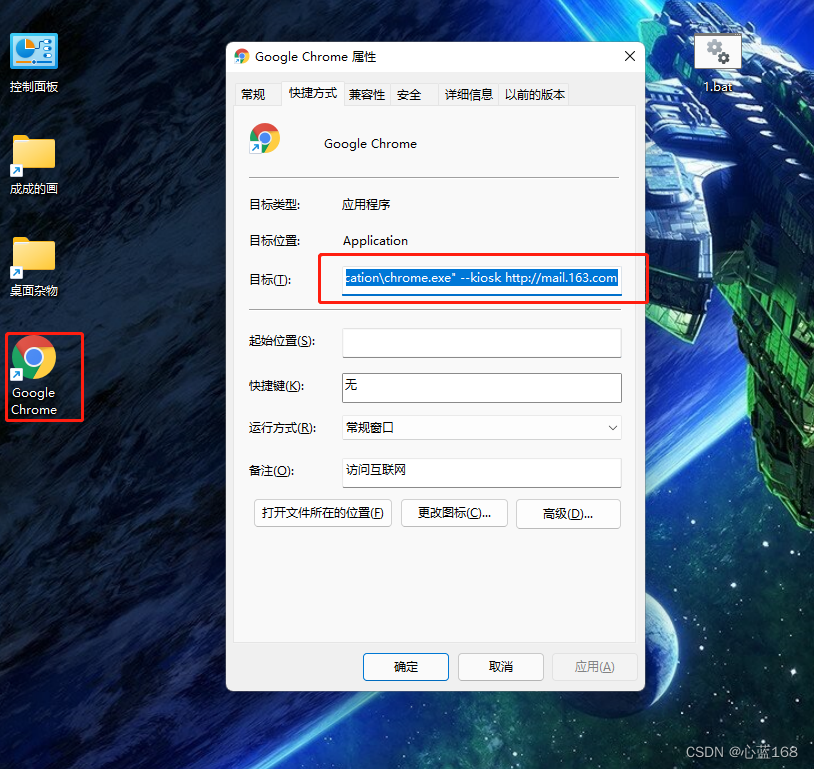
然后将其加入到Windows的开机启动项中即可。
该方法的唯一的缺点是:无法真正的隐藏操控界面的入口地址,对懂点计算机的人而然都能轻易拿到该地址。采用其他设备访问该地址对设备进行操作,这是我们不想看到的。
方法二:使用自动化测试工具Selenium实现对Chrome浏览器的控制。下载Selenium相关类库,及下载与本地计算机所安装的Chrome浏览器版本一致的ChromeDriver.exe。下载地址是:http://chromedriver.storage.googleapis.com/index.html
控制浏览器全屏的方法是对ChromeOptions的属性进行设置。网上很多人发的贴都是将浏览器的最大化写作浏览器的全屏,其实这是很不对。正确的做法如下所示:
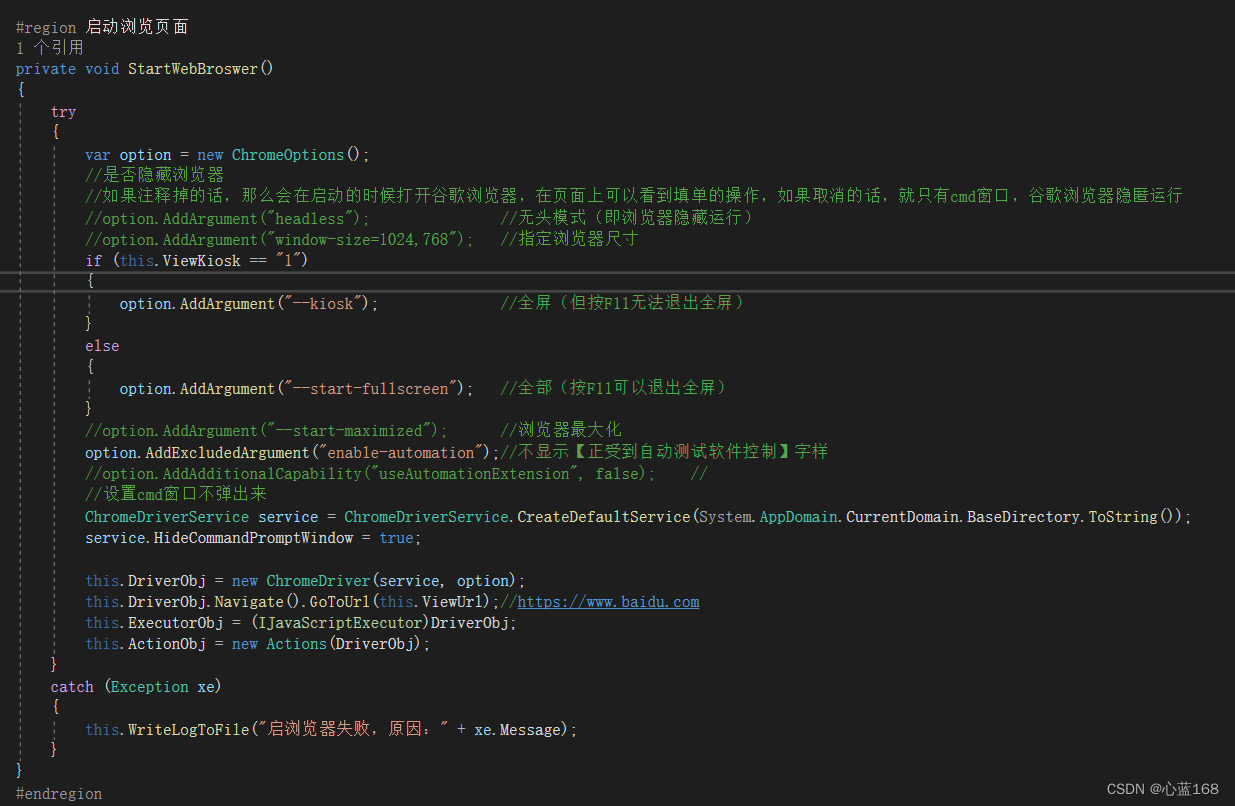
哈哈,上图看到不清楚吧,我再附上代码:
        #region 启动浏览页面
        private void StartWebBroswer()
        {
            try
            {
                var option = new ChromeOptions();
                //是否隐藏浏览器
                //如果注释掉的话,那么会在启动的时候打开谷歌浏览器,在页面上可以看到填单的操作,如果取消的话,就只有cmd窗口,谷歌浏览器隐匿运行
                //option.AddArgument("headless");               //无头模式(即浏览器隐藏运行)
                //option.AddArgument("window-size=1024,768");   //指定浏览器尺寸
                if (this.ViewKiosk == "1")
                {
                    option.AddArgument("--kiosk");              //全屏(但按F11无法退出全屏)
                }
                else
                {
                    option.AddArgument("--start-fullscreen");   //全部(按F11可以退出全屏)
                }
                //option.AddArgument("--start-maximized");      //浏览器最大化
                option.AddExcludedArgument("enable-automation");//不显示【正受到自动测试软件控制】字样
                //option.AddAdditionalCapability("useAutomationExtension", false);    //
                //设置cmd窗口不弹出来
                ChromeDriverService service = ChromeDriverService.CreateDefaultService(System.AppDomain.CurrentDomain.BaseDirectory.ToString());
                service.HideCommandPromptWindow = true;

                this.DriverObj = new ChromeDriver(service, option);
                this.DriverObj.Navigate().GoToUrl(this.ViewUrl);//https://www.baidu.com
                this.ExecutorObj = (IJavaScriptExecutor)DriverObj;
                this.ActionObj = new Actions(DriverObj);
            }
            catch (Exception xe)
            {
                this.WriteLogToFile("启浏览器失败,原因:" + xe.Message);
            }
        }
        #endregion
上面的代码段还包括了控制浏览器的无头模式,指定浏览器的尺寸、浏览器最大化、不显示【正受到自动测试软件控制】字样等,大家可以尽情使用。
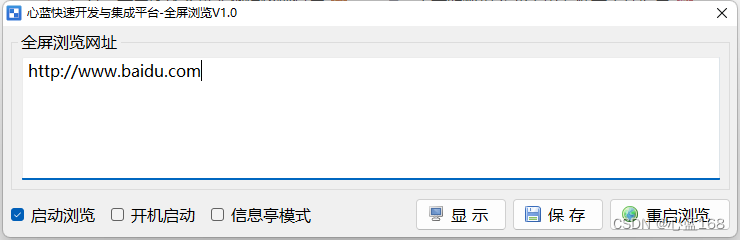
下面是本次项目开发的一个小工具,在Windows的触屏设备上特别适用,支持随意设定启动的地址,开机自动运行、信息亭模式及密码保护等,供大家参考。
下载地址:
Chrome浏览器全屏显示并加载指定页面-桌面系统文档类资源-CSDN下载
边栏推荐
猜你喜欢
When it comes to Google i/o, this is how ByteDance is applied to flutter
Program counter of JVM runtime data area
Assembly language segment definition
Compile homework after class

吴军三部曲见识(七) 商业的本质

Many papers on ByteDance have been selected into CVPR 2021, and the selected dry goods are here
1. JVM入门介绍
Instructions for Redux
JVM 垃圾回收器之Garbage First
Garbage first of JVM garbage collector
随机推荐
Shawshank's sense of redemption
微信防撤回是怎么实现的?
【MMdetection】一文解决安装问题
Flink 解析(七):时间窗口
Mongodb在node中的使用
Activiti目录(三)部署流程、发起流程
JVM 垃圾回收器之Garbage First
Serial serialold parnew of JVM garbage collector
Flink 解析(二):反压机制解析
1. Introduction to JVM
mysql的列的数据类型详解
Garbage first of JVM garbage collector
8086 CPU 内部结构
February database ranking: how long can Oracle remain the first?
SQL调优小记
Program counter of JVM runtime data area
吴军三部曲见识(五) 拒绝伪工作者
koa中间件
复盘网鼎杯Re-Signal Writeup
Activiti directory (III) deployment process and initiation process