当前位置:网站首页>[NVIDIA development board] FAQ (updated from time to time)
[NVIDIA development board] FAQ (updated from time to time)
2022-07-06 08:35:00 【Will_ Ye】
It's estimated that I'll be with you for a long time Nvidia Dealing with the development board of , Record some problems encountered
- ssh Try to connect nvidia The board , Report the following error
@@@@@@@@@@@@@@@@@@@@@@@@@@@@@@@@@@@@@@@@@@@@@@@@@@@@@@@@@@@
@    WARNING: REMOTE HOST IDENTIFICATION HAS CHANGED!     @
@@@@@@@@@@@@@@@@@@@@@@@@@@@@@@@@@@@@@@@@@@@@@@@@@@@@@@@@@@@
IT IS POSSIBLE THAT SOMEONE IS DOING SOMETHING NASTY!
Someone could be eavesdropping on you right now (man-in-the-middle attack)!
It is also possible that a host key has just been changed.
The fingerprint for the ECDSA key sent by the remote host is
SHA256:9XvufSSIeZ7MAurIZ1Qw9Z13YV1Zcim2kthmAlECgYw.
Please contact your system administrator.
Add correct host key in /root/.ssh/known_hosts to get rid of this message.
Offending ECDSA key in /root/.ssh/known_hosts:8
ECDSA host key for 192.168.122.100 has changed and you have requested strict checking.
Host key verification failed.
lost connection
There is a simple and crude way , hold ssh Under the known_hosts Just delete the folder rm -rf ~/.ssh/known_hosts
If you worry about other problems , First copy A backup , If something happens, you can recover cp ~/.ssh/known_hosts ~/.ssh/known_hosts_bak
After deleting , It should be ssh In the past the , Pro feasible measurement
- Nvidia The fan on the board doesn't work , The temperature is high 60° Above
First check the current fan speed ,cat /sys/devices/pwm-fan/target_pwm
If it shows 0, It means that the current fan does not turn , The value is the current speed
There are two ways to set the speed
- The first is to give a specified speed directly , Keep the fan running , But restart will fail
- The second setting is startup
1) The first method
Enter the following command to set the current fan speed :sudo sh -c "echo 200 > /sys/devices/pwm-fan/target_pwm"
remember , This is just a one-off , No more after restart .
2) The second method
① Write a script to start the fan , stay /usr/bin/ Create mirror-fan Folder , establish mirror-fan.sh file
set -x
set -e

filepath="/sys/devices/pwm-fan/target_pwm"
echo 0 > ${filepath}

sleep 5

echo 200 > ${filepath}
exit 0
② Create boot entry , stay /lib/systemd/system/ Create under directory mirror-fan.service
[Unit]
Description=Mirror fan

[Service]
User=root
Type=simple
ExecStart=/bin/bash /usr/bin/mirror-fan/mirror-fan.sh

[Install]
WantedBy=multi-user.target
③ Open one terminal, Then input sudo systemctl enable mirror-fan.service
④ Restart to see if it takes effect
- Remote shutdown / Restart command
To turn it off :sudo poweroff
restart :sudo reboot
边栏推荐
- Verrouillage [MySQL]
- Vocabulary notes for postgraduate entrance examination (3)
- @JsonBackReference和@JsonManagedReference(解决对象中存在双向引用导致的无限递归)
- Cisp-pte practice explanation
- 【MySQL】锁
- String to leading 0
- Wincc7.5 download and installation tutorial (win10 system)
- Generator parameters incoming parameters
- China vanadium battery Market Research and future prospects report (2022 Edition)
- 深度剖析C语言数据在内存中的存储
猜你喜欢


随机推荐
Browser thread
Leetcode question brushing (5.28) hash table
Bottom up - physical layer
The mysqlbinlog command uses
logback1.3. X configuration details and Practice
Permutation and combination function
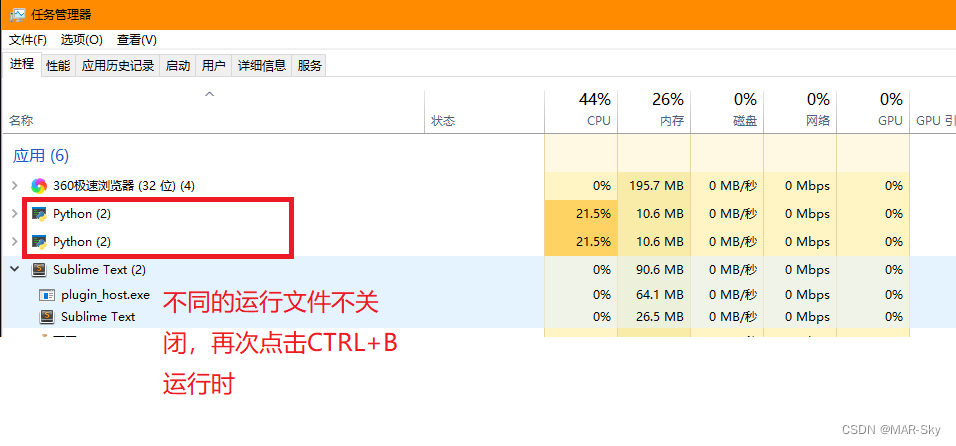
Sublime text using ctrl+b to run another program without closing other runs
Leetcode question brushing (5.31) string
根据csv文件某一列字符串中某个数字排序
2022.02.13 - NC003. Design LRU cache structure
visdom可视化实现与检查介绍
Roguelike游戏成破解重灾区,如何破局?
电脑F1-F12用途
Colorlog结合logging打印有颜色的日志
如何进行接口测试测?有哪些注意事项?保姆级解读
企微服务商平台收费接口对接教程
pytorch训练好的模型在加载和保存过程中的问题
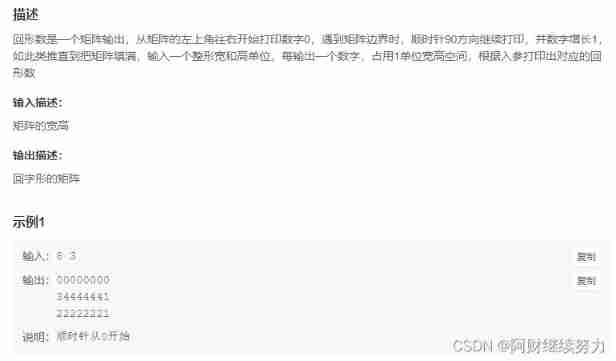
2022.02.13 - NC004. Print number of loops
生成器参数传入参数
C language double pointer -- classic question type