当前位置:网站首页>【OpenGL】笔记二十九、抗锯齿(MSAA)
【OpenGL】笔记二十九、抗锯齿(MSAA)
2022-07-04 22:03:00 【ycrsw】
1. 流程
经过之前的教程,我们目前渲染出来的画面已经有了足够的表现力,但是还是有一些缺陷,比如当我们的渲染画面分辨率跟不上屏幕分辨率时,在我们渲染的图形边缘一些比较严重的锯齿效果就会显现: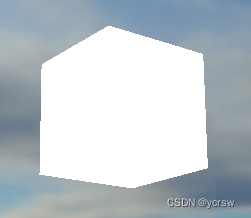
自然,这种效果就是因为画面采样像素太少,从而在一条直线上出现了明显的“断带”: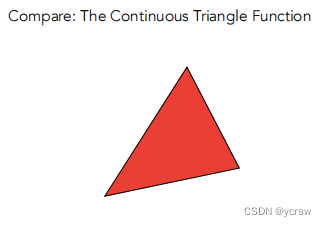
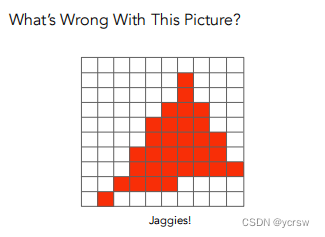
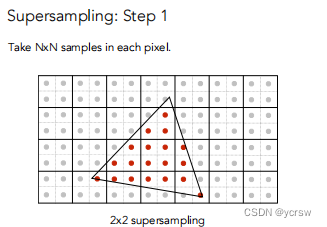
那么,理所当然的,解铃还须系铃人,我们可以增大采样数量,而目前应用比较广泛的抗锯齿方法也是多重采样MSAA,这种方法的原理很简单,就是将每个采样的像素分为四个像素进行采样计算,最后将结果进行平均计算: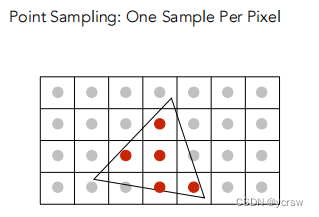
2. 实现
2.1 增大帧缓冲
在【OpenGL】笔记二十三、帧缓冲中,我通过减少自定义帧缓冲的采样个数,最后还原到正常视口中完成了一种马赛克风的效果: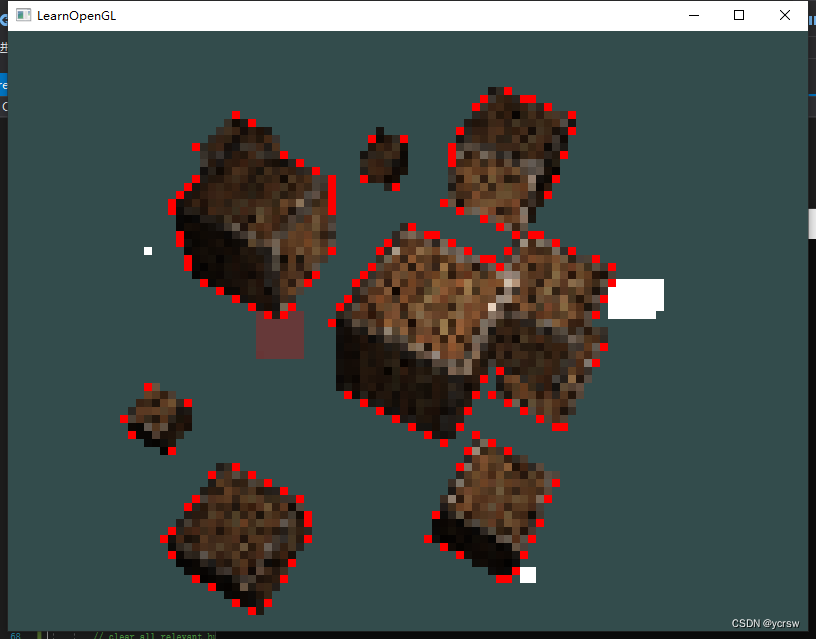
那么同样的,根据上面介绍的MSAA原理,我也可以通过增加自定义帧缓冲的采样个数,最后还原视口大小(其中有自动求平均的功能)来完成抗锯齿的效果(以4X4采样,离屏渲染为例):
首先在每次渲染前增大视口:
	while (!glfwWindowShouldClose(window))
    {

        glViewport(0, 0, 800 * 4, 600 * 4);//增大视口,绑定自定义帧缓冲
        glBindFramebuffer(GL_FRAMEBUFFER, screen->framebuffer);
		...
		//渲染场景
		...
        screen->Draw(screenShader);//渲染帧缓冲
        glfwSwapBuffers(window);
        glfwPollEvents();
    }
然后在初始化自定义帧缓冲时按比例增大纹理和渲染对象附件
	void setup() {

        glGenVertexArrays(1, &quadVAO);
        glGenBuffers(1, &quadVBO);
        glBindVertexArray(quadVAO);
        glBindBuffer(GL_ARRAY_BUFFER, quadVBO);
        glBufferData(GL_ARRAY_BUFFER, sizeof(quadVertices), &quadVertices, GL_STATIC_DRAW);
        glEnableVertexAttribArray(0);
        glVertexAttribPointer(0, 2, GL_FLOAT, GL_FALSE, 4 * sizeof(float), (void*)0);
        glEnableVertexAttribArray(1);
        glVertexAttribPointer(1, 2, GL_FLOAT, GL_FALSE, 4 * sizeof(float), (void*)(2 * sizeof(float)));

        glGenFramebuffers(1, &framebuffer);
        glBindFramebuffer(GL_FRAMEBUFFER, framebuffer);
        glGenTextures(1, &textureColorbuffer);
        glBindTexture(GL_TEXTURE_2D, textureColorbuffer);
        glTexImage2D(GL_TEXTURE_2D, 0, GL_RGB, 800 * 4, 600 * 4, 0, GL_RGB, GL_UNSIGNED_BYTE, NULL);//增大纹理附件
        glTexParameteri(GL_TEXTURE_2D, GL_TEXTURE_MIN_FILTER, GL_LINEAR);
        glTexParameteri(GL_TEXTURE_2D, GL_TEXTURE_MAG_FILTER, GL_LINEAR);
        glFramebufferTexture2D(GL_FRAMEBUFFER, GL_COLOR_ATTACHMENT0, GL_TEXTURE_2D, textureColorbuffer, 0);
        glGenRenderbuffers(1, &rbo);
        glBindRenderbuffer(GL_RENDERBUFFER, rbo);
        glRenderbufferStorage(GL_RENDERBUFFER, GL_DEPTH24_STENCIL8, 800 * 4, 600 * 4);//增大渲染缓冲对象
        glFramebufferRenderbuffer(GL_FRAMEBUFFER, GL_DEPTH_STENCIL_ATTACHMENT, GL_RENDERBUFFER, rbo);
        if (glCheckFramebufferStatus(GL_FRAMEBUFFER) != GL_FRAMEBUFFER_COMPLETE)
            cout << "ERROR::FRAMEBUFFER:: Framebuffer is not complete!" << endl;
        glBindFramebuffer(GL_FRAMEBUFFER, 0);
    }
最后渲染我们的帧缓冲前还原视口大小:
    void Draw(Shader& shader) {

        glViewport(0, 0, 800, 600);
        glBindFramebuffer(GL_FRAMEBUFFER, 0);
        glDisable(GL_DEPTH_TEST);
        glClearColor(1.0f, 1.0f, 1.0f, 1.0f);
        glClear(GL_COLOR_BUFFER_BIT);

        shader.use();
        shader.setInt("screenTexture", 0);
        glActiveTexture(GL_TEXTURE0);
        glBindVertexArray(quadVAO);
        glBindTexture(GL_TEXTURE_2D, textureColorbuffer);	// use the color attachment texture as the texture of the quad plane
        glDrawArrays(GL_TRIANGLES, 0, 6);
    }
前后效果对比:
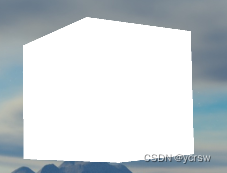
可见实际的效果不错,但是我自己的感觉来看渲染的帧数下降了许多,那么有没有更高效的方法呢?当然
2.2 OpenGL自带MSAA
OpenGL有自带的MSAA功能,它的使用也是十分的方便:
首先创建窗口之前调用glfwWindowHint来创建多重采样缓冲:
glfwWindowHint(GLFW_SAMPLES, 16);
其中第二个参数就是我们的采样个数,每个像素采样16个其实就是4X4的采样
接下来我们就可以像之前那样在渲染前开启多重采样的功能:
glEnable(GL_MULTISAMPLE);
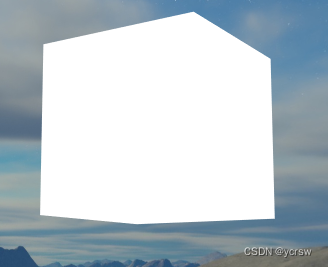
可以看到,效果甚至比我们上一个效果还好,甚至帧数也更高了,但是这种方法有一种弊端,那就是不能在离屏渲染时使用,意思是离屏时这样就是无效的,那么离屏渲染的前提下我们该怎么更好的完成抗锯齿的功能呢?
2.3 离屏MSAA
其实离屏MSAA并没有新增多少操作,和之前的【OpenGL】笔记二十三、帧缓冲中所说的差不多,只是我们在绑定自定义缓冲的纹理附件和渲染缓冲对象时,改变了部分调用的函数和纹理类型:
		glGenTextures(1, &textureColorbuffer);
        glBindTexture(GL_TEXTURE_2D_MULTISAMPLE, textureColorbuffer);
        glTexImage2DMultisample(GL_TEXTURE_2D_MULTISAMPLE, 4, GL_RGB, 800, 600, GL_TRUE);//多重采样纹理附件
        glBindTexture(GL_TEXTURE_2D_MULTISAMPLE, 0);
        glFramebufferTexture2D(GL_FRAMEBUFFER, GL_COLOR_ATTACHMENT0, GL_TEXTURE_2D_MULTISAMPLE, textureColorbuffer, 0);

        unsigned int rbo;
        glGenRenderbuffers(1, &rbo);
        glBindRenderbuffer(GL_RENDERBUFFER, rbo);
        glRenderbufferStorageMultisample(GL_RENDERBUFFER, 4, GL_DEPTH24_STENCIL8, 800, 600);//多重采样渲染缓冲对象
        glBindRenderbuffer(GL_RENDERBUFFER, 0);
        glFramebufferRenderbuffer(GL_FRAMEBUFFER, GL_DEPTH_STENCIL_ATTACHMENT, GL_RENDERBUFFER, rbo);
但是多重采样缓冲有一点特别,我们不能直接将它们的缓冲图像用于其他运算,比如在着色器中对它们进行采样。
一个多重采样的图像包含比普通图像更多的信息,我们所要做的是缩小或者还原(Resolve)图像。多重采样帧缓冲的还原通常是通过glBlitFramebuffer来完成,它能够将一个帧缓冲中的某个区域复制到另一个帧缓冲中,并且将多重采样缓冲还原。
	void Draw(Shader& shader) {

        glBindFramebuffer(GL_READ_FRAMEBUFFER, framebuffer);
        glBindFramebuffer(GL_DRAW_FRAMEBUFFER, 0);
        glBlitFramebuffer(0, 0, 800, 600, 0, 0, 800, 600, GL_COLOR_BUFFER_BIT, GL_NEAREST);
        // now bind back to default framebuffer and draw a quad plane with the attached framebuffer color texture
        glBindFramebuffer(GL_FRAMEBUFFER, 0);
        glDisable(GL_DEPTH_TEST); // disable depth test so screen-space quad isn't discarded due to depth test.
        // clear all relevant buffers
        glClearColor(1.0f, 1.0f, 1.0f, 1.0f); // set clear color to white (not really necessary actually, since we won't be able to see behind the quad anyways)
        glClear(GL_COLOR_BUFFER_BIT);

        shader.use();
        shader.setInt("screenTexture", 0);
        glActiveTexture(GL_TEXTURE0);
        glBindVertexArray(quadVAO);
        glBindTexture(GL_TEXTURE_2D, textureColorbuffer);	// use the color attachment texture as the texture of the quad plane
        glDrawArrays(GL_TRIANGLES, 0, 6);
    }
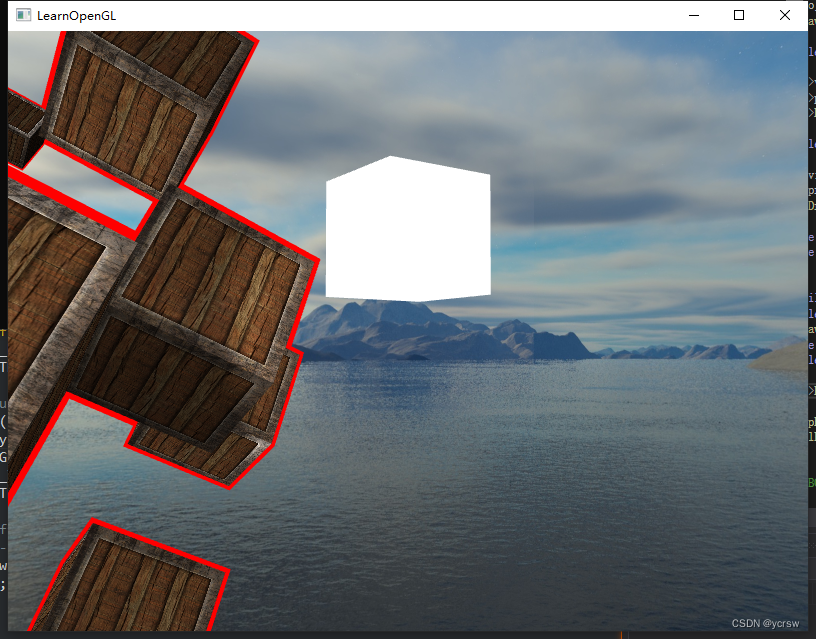
效果不错,但是有个问题,如果我们想要使用多重采样帧缓冲的纹理输出来做像是后期处理这样的事情呢?我们不能直接在片段着色器中使用多重采样的纹理。但我们能做的是将多重采样缓冲位块传送到一个没有使用多重采样纹理附件的FBO中。然后用这个普通的颜色附件来做后期处理,从而达到我们的目的。然而,这也意味着我们需要生成一个新的FBO,作为中介帧缓冲对象,将多重采样缓冲还原为一个能在着色器中使用的普通2D纹理。
		glGenFramebuffers(1, &fbo);
        glBindFramebuffer(GL_FRAMEBUFFER, fbo);
        // create a color attachment texture
        glGenTextures(1, &screenTexture);
        glBindTexture(GL_TEXTURE_2D, screenTexture);
        glTexImage2D(GL_TEXTURE_2D, 0, GL_RGB, 800, 600, 0, GL_RGB, GL_UNSIGNED_BYTE, NULL);
        glTexParameteri(GL_TEXTURE_2D, GL_TEXTURE_MIN_FILTER, GL_LINEAR);
        glTexParameteri(GL_TEXTURE_2D, GL_TEXTURE_MAG_FILTER, GL_LINEAR);
        glFramebufferTexture2D(GL_FRAMEBUFFER, GL_COLOR_ATTACHMENT0, GL_TEXTURE_2D, screenTexture, 0);
然后我们渲染时将原缓冲复制到这个新缓冲中,并且改绑纹理为这个新纹理:
	void Draw(Shader& shader) {

        glBindFramebuffer(GL_READ_FRAMEBUFFER, framebuffer);
        glBindFramebuffer(GL_DRAW_FRAMEBUFFER, fbo);
        glBlitFramebuffer(0, 0, 800, 600, 0, 0, 800, 600, GL_COLOR_BUFFER_BIT, GL_NEAREST);
        // now bind back to default framebuffer and draw a quad plane with the attached framebuffer color texture
        glBindFramebuffer(GL_FRAMEBUFFER, 0);
        glDisable(GL_DEPTH_TEST); // disable depth test so screen-space quad isn't discarded due to depth test.
        // clear all relevant buffers
        glClearColor(1.0f, 1.0f, 1.0f, 1.0f); // set clear color to white (not really necessary actually, since we won't be able to see behind the quad anyways)
        glClear(GL_COLOR_BUFFER_BIT);

        shader.use();
        shader.setInt("screenTexture", 0);
        glActiveTexture(GL_TEXTURE0);
        glBindVertexArray(quadVAO);
        glBindTexture(GL_TEXTURE_2D, screenTexture);	// use the color attachment texture as the texture of the quad plane
        glDrawArrays(GL_TRIANGLES, 0, 6);
    }
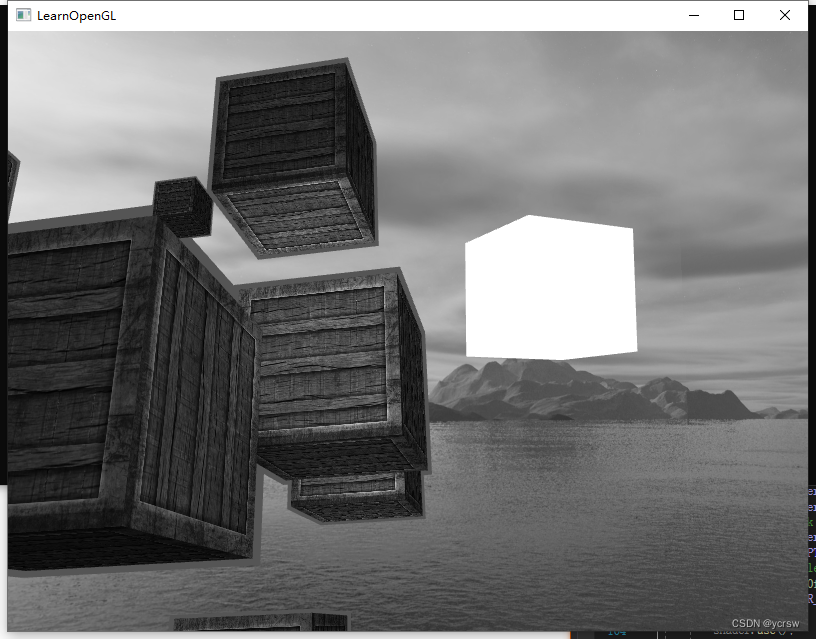
这样我们就可以对多重采样后的纹理在着色器中进行后期处理了,比如下面这个灰度图的处理:
2.4 自定义抗锯齿
将一个多重采样的纹理图像不进行还原直接传入着色器也是可行的。GLSL提供了这样的选项,让我们能够对纹理图像的每个子样本进行采样,所以我们可以创建我们自己的抗锯齿算法。在大型的图形应用中通常都会这么做。
要想获取每个子样本的颜色值,你需要将纹理uniform采样器设置为sampler2DMS,而不是平常使用的sampler2D:
uniform sampler2DMS screenTextureMS;
使用texelFetch函数就能够获取每个子样本的颜色值了:
vec4 colorSample = texelFetch(screenTextureMS, TexCoords, 3); // 第4个子样本
边栏推荐
- Why should garment enterprises talk about informatization?
- Zhiyang innovation signed a cooperation agreement with Huawei to jointly promote the sustainable development of shengteng AI industry
- Huawei Nova 10 series released Huawei application market to build a solid application security firewall
- Force buckle 3_ 383. Ransom letter
- Recommendation of mobile app for making barcode
- Embedded development: skills and tricks -- seven skills to improve the quality of embedded software code
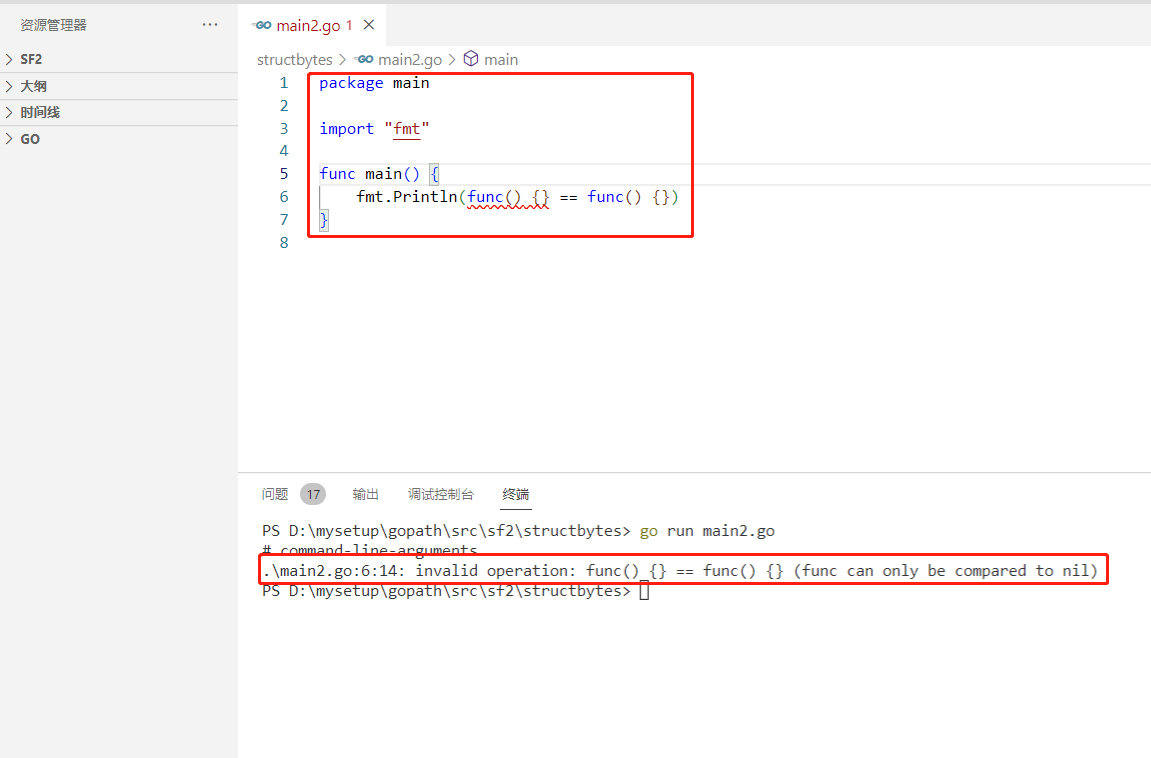
- 2022-07-04: what is the output of the following go language code? A:true; B:false; C: Compilation error. package main import “fmt“ func main() { fmt.Pri
- PMO:比较25种分子优化方法的样本效率
- LOGO特訓營 第一節 鑒別Logo與Logo設計思路
- Detailed explanation of flask context
猜你喜欢

LOGO特训营 第三节 首字母创意手法

虚拟人产业面临的挑战

B站大量虚拟主播被集体强制退款:收入蒸发,还倒欠B站;乔布斯被追授美国总统自由勋章;Grafana 9 发布|极客头条
It is said that software testing is very simple, but why are there so many dissuasions?
UML图记忆技巧
![[acwing] solution of the 58th weekly match](/img/e3/fd2c0ffbc9c7ca8a71875882d6c71b.png)
[acwing] solution of the 58th weekly match
2022-07-04: what is the output of the following go language code? A:true; B:false; C: Compilation error. package main import “fmt“ func main() { fmt.Pri

How to transfer to software testing, one of the high paying jobs in the Internet? (software testing learning roadmap attached)
Nat. Commun.| Machine learning jointly optimizes the affinity and specificity of mutagenic therapeutic antibodies
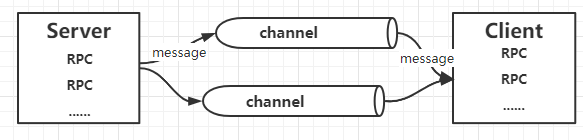
玩转gRPC—深入概念与原理
随机推荐
Logo special training camp Section V font structure and common design techniques
With this PDF, we finally got offers from eight major manufacturers, including Alibaba, bytek and Baidu
Short video system source code, click the blank space of the screen, the keyboard does not automatically stow
close系统调用分析-性能优化
Easy to use app recommendation: scan QR code, scan barcode and view history
并发网络模块化 读书笔记转
删库不必跑路!详解 MySQL 数据恢复
Implementation rules for archiving assessment materials of robot related courses 2022 version
Use blocconsumer to build responsive components and monitor status at the same time
Introduction and application of bigfilter global transaction anti duplication component
Jvm-Sandbox-Repeater的部署
不同环境相同配置项的内容如何diff差异?
卷积神经网络模型之——LeNet网络结构与代码实现
LOGO特訓營 第一節 鑒別Logo與Logo設計思路
Concurrent network modular reading notes transfer
Common open source codeless testing tools
SPSS installation and activation tutorial (including network disk link)
UML图记忆技巧
LOGO特训营 第三节 首字母创意手法
Zhiyang innovation signed a cooperation agreement with Huawei to jointly promote the sustainable development of shengteng AI industry