当前位置:网站首页>Using pkgbuild:: find in R language_ Rtools check whether rtools is available and use sys The which function checks whether make exists, installs it if not, and binds R and rtools with the writelines
Using pkgbuild:: find in R language_ Rtools check whether rtools is available and use sys The which function checks whether make exists, installs it if not, and binds R and rtools with the writelines
2022-07-06 08:40:00 【Data+Science+Insight】
R Used in language pkgbuild::find_rtools(debug = TRUE) Check to see if there is Rtools、 Use Sys.which The function view make Whether there is 、 If not, install Rtools、 Use writeLines Function binding R and Rtools
Catalog
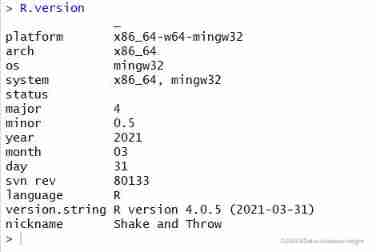
#R Version and Rtools Need to match and view
# Use writeLines Function binding R and Rtools
#R Used in language pkgbuild::find_rtools(debug = TRUE) Check to see if there is Rtools、 Use Sys.which The function view make Whether there is 、 If not, install Rtools、 Use writeLines Function binding R and Rtools
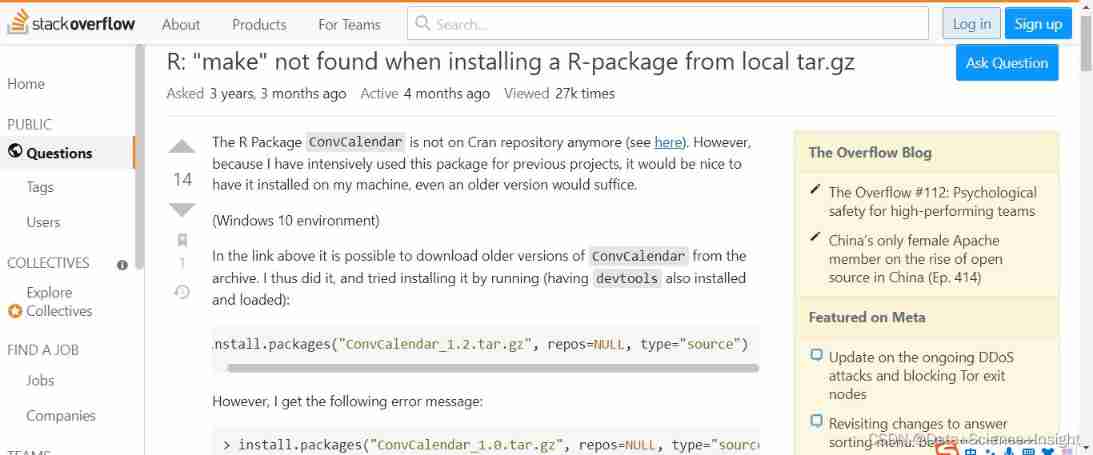
I really didn't find make So I can't install .
> Sys.which("make")
make
""
> pkgbuild::find_rtools(debug = TRUE)
Found in Rtools 4.0 installation folder
[1] TRUE
> install.packages("D:/Downloads/RGtk2_2.20.36.3.tar.gz", repos = NULL, type = "source")
* installing *source* package 'RGtk2' ...
** Will succeed 'RGtk2' Package unpacking and MD5 And inspection
** using staged installation
** libs
*** arch - i386
Warning in system(cmd) : 'make' not found
ERROR: compilation failed for package 'RGtk2'
* removing 'D:/R/R-4.0.5/library/RGtk2'
Warning in install.packages :
installation of package ‘D:/Downloads/RGtk2_2.20.36.3.tar.gz’ had non-zero exit status
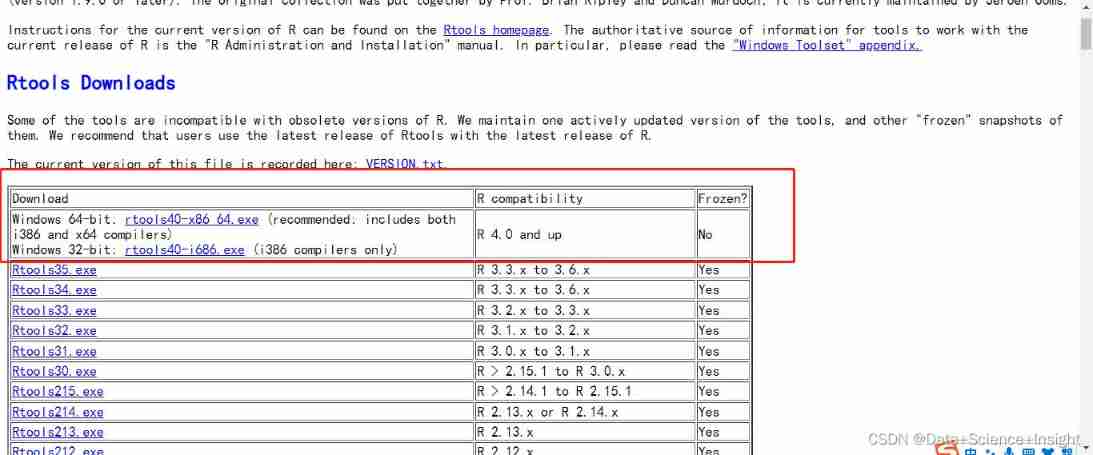 #R Version and Rtools Need to match and view
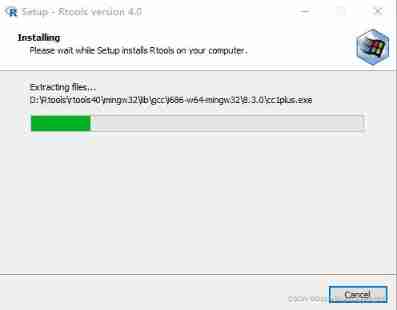
# install Rtools
# Use writeLines Function binding R and Rtools
# Do the following ( Remember if there is no response after the operation , Need to restart Rstudio)
writeLines('PATH="${RTOOLS40_HOME}\\usr\\bin;${PATH}"', con = "~/.Renviron")
> Sys.which("make")
make
"D:\\Rtools\\rtools40\\usr\\bin\\make.exe"
Reference resources :R
Reference resources :Index of /src/contrib/Archive/RGtk2
边栏推荐
- JS pure function
- 自动化测试框架有什么作用?上海专业第三方软件测试公司安利
- View computer devices in LAN
- Double pointeur en langage C - - modèle classique
- Research and investment forecast report of citronellol industry in China (2022 Edition)
- MySQL learning record 11jdbcstatement object, SQL injection problem and Preparedstatement object
- 堆排序详解
- Image,cv2读取图片的numpy数组的转换和尺寸resize变化
- 【ROS】usb_cam相机标定
- Screenshot in win10 system, win+prtsc save location
猜你喜欢

2022 Inner Mongolia latest water conservancy and hydropower construction safety officer simulation examination questions and answers

企微服务商平台收费接口对接教程
堆排序详解
CISP-PTE实操练习讲解
生成器参数传入参数

Unified ordering background interface product description Chinese garbled
PLT in Matplotlib tight_ layout()

Light of domestic games destroyed by cracking
2022.02.13 - NC004. Print number of loops
Deep learning: derivation of shallow neural networks and deep neural networks
随机推荐
LDAP Application Section (4) Jenkins Access
Leetcode question brushing (5.28) hash table
C language double pointer -- classic question type
Image, CV2 read the conversion and size resize change of numpy array of pictures
IoT -- 解读物联网四层架构
2022.02.13 - 238. Maximum number of "balloons"
After PCD is converted to ply, it cannot be opened in meshlab, prompting error details: ignored EOF
如何有效地进行自动化测试?
ROS编译 调用第三方动态库(xxx.so)
Colorlog结合logging打印有颜色的日志
poi追加写EXCEL文件
JVM 快速入门
2022.02.13 - NC001. Reverse linked list
Purpose of computer F1-F12
LDAP應用篇(4)Jenkins接入
个人电脑好用必备软件(使用过)
2022.02.13 - NC002. sort
View computer devices in LAN
Deep learning: derivation of shallow neural networks and deep neural networks
PLT in Matplotlib tight_ layout()