当前位置:网站首页>[tutorial] deployment process of yolov5 based on tensorflow Lite
[tutorial] deployment process of yolov5 based on tensorflow Lite
2022-06-12 07:29:00 【Nidiya is trying】
One 、 File conversion : First the pt File to tflite, I'm based on zldrobit The great god pull Code For file conversion and subsequent deployment . But at first it was about pt I use... To convert files yolov5 The official way , But press zldrobit When the great God's code is deployed to the Android machine, the application will flash back , Exclude phone memory 、 After the application itself , I guess it may be the problem of weight file conversion , Then press again zldrobit The great God changed once , The deployment is complete . Because we often encounter network problems , I sometimes like to manually download and install :
1、 First download and unzip the project zip Installation package ( I upload the file to the cloud , link :https://pan.baidu.com/s/1t8jwWtykt11YKpyugGPSjA , Extraction code :sgt6)
2、 Install environment dependent Libraries : Enter the project folder , Then execute the command to install the required libraries
pip install -r requirements.txt
pip install tensorflow==2.4.0
3、 File conversion : Will download yolov5 The weight file of “yolov5s.pt” Put it in weights Folder , And then execute the command :
python models/tf.py --weight weights/yolov5s.pt --cfg models/yolov5s.yaml --img 320In this way, the transformed .tflite file :

Generated .tflite I also put the file thus , Extraction code xtd1.
4、 Store the converted file in assets Folder , Path as follows :

Two 、 Deploy to the Android end :
Because I have not installed before java and Android studio, Therefore, it is necessary to install and configure .
( One )java Environment configuration
To download jdk: Download link , And then according to This tutorial You can complete the configuration , But here are two points :
(1) newly build -> Variable name "JAVA_HOME", A variable's value "D:\Java\jdk-17.0.2"( namely JDK Installation path for )
(2) edit —— Variable name "Path"—— Click on " newly build "—— Input "%JAVA_HOME%\bin"—— Click on " determine ", Click Edit again —— Variable name "Path"——" newly build "—— Input "%JAVA_HOME%\jre\bin", Click ok .
( Two ) install Android studio
Download it on the official website . There are many online installation tutorials , You can refer to it . But personally, I think these tutorials are somewhat complicated , You can download it from the official website and install it all the way .
( 3、 ... and ) Deploy
1、 open Android studio: I didn't create a shortcut because I like a clean desktop , Can be in Android studio In the installation file of bin Folder open exe Executable files , As shown in the figure below :

2、 Open the project file : If you enter... For the first time after installation Android studio Interface , You will see a in the middle of the interface “open” Options , Click and then select the file just downloaded “android” Engineering documents can . But I have already opened this blog several times when I am writing this blog , So let's use my interface to make a simple illustration :

Open it and wait a little , Because the related dependencies will be loaded automatically , At this time, the next step can be carried out at the same time .
3、 Open the developer mode of mobile phones : First use USB Connect your phone to your computer , Then turn on developer mode , Different brands of mobile phones are inspired in different ways , With my experiment oppo For example , Set up —— About mobile phone —— Click the version number continuously 7 Time , You can enter developer mode —— Exit to the setting interface —— Other settings —— Developer options —— Click the open button —— open USB Debug mode , At this time, the mobile phone is in the developer mode .
4、 Get into AS debugging : Before that , Install your own mobile phone first Android SDK,Tools——SDK Manager——SDK Platforms—— Select the corresponding version according to the version of your mobile phone , My is 8.1, So check 8.1, The details are as follows :

Then enter debugging ,Run——Run app—— Choose your own phone , Click on —— Pay attention to the pop-up box —— Operating mobile phone , install , open —— complete , Attached is the final rendering :

ps: Some tutorials may include installing drivers , But I didn't install , If the deployment cannot be completed as I have written , Maybe you can try installing .
In the process of learning this deployment, I also found an online model converter , Amway gives you Is my , You can convert multiple files , such as onnx——ncnn, I hope it can help you save compilation time ~
That's all , If you have any questions or mistakes, please send a private letter ~
边栏推荐
- QT realization tray
- Unable to load bean of class marked with @configuration
- The first demand in my life - batch uploading of Excel data to the database
- Static coordinate transformation in ROS (analysis + example)
- Formatting the generalization forgetting trade off in continuous learning
- How to stop MySQL service under Linux
- 晶闸管,它是很重要的,交流控制器件
- RT thread studio learning (VIII) connecting Alibaba cloud IOT with esp8266
- Lambda function perfect use guide
- Summary of machine learning + pattern recognition learning (I) -- k-nearest neighbor method
猜你喜欢

Detailed explanation of memory addressing in 8086 real address mode

Design an open source continuous deployment pipeline based on requirements

Detailed explanation of 8086/8088 system bus (sequence analysis + bus related knowledge)

There is no solid line connection between many devices in Proteus circuit simulation design diagram. How are they realized?

Use of gt911 capacitive touch screen

Improved schemes for episodic memory based lifelong learning
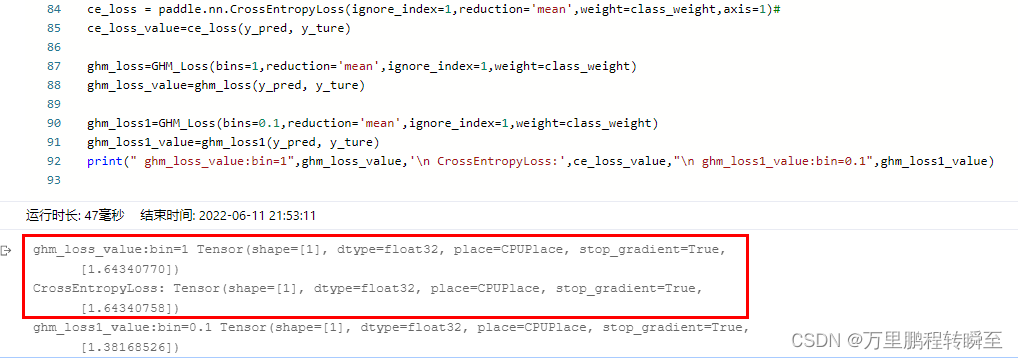
paddlepaddl 28 支持任意维度数据的梯度平衡机制GHM Loss的实现(支持ignore_index、class_weight,支持反向传播训练,支持多分类)

Knife4j first use

LVDS drive adapter

MySQL index (easy to handle in one article)
随机推荐
Test manager defines and implements test metrics
Modelants II
12.13-12.19 summary
Node, topic, parameter renaming and global, relative and private namespaces in ROS (example + code)
Vscode outline preview cannot find file symbol
Kotlin插件 kotlin-android-extensions
Imx6q PWM drive
Static coordinate transformation in ROS (analysis + example)
The first demand in my life - batch uploading of Excel data to the database
Study on display principle of seven segment digital tube
[Li Kou] curriculum series
GD32F4(5):GD32F450时钟配置为200M过程分析
[yolo-v5 learning notes]
JDE 对象管理工作平台介绍及 From 的使用
RT thread studio learning (I) new project
2022起重机械指挥考试题模拟考试平台操作
knife4j 初次使用
Pyhon的第五天
RT thread studio learning (VII) using multiple serial ports
Detailed explanation of TF2 command line debugging tool in ROS (parsing + code example + execution logic)