当前位置:网站首页>Vs2019 desktop app quick start
Vs2019 desktop app quick start
2022-07-06 11:24:00 【imxlw00】
Create project
choice windows Desktop wizard 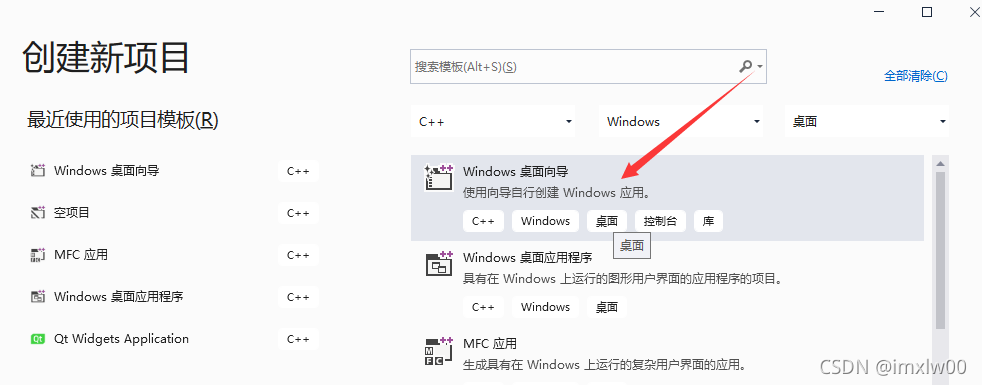
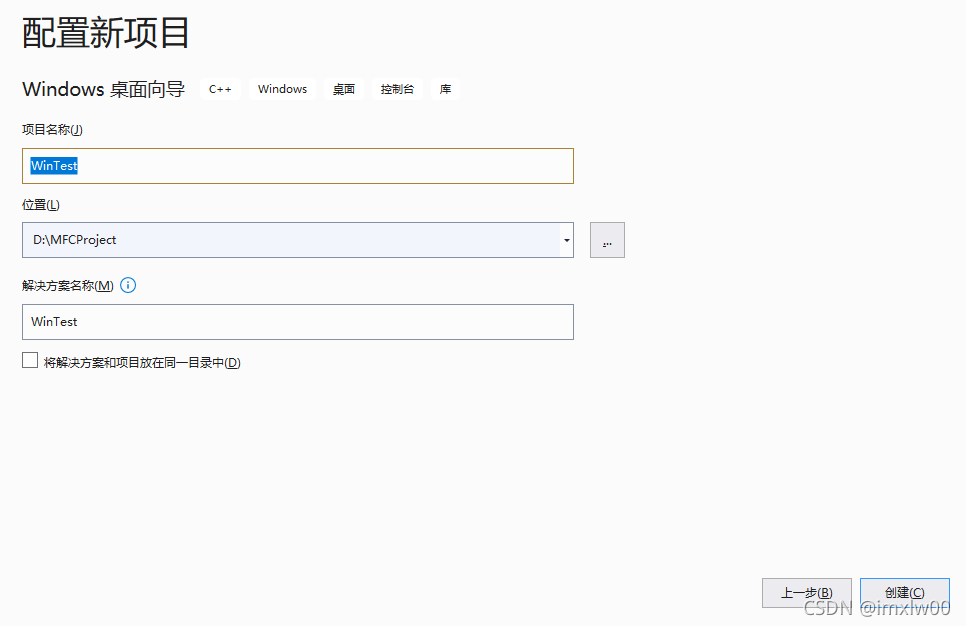
Configuration items
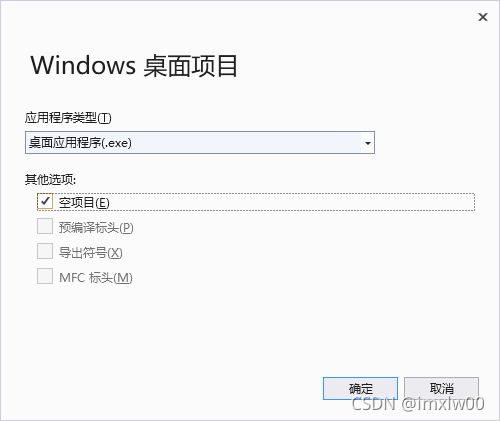
Choose the type of program
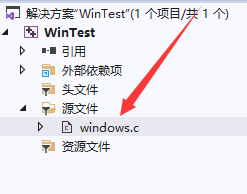
Write code
#include <windows.h> // The underlying implementation window   The header file

//6 Process window

//CALLBACK  representative __stdcall  The order in which parameters are passed : From right to left   To stack , And before the function returns   Empty stack
LRESULT CALLBACK WindowProc(
	HWND hwnd, // The window handle to which the message belongs
	UINT uMsg, // Specific message name  WM_XXXX  Message name
	WPARAM wParam, // Keyboard additional messages
	LPARAM lParam  // Mouse attached message
	)
{

	switch (uMsg)
	{

	case WM_CLOSE:
		// all xxxWindow The way to end  , Will not enter the message queue , I'm going to do it directly
		DestroyWindow(hwnd); //DestroyWindow  Send another message  WM_DESTROY
		break;
	case  WM_DESTROY:
		PostQuitMessage(0);
		break;
	case WM_LBUTTONDOWN: // Press the left mouse button
			{

			int xPos = LOWORD(lParam);
			int yPos = HIWORD(lParam);

			char buf[1024];
			wsprintf(buf,TEXT("x = %d,y = %d"), xPos, yPos);

			MessageBox(hwnd, buf, TEXT(" Press the left mouse button "), MB_OK);

			break;
			}
	case WM_KEYDOWN: // keyboard
		MessageBox(hwnd, TEXT(" Press the keyboard "), TEXT(" Press the keyboard "), MB_OK);
		break;

	case WM_PAINT: // mapping
		{

			PAINTSTRUCT ps; // Drawing structure
			HDC hdc = BeginPaint(hwnd, &ps);

			TextOut(hdc, 100, 100, TEXT("HELLO"), strlen("HELLO"));

			EndPaint(hwnd, &ps);
		}

		break;
	}


	// The default processing method is used for the return value
	return DefWindowProc(hwnd, uMsg, wParam, lParam);
}

// Program entry function

//WINAPI  representative __stdcall  The order in which parameters are passed : From right to left   To stack , And before the function returns   Empty stack
int WINAPI WinMain(
	HINSTANCE hInstance,  // Application instance handle
	HINSTANCE hPrevInstance, // Last application handle , stay win32 In the environment , The parameter is generally NULL, It doesn't work
	LPSTR lpCmdLine, //char * argv[]
	int nShowCmd) // Show command   Maximize 、 To minimize the   normal
{


	//1、 Design window
	//2、 Registration window
	//3、 create a window
	//4、 Display and update
	//5、 Get message through loop
	//6、 Process the message  ( Window procedure )

	//1、 Design window
	WNDCLASS wc;
	wc.cbClsExtra = 0; // Class
	wc.cbWndExtra = 0; // Extra memory for Windows
	wc.hbrBackground = (HBRUSH)GetStockObject(WHITE_BRUSH); // Set the background
	wc.hCursor = LoadCursor(NULL, IDC_HAND); // Set the cursor   If the first parameter is NULL, Represents using the cursor provided by the system
	wc.hIcon = LoadIcon(NULL, IDI_ERROR); // Icon   If the first parameter is NULL, Represents using the cursor provided by the system
	wc.hInstance = hInstance;  // Application instance handle   Pass in WinMain The formal parameter in the
	wc.lpfnWndProc = WindowProc;  // Callback function   Window procedure
	wc.lpszClassName = TEXT("WIN"); // Specify the window class name
	wc.lpszMenuName = NULL; // Menu name
	wc.style = 0; // Display style  0 Represents the default style

	//2、 Register window class
	RegisterClass(&wc);

	//3、 create a window
	/* lpClassName,  Class name  lpWindowName,  Title name  dwStyle, WS_OVERLAPPEDWINDOW  style  x,  Show coordinates  CW_USEDEFAULT  The default value is  y, nWidth,  Wide and high  nHeight, hWndParent,  The parent window  NULL hMenu,  menu  NULL hInstance,  Instance handle  hInstance lpParam)  Added value  NULL */

	HWND hwnd = CreateWindow(wc.lpszClassName, TEXT("WINDOWS"), WS_OVERLAPPEDWINDOW, CW_USEDEFAULT, CW_USEDEFAULT, CW_USEDEFAULT, CW_USEDEFAULT, NULL, NULL, hInstance, NULL);

	//4、  Display and update
	ShowWindow(hwnd, SW_SHOWNORMAL);
	UpdateWindow(hwnd);

	//5、  Get message through loop
	/* HWND hwnd;  Main window handle  UINT message;  Specific message name  WPARAM wParam;  Additional messages   Keyboard messages  LPARAM lParam;  Additional messages   Mouse message  DWORD time;  Message generation time  POINT pt;  Additional messages   Mouse message  x y */
	MSG msg;

	while (GetMessage(&msg, NULL, 0, 0))
	{

		/* _Out_ LPMSG lpMsg,  news  _In_opt_ HWND hWnd,  Capture window   fill NULL For capturing all windows  _In_ UINT wMsgFilterMin, // Minimum and maximum filtered messages   Generally fill in 0 _In_ UINT wMsgFilterMax) // fill 0 Capture all messages on behalf of  */
		//if (GetMessage(&msg, NULL, 0, 0) == FALSE)
		//{

		// break;
		//}

		// Translate the news
		TranslateMessage(&msg);

		// Not for false
		// Distribution message
		DispatchMessage(&msg);

	}


	return 0;
}
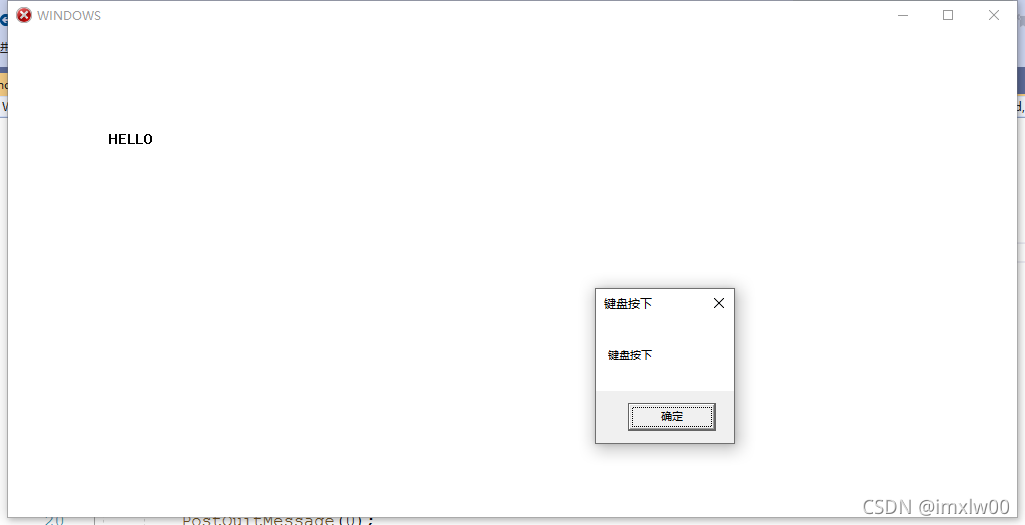
Running results
边栏推荐
- 学习问题1:127.0.0.1拒绝了我们的访问
- QT creator support platform
- Ansible practical Series II_ Getting started with Playbook
- Picture coloring project - deoldify
- 自动机器学习框架介绍与使用(flaml、h2o)
- ES6 let 和 const 命令
- Copie maître - esclave MySQL, séparation lecture - écriture
- ImportError: libmysqlclient. so. 20: Cannot open shared object file: no such file or directory solution
- The virtual machine Ping is connected to the host, and the host Ping is not connected to the virtual machine
- [Thesis Writing] how to write function description of jsp online examination system
猜你喜欢
Swagger, Yapi interface management service_ SE
Software testing and quality learning notes 3 -- white box testing
一键提取pdf中的表格

AcWing 1298.曹冲养猪 题解
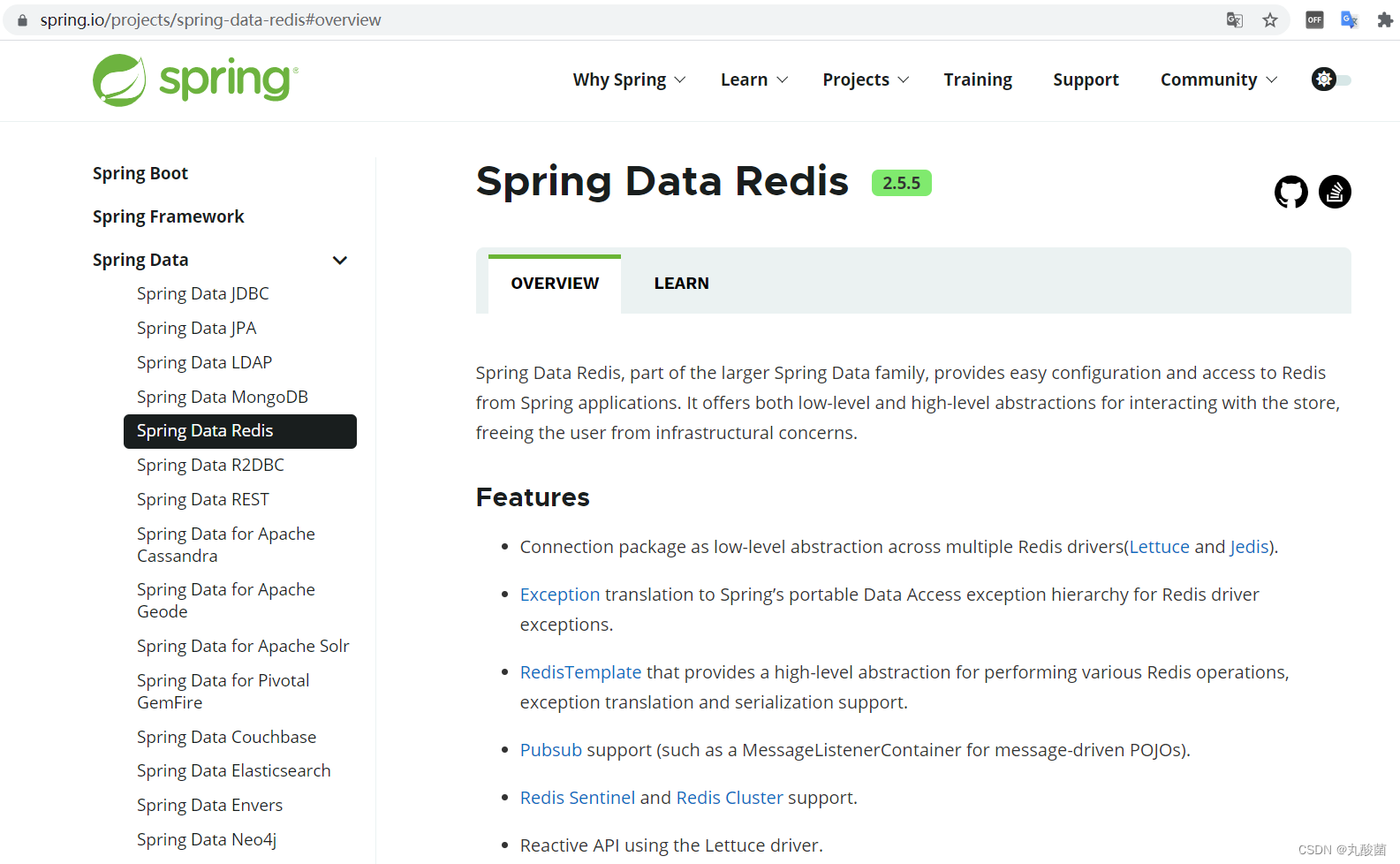
Redis的基础使用
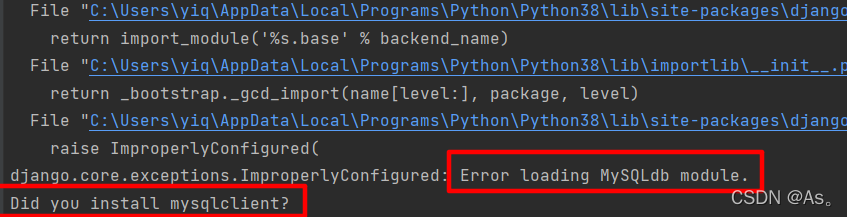
Django运行报错:Error loading MySQLdb module解决方法
QT creator runs the Valgrind tool on external applications
![[Thesis Writing] how to write function description of jsp online examination system](/img/f8/13144e0febf4a576bbcc3290192079.jpg)
[Thesis Writing] how to write function description of jsp online examination system
![[recommended by bloggers] C WinForm regularly sends email (with source code)](/img/5d/57f8599a4f02c569c6c3f4bcb8b739.png)
[recommended by bloggers] C WinForm regularly sends email (with source code)
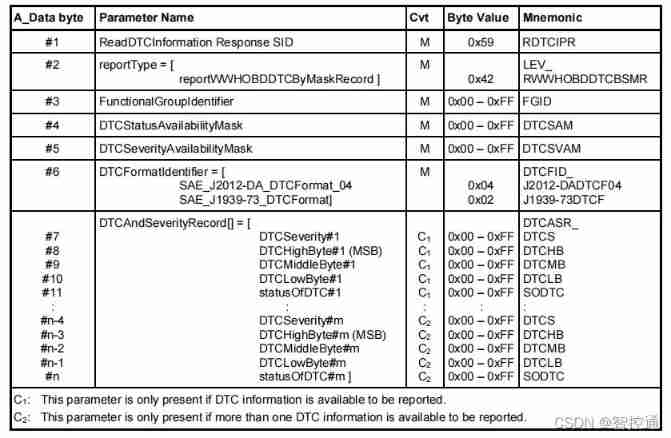
UDS learning notes on fault codes (0x19 and 0x14 services)
随机推荐
JDBC原理
UDS learning notes on fault codes (0x19 and 0x14 services)
Machine learning notes week02 convolutional neural network
Introduction to the easy copy module
Ansible practical series I_ introduction
L2-007 家庭房产 (25 分)
Install MySQL for Ubuntu 20.04
Did you forget to register or load this tag 报错解决方法
Redis的基础使用
Tcp/ip protocol (UDP)
记一次某公司面试题:合并有序数组
[蓝桥杯2020初赛] 平面切分
QT creator test
QT creator uses Valgrind code analysis tool
[蓝桥杯2017初赛]方格分割
Case analysis of data inconsistency caused by Pt OSC table change
Windows下安装MongDB教程、Redis教程
天梯赛练习集题解LV1(all)
QT creator custom build process
Machine learning -- census data analysis