当前位置:网站首页>STM32 --- GPIO configuration & GPIO related library functions
STM32 --- GPIO configuration & GPIO related library functions
2022-07-05 08:15:00 【chen_ bx】
STM32---GPIO Configuration of library functions & GPIO Related library functions
gpio file
The header file :stm32f10x_gpio.h
Source file :stm32f10x_gpio.c
To configure GPIO step
① Can make IO Port clock .
Call function
RCC_APB2PeriphColckCmd();
Different IO Group , The clock enable function called is different .
② Initialization function
void GPIO_Init(GPIO_TypeDef* GPIOx, GPIO_InitTypeDef* GPIO_InitStruct);
effect : Initialize one or more IO mouth ( The same group ) How and speed .
This function mainly operates GPIO_CRL(CRH) register , Pull up or down
When is it set BSRR perhaps BRR register
GPIOx: GPIOA~GPIOG
The initialization structure is as follows
 typedef struct
   {

     uint16_t GPIO_Pin;                           // Specify the to initialize IO mouth
    GPIOSpeed_TypeDef GPIO_Speed; // Set up IO Port output speed
    GPIOMode_TypeDef GPIO_Mode;    // Set the working mode :8 One of the species
   }GPIO_InitTypeDef;
Be careful : peripherals ( Include GPIO) Before use , Almost always enable the corresponding clock first .
GPIO Initialization example :
 GPIO_InitTypeDef  GPIO_InitStructure;
 RCC_APB2PeriphClockCmd(RCC_APB2Periph_GPIOB,ENABLE);// open GPIOB The clock
 GPIO_InitStructure.GPIO_Pin = GPIO_Pin_5; //LED0-->PB.5  port configuration
 GPIO_InitStructure.GPIO_Mode = GPIO_Mode_Out_PP;  // Push pull output
 GPIO_InitStructure.GPIO_Speed = GPIO_Speed_50MHz; //IO The mouth speed is 50MHz
 GPIO_Init(GPIOB, &GPIO_InitStructure);	 // Initialize according to the set parameters GPIOB.5
You can initialize one at a time IO Multiple under group IO, The premise is that these IO The configuration of ports is the same .
GPIO Related library functions
2 A read input level function :
①
uint8_t GPIO_ReadInputDataBit(GPIO_TypeDef* GPIOx, uint16_t GPIO_Pin);
effect : Read something GPIO The input level of . The actual operation is GPIOx_IDR register .
for example :
GPIO_ReadInputDataBit(GPIOA, GPIO_Pin_5);// Read GPIOA.5 The input level of
②
uint16_t GPIO_ReadInputData(GPIO_TypeDef* GPIOx);
effect : Read a group GPIO The input level of . The actual operation is GPIOx_IDR register .
for example :
GPIO_ReadInputData(GPIOA);// Read GPIOA All in the group io Port input level
2 A read output level function :
①
uint8_t GPIO_ReadOutputDataBit (GPIO_TypeDef* GPIOx, uint16_t GPIO_Pin);
effect : Read something GPIO Output level of . The actual operation is GPIO_ODR register .
for example :
GPIO_ReadOutputDataBit(GPIOA, GPIO_Pin_5);// Read GPIOA.5 Output level of
②
uint16_t GPIO_ReadOutputData(GPIO_TypeDef* GPIOx);
effect : Read a group GPIO Output level of . The actual operation is GPIO_ODR register .
for example :
GPIO_ReadOutputData(GPIOA);// Read GPIOA All in the group io Port output level
4 Set the output level function :
①
void GPIO_SetBits(GPIO_TypeDef* GPIOx, uint16_t GPIO_Pin);
effect : Set up a IO The output of the port is high (1). Actual operation BSRR register
②
void GPIO_ResetBits(GPIO_TypeDef* GPIOx, uint16_t GPIO_Pin);
effect : Set up a IO The output of the port is low (0). In practice BRR register .
void GPIO_WriteBit(GPIO_TypeDef* GPIOx, uint16_t GPIO_Pin, BitAction BitVal);
void GPIO_Write(GPIO_TypeDef* GPIOx, uint16_t PortVal);
These two functions are not commonly used , It's also used to set up IO Port output level .
This article refers to the notes on punctual atoms
边栏推荐
- Arduino uses nrf24l01+ communication
- Google sitemap files for rails Projects - Google sitemap files for rails projects
- Basic embedded concepts
- Stablq of linked list
- Simple design description of MIC circuit of ECM mobile phone
- Introduction of air gap, etc
- Anonymous structure in C language
- Halcon's practice based on shape template matching [2]
- Programming knowledge -- assembly knowledge
- Take you to understand the working principle of lithium battery protection board
猜你喜欢
![Halcon's practice based on shape template matching [1]](/img/68/206eed7502fbf108a929aa9365b1ae.jpg)
Halcon's practice based on shape template matching [1]
After installing the new version of keil5 or upgrading the JLINK firmware, you will always be prompted about the firmware update
Shell脚本基本语法
![[trio basic tutorial 17 from getting started to mastering] set up and connect the trio motion controller and input the activation code](/img/58/576b6b77509ed7a9bef138f3899e37.jpg)
[trio basic tutorial 17 from getting started to mastering] set up and connect the trio motion controller and input the activation code
How to copy formatted notepad++ text?

Stablq of linked list
QEMU STM32 vscode debugging environment configuration
Interview catalogue
Talk about the function of magnetic beads in circuits
Management and use of DokuWiki
随机推荐
Shell script realizes the reading of serial port and the parsing of message
Altium designer learning (I)
My-basic application 2: my-basic installation and operation
UEFI development learning 3 - create UEFI program
动力电池UL2580测试项目包括哪些
Factors affecting the quality of slip rings in production
How to select conductive slip ring
Measurement fitting based on Halcon learning [i] fuse Hdev routine
UEFI development learning 6 - creation of protocol
Imx6ull bare metal development learning 1-assembly lit LED
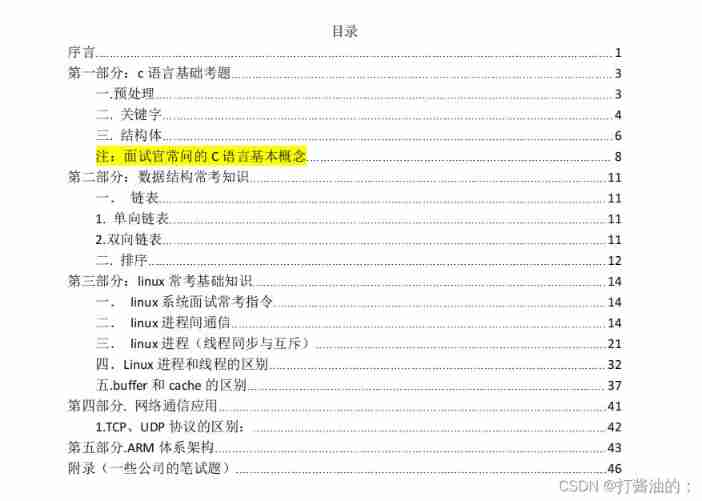
Interview catalogue
Installation and use of libjpeg and ligpng
Why is 1900 not a leap year
Development tools -- gcc compiler usage
Keil use details -- magic wand
Correlation based template matching based on Halcon learning [II] find_ ncc_ model_ defocused_ precision. hdev
Explain task scheduling based on Cortex-M3 in detail (Part 2)
Working principle and type selection of common mode inductor
Tailq of linked list
Hardware and software solution of FPGA key chattering elimination