当前位置:网站首页>电脑无缘无故黑屏,无法调节亮度。
电脑无缘无故黑屏,无法调节亮度。
2022-07-02 09:38:00 【早上起床买豆浆】
写在开头,如果电脑安装了 “”向日葵” 软件即可往下看,作者根据自己的遭遇记录解决方案。
电脑可以正常开机,屏幕不会亮,但是在强光下看电脑屏幕可以看到有内容,但是很黑。或者电脑屏幕亮度无法调节。
解决办法:
1、长按电源键15秒,强制关机后再开机。直到可以看到屏幕内容。
2、开机后,桌面找到 此电脑 右键 管理,找到监控器,点击打开,卸载里面的驱动,记住卸载时一定要选择删除驱动文件。(此时的监视器驱动是向日葵的驱动,我们需要安装的是通用监视器)
如图,卸载此设备
3、 找到并点击页面的这个按钮(扫描检测硬件改动),此时电脑会重新安装监视器和独立显卡驱动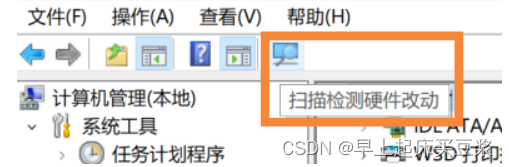
4、一般到这一步都会发现亮度可以调节了,但是如果还是不能调节,那么请查看监视器驱动是否还是原来的那个驱动而不是通用监视器,说明在卸载监视器驱动时,没有删除文件,重复步骤2;
5、以上步骤就可以解决电脑无缘无故黑屏,无法调节亮度的问题,希望能够对您有所帮助。
边栏推荐
猜你喜欢

MySQL比较运算符IN问题求解

tqdm的多行显示与单行显示

ImportError: cannot import name ‘Digraph‘ from ‘graphviz‘
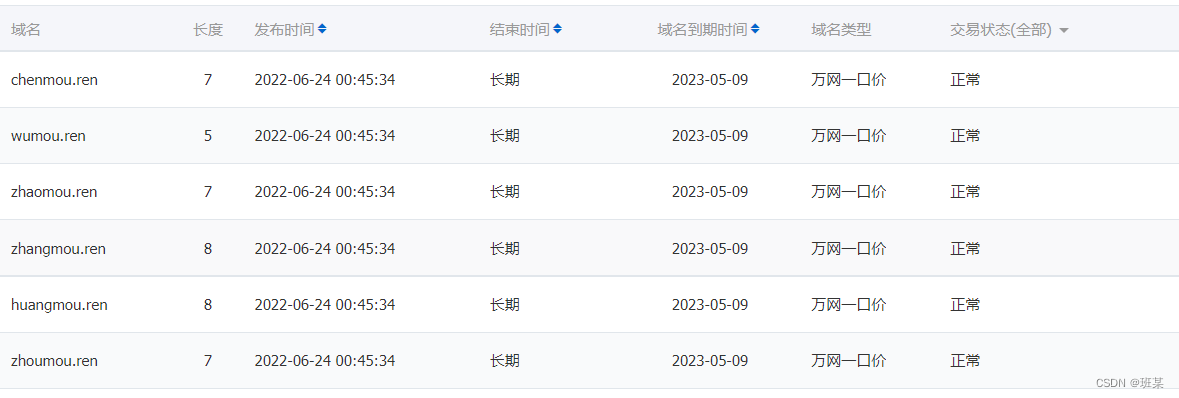
Is the Ren domain name valuable? Is it worth investing? What is the application scope of Ren domain name?

八大排序汇总
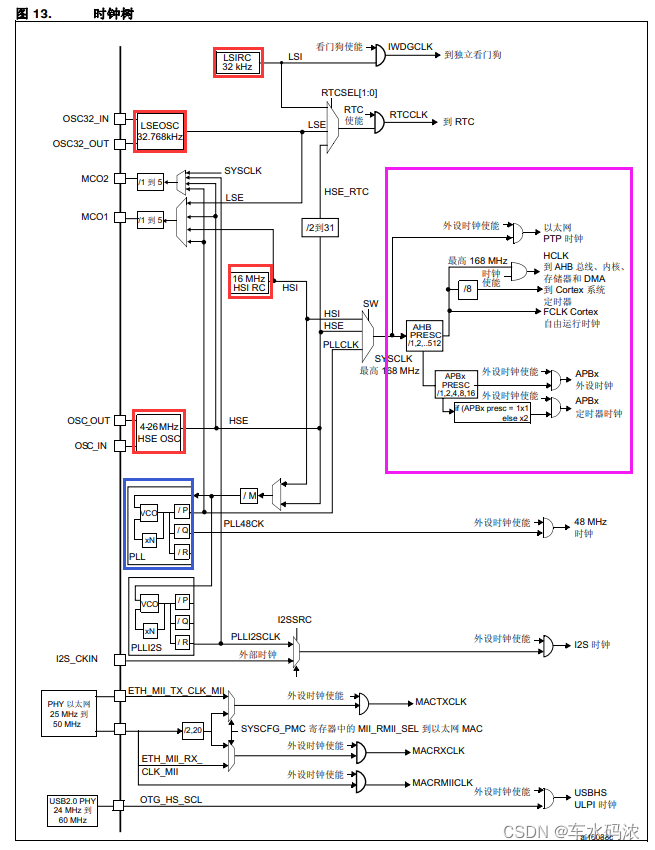
Iii. Système de démarrage et d'horloge à puce
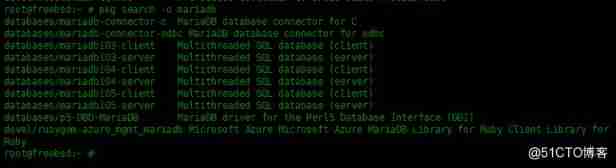
PKG package manager usage instance in FreeBSD

Digital transformation takes the lead to resume production and work, and online and offline full integration rebuilds business logic

Always report errors when connecting to MySQL database
ImportError: cannot import name ‘Digraph‘ from ‘graphviz‘
随机推荐
What are the software product management systems? Inventory of 12 best product management tools
Map set assignment to database
Order by injection
MTK full dump grab
II Stm32f407 chip GPIO programming, register operation, library function operation and bit segment operation
RPA进阶(二)Uipath应用实践
[cloud native] 2.5 kubernetes core practice (Part 2)
sql left join 主表限制条件写在on后面和写在where后面的区别
String (Analog
Rest (XOR) position and thinking
The first white paper on agile practice in Chinese enterprises was released | complete download is attached
III Chip startup and clock system
JS——每次调用从数组里面随机取一个数,且不能与上一次为同一个
Gaode draws lines according to the track
Develop scalable contracts based on hardhat and openzeppelin (II)
Win11 arm system configuration Net core environment variable
Multi line display and single line display of tqdm
可升级合约的原理-DelegateCall
LVM操作
Is it safe to open a stock account online? I'm a novice, please guide me