当前位置:网站首页>Mp3mini playback module Arduino < dfrobotdfplayermini H> function explanation
Mp3mini playback module Arduino < dfrobotdfplayermini H> function explanation
2022-07-06 12:04:00 【A geek is as deep as the sea】
Intended to DFRobotDFPlayerMini.h The common functions in the library are analyzed
The purpose of this paper is to analyze the serial port function of serial port communication , Do not analyze and use the hardware .
About the use of hardware IO mouth Make another analysis when you have time .
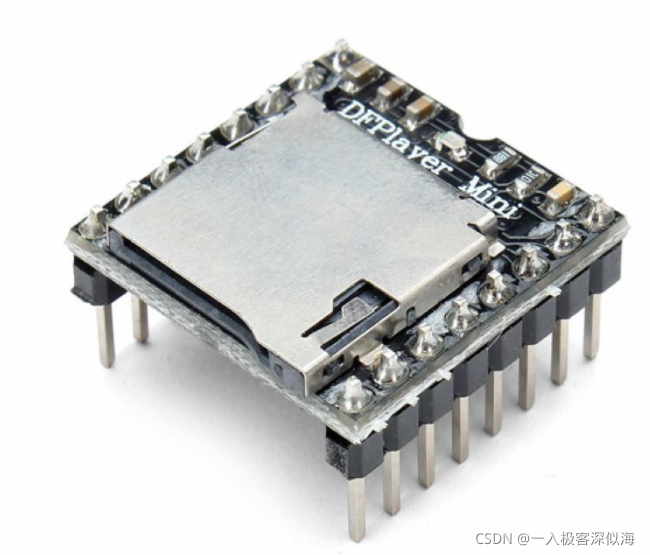
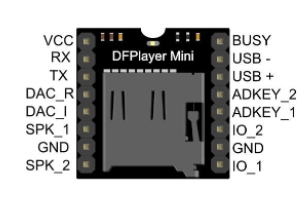
Use this library , The beginning is different
#include "DFRobotDFPlayerMini.h"
DFRobotDFPlayerMini myDFPlayer; // Example object name
MP3mini The module uses serial port communication , I use virtual serial port here
#include "DFRobotDFPlayerMini.h"
#include <SoftwareSerial.h>
#include <arduino.h>
DFRobotDFPlayerMini myDFPlayer;  // Example object name
SoftwareSerial BTserial(12, 13); //  establish SoftwareSerial object ,RX Pin 2, TX Pin 3
steup() Function to initialize
BTserial.begin(9600);
myDFPlayer.begin(BTserial);
First, simply test the communication
The wiring is as follows
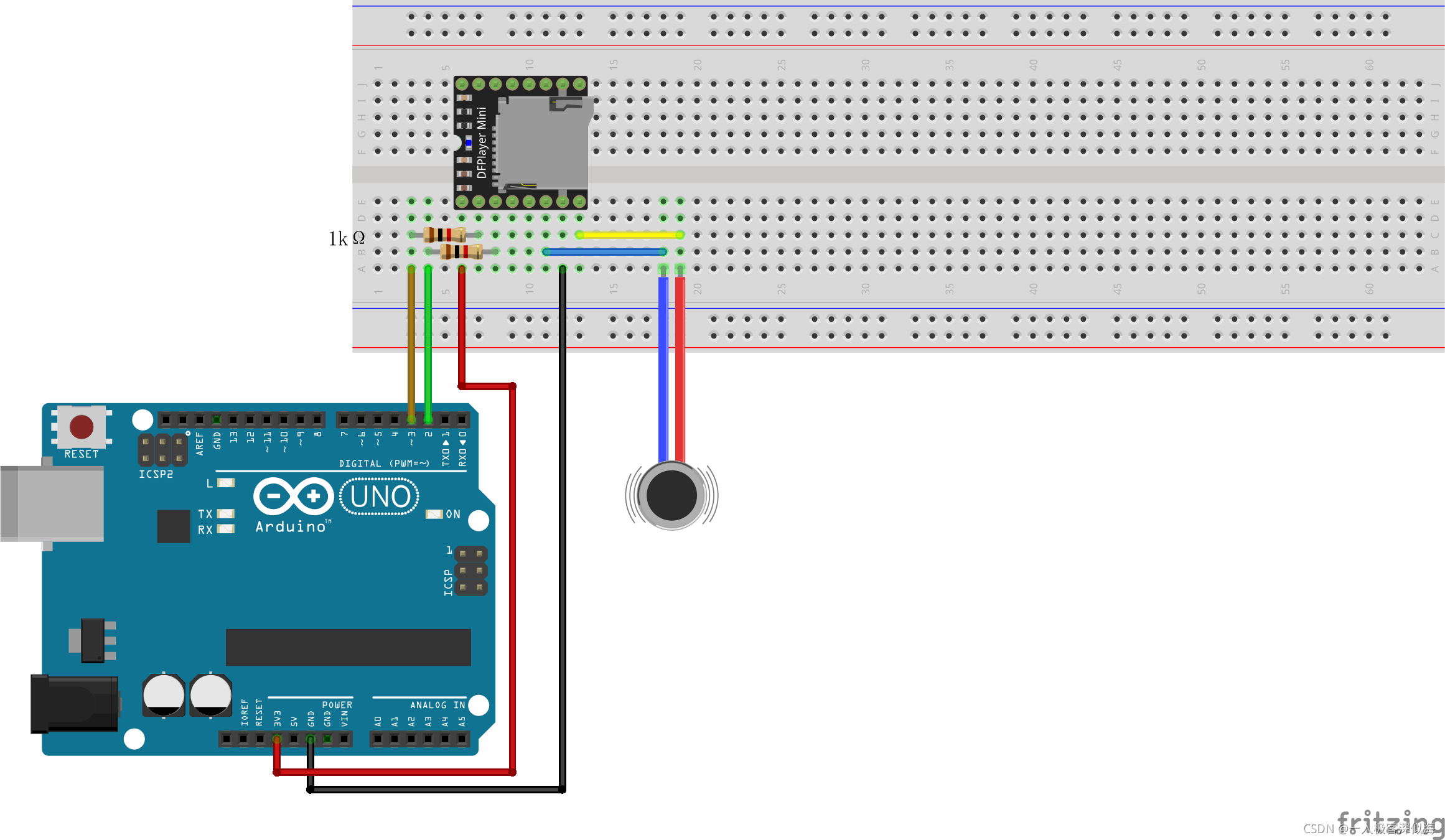
TF Lieutenant general card MP3 The file is in the root directory MP3 The file is named 0003.mp3
/* 【Arduino】66 A series of sensor module experiments (85)  Experiment 85 : Open source  Mini MP3 Player TF Card player module (YX5200-24SS)  One of the procedures , Loop Playback TF Carnet 0003.MP3(MP3 In the folder ), The volume 20 Arduino-------dfplayer 5V-------------VCC GND-----------GND D2-----------TXD D3-----------RXD */

#include "SoftwareSerial.h"
#include "DFRobotDFPlayerMini.h"

SoftwareSerial mySoftwareSerial(2, 3);

DFRobotDFPlayerMini myDFPlayer;

void setup()
{

mySoftwareSerial.begin(9600);

myDFPlayer.begin(mySoftwareSerial);

myDFPlayer.volume(20);   // The volume is set to 20

myDFPlayer.loop(3);    // Loop Playback TF In the card  0003.mp3  file
}

void loop()
{

}
Next, we will explain the library functions one by one according to the order in the technical manual
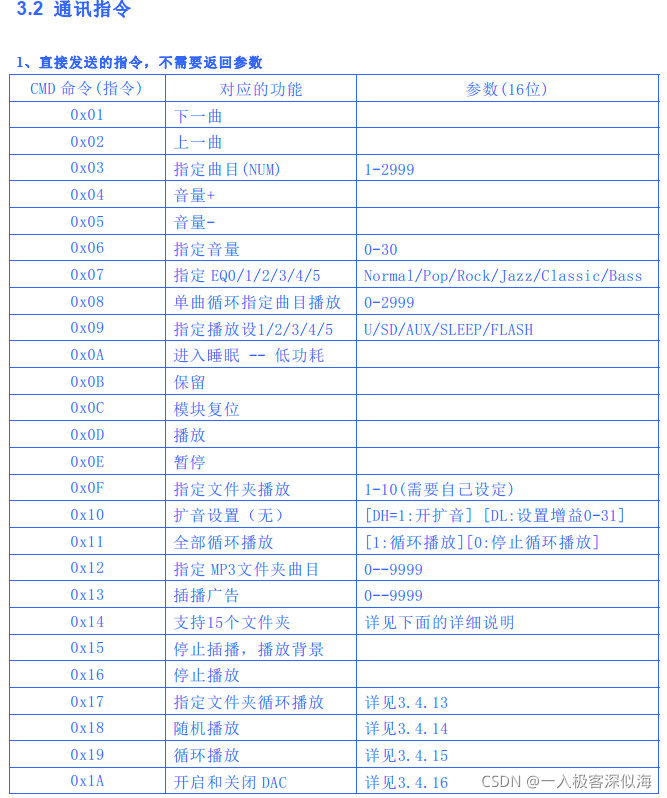
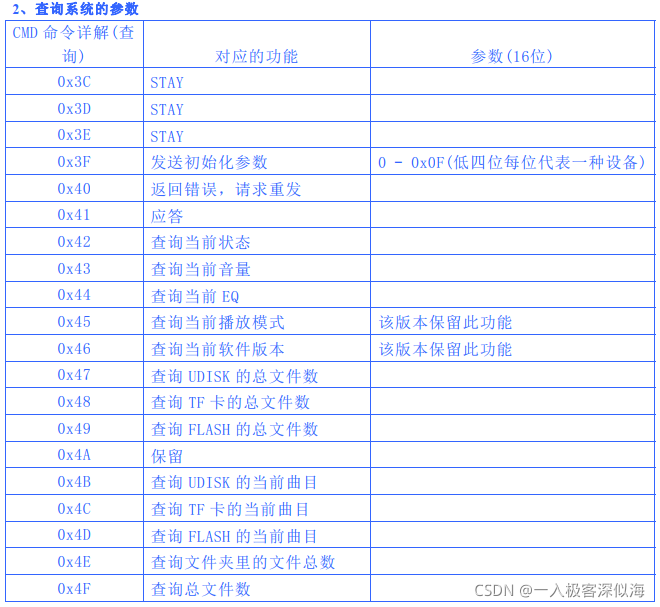
Suppose we have instantiated a MP3mini Object of module
#include "DFRobotDFPlayerMini.h"
SoftwareSerial mySoftwareSerial(2, 3);
DFRobotDFPlayerMini myDFPlayer; // Example object name
void setup() {

  mySoftwareSerial.begin(9600);
  myDFPlayer.begin(mySoftwareSerial);
}
No return value
myDFPlayer.next()        // Next song
myDFPlayer.previous()    // Last song
myDFPlayer.play(3)       // Specify track (NUM) 1-2999  Parameters are added  int  Type parameter
myDFPlayer.volumeUp()    // The volume +
myDFPlayer.volumeDown()  // The volume -
myDFPlayer.volume(20)    // Specify the volume  0-30
myDFPlayer.EQ(0)         //  Appoint  EQ 0/1/2/3/4/5  Parameter function  Normal/Pop/Rock/Jazz/Classic/Bass ( This one hasn't been used , I'll explain it in detail when I know how to use it )
myDFPlayer.loop(3)       // Single loop specifies the track to play  0-2999
myDFPlayer.outputDevice(2)// Specify playback settings 1/2/3/4/5  Parameter function  U/SD/AUX/SLEEP/FLASH
myDFPlayer.sleep()       // Go to sleep  --  low power consumption
myDFPlayer.reset()       // Module reset
myDFPlayer.start()       // Play
myDFPlayer.pause()       // Pause
myDFPlayer.playFolder(1,1)  // Specify a folder to play  1-10( You need to make your own settings )  The front is folder , Followed by the file name in the folder
About the specified file plus playback , Appoint MP3 file . This place needs to be explained in detail , At that time, I fell into a big misunderstanding when debugging for the first time . After doing this, I found that the name of the folder was wrong .
1、 The name of the folder , Two digits are two digits such as 01, 02···· wait
2、 The folder should be placed in the root directory of the file .
3、 Some said they would put it in one mp3 In the folder of , After my measurement , There's no need . Of course, mine TF There are only files for playback in the card , Nothing else . If your TF There are other folders in the card , That may not be clear .
The naming method is as follows
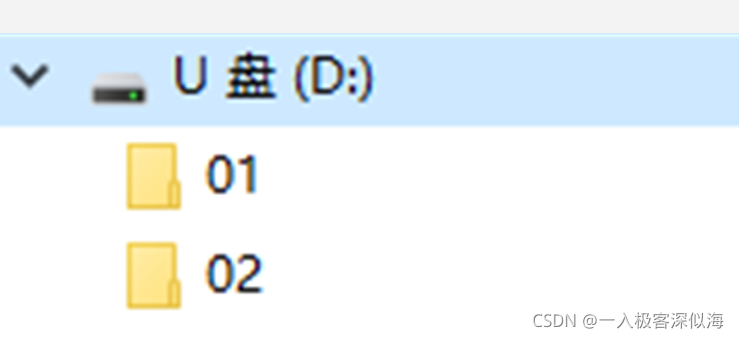
The first three digits of the file are numbers .
Such as :
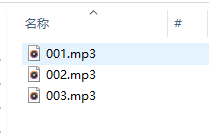
such ,playFolder Function can accurately find the specified file in the specified price folder
Folder name (1 ~ 99); file name (1 ~ 255)
such as , We want to play 02 The... In the folder 3 individual MP3
That's how we can write
myDFPlayer.playFolder(2,3)
Continue function interpretation
myDFPlayer.outputSetting(1,2)   // Sound reinforcement settings ( nothing )  Parameters 1:bool type  [DH=1: Open and amplify ]  Parameters 2:uint8_t type  [DL: Set the gain 0-31]
myDFPlayer.enableLoopAll()      // Loop it all
myDFPlayer.disableLoopAll()     // Stop looping
myDFPlayer.playMp3Folder(1)     // Appoint  MP3 Folder tracks  0--9999
myDFPlayer.advertise(1)         // Insert ads  0--9999
myDFPlayer.playLargeFolder(1,2) // Usage and playFolder equally , This supports more
myDFPlayer.stopAdvertise()      // Stop broadcasting , Play background
myDFPlayer.stop()               // Stop playing
myDFPlayer.loopFolder(2)        // Specify a folder to cycle through   The parameter is the name in the specified folder
myDFPlayer.randomAll()          // Random broadcast
myDFPlayer.enableLoop()         // Loop playback is off
myDFPlayer.disableLoop()        // Cycle play on
myDFPlayer.enableDAC()          // close DAC
myDFPlayer.disableDAC()         // Turn on DAC
Query type function , There is a return value , All return to int Data of type
myDFPlayer.readState()          // Query current status
myDFPlayer.readVolume()         // Query the current volume
myDFPlayer.readEQ()             // Query the current  EQ
myDFPlayer.readFileCounts(DFPLAYER_DEVICE_SD) // Number of query files
                            // DFPLAYER_DEVICE_U_DISK : Inquire about  UDISK  Total number of files
                            // DFPLAYER_DEVICE_SD :  Inquire about  TF  Total number of files on the card
                            // DFPLAYER_DEVICE_FLASH :  Inquire about  FLASH  Total number of files
myDFPlayer.readCurrentFileNumber(DFPLAYER_DEVICE_SD) // Query the current track
                            // DFPLAYER_DEVICE_U_DISK : Inquire about  UDISK  Your current track
                            // DFPLAYER_DEVICE_SD :  Inquire about  TF  Current track of the card
                            // DFPLAYER_DEVICE_FLASH :  Inquire about  FLASH  Your current track
myDFPlayer.readFileCountsInFolder(2) // Query the total number of files in the specified folder
myDFPlayer.readFolderCounts()        // Query the total number of files
above , It's what I sorted DFRobotDFPlayerMini.h Library function sorting
边栏推荐
- Machine learning -- linear regression (sklearn)
- C语言回调函数【C语言】
- I2C总线时序详解
- Missing value filling in data analysis (focus on multiple interpolation method, miseforest)
- Several declarations about pointers [C language]
- Kaggle competition two Sigma connect: rental listing inquiries
- TypeScript
- Rough analysis of map file
- Composition des mots (sous - total)
- Reno7 60W super flash charging architecture
猜你喜欢
Comparison of solutions of Qualcomm & MTK & Kirin mobile platform USB3.0
Pytorch four commonly used optimizer tests
Principle and implementation of MySQL master-slave replication
Arm pc=pc+8 is the most understandable explanation
Priority inversion and deadlock
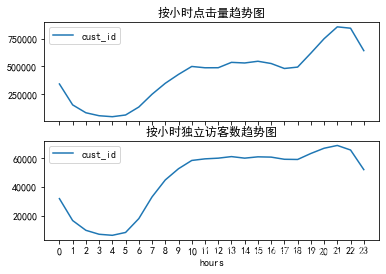
E-commerce data analysis -- User Behavior Analysis
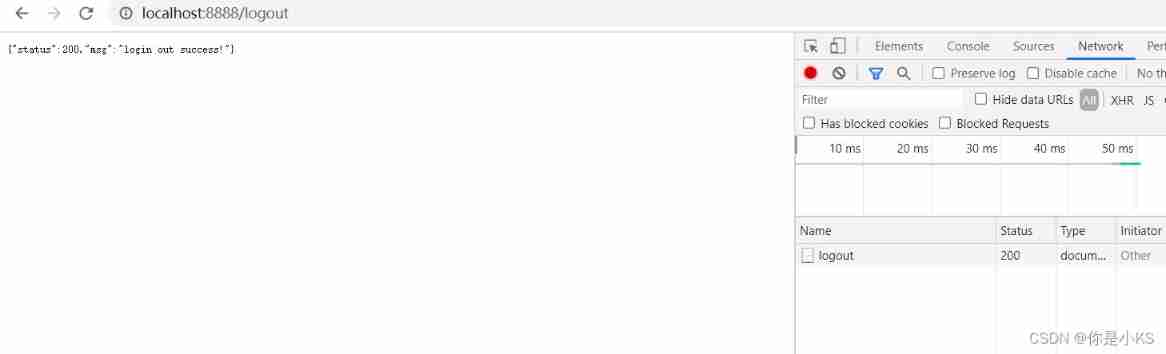
Vert. x: A simple login access demo (simple use of router)
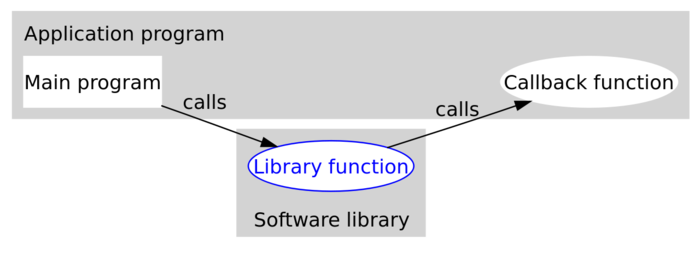
C语言回调函数【C语言】
高通&MTK&麒麟 手機平臺USB3.0方案對比
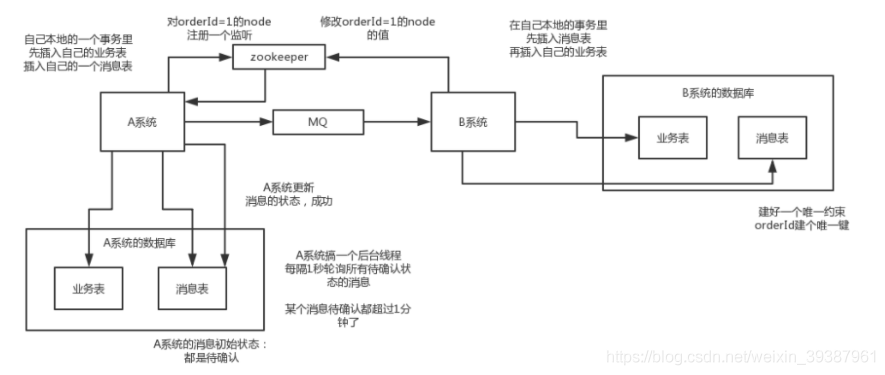
Implementation scheme of distributed transaction
随机推荐
Detailed explanation of nodejs
高通&MTK&麒麟 手机平台USB3.0方案对比
Distribute wxWidgets application
ESP8266使用arduino连接阿里云物联网
数据库面试常问的一些概念
Analysis of charging architecture of glory magic 3pro
Comparaison des solutions pour la plate - forme mobile Qualcomm & MTK & Kirin USB 3.0
sklearn之feature_extraction.text.CountVectorizer / TfidVectorizer
XML file explanation: what is XML, XML configuration file, XML data file, XML file parsing tutorial
Implementation scheme of distributed transaction
Matlab learning and actual combat notes
Some concepts often asked in database interview
Basic use of pytest
Dependency in dependencymanagement cannot be downloaded and red is reported
RT thread API reference manual
Stage 4 MySQL database
Missing value filling in data analysis (focus on multiple interpolation method, miseforest)
Those commonly used tool classes and methods in hutool
MySQL START SLAVE Syntax
The first simple case of GNN: Cora classification