当前位置:网站首页>checklistbox控件用法总结
checklistbox控件用法总结
2022-07-02 18:38:00 【全栈程序员站长】
大家好,又见面了,我是你们的朋友全栈君。一般认为:foreach (object obj in checkedListBox1.SelectedItems)即可遍历选中的值。 其实这里遍历的只是高亮的值并不是打勾的值。遍历打勾的值要用下面的代码:
for ( int i = 0; i < checkedListBox1.Items.Count; i++) { if (checkedListBox1.GetItemChecked(i)) { MessageBox.Show(checkedListBox1.GetItemText(checkedListBox1.Items[i])); } }
//
textBox1.Clear(); for (int i = 0; i < checkedListBox1.Items.Count; i++) { if (checkedListBox1.GetItemChecked(i)) { textBox1.Text+= checkedListBox1.GetItemText(checkedListBox1.Items[i]); } }
//
参考:
最近用到checklistbox控件,在使用其过程中,花了较多的时间,这里我收集了其相关的代码段,希望对大家有所帮助。 1. 添加项 checkedListBox1.Items.Add( “ 蓝色 “); checkedListBox1.Items.Add( “ 红色 “); checkedListBox1.Items.Add( “ 黄色 “); 2. 判断第i项是否选中,选中为true,否则为false if(checkedListBox1.GetItemChecked(i)) { return true; } else { return false; } 3. 设置第i项是否选中 checkedListBox1.SetItemChecked(i, true); // true改为false为没有选中。 4. 设置全选 添加一个名为select_all的checkbox控件,由其控制checkedListBox是全选还是全不选。 private void select_all_CheckedChanged( object sender, EventArgs e) { if(select_all.Checked) { for ( int j = 0; j < checkedListBox1.Items.Count; j++) checkedListBox1.SetItemChecked(j, true); } else { for ( int j = 0; j < checkedListBox1.Items.Count; j++) checkedListBox1.SetItemChecked(j, false); } } 5. 得到全部选中的值 ,并将选中的项的文本组合成为一个字符串。 string strCollected = string.Empty; for ( int i = 0; i < checkedListBox1.Items.Count; i++) { if (checkedListBox1.GetItemChecked(i)) { if (strCollected == string.Empty) { strCollected = checkedListBox1.GetItemText( checkedListBox1.Items[i]); } else { strCollected = strCollected + “ / “ + checkedListBox1. GetItemText(checkedListBox1.Items[i]); } } } 6. 设置CheckedListBox中第i项的Checked状态 checkedListBox1.SetItemCheckState(i, CheckState.Checked); 7. private void checkBoxAll_CheckedChanged( object sender, EventArgs e) { if (checkBoxAll.Checked) { // 被选择了则将CheckedListBox中的所有条目都变为Checked状态 for ( int i = 0; i < checkedListBoxLayerControl.Items.Count; i++) { checkedListBoxLayerControl.SetItemCheckState(i, CheckState.Checked); } } else { // 否则变成Unchecked状态 for ( int i = 0; i < checkedListBoxLayerControl.Items.Count; i++) { checkedListBoxLayerControl.SetItemCheckState(i, CheckState.Unchecked); } } } 8. checkedListBox 单选设置(代码实现) private void chkl_ItemAuditing_ItemCheck( object sender, ItemCheckEventArgs e) { if (chkl_ItemAuditing.CheckedItems.Count > 0) { for ( int i = 0; i < chkl_ItemAuditing.Items.Count; i++) { if (i != e.Index) { this.chkl_ItemAuditing.SetItemCheckState(i, System.Windows.Forms.CheckState.Unchecked); } } } } 9. checkedListBox1显示一个数据库中关键字对应的所有记录 for ( int i = 0; i < table.Rows.Count; i++) { string name = table.Rows[ “ myname “].ToString(); string paw = table.Rows[ “ mypaw “].ToString(); checkedListBox1.Items.Add(name + paw); } 10. for(i= 0;i<CheckedListBox.Items.Count;i++) { if(CheckedListBox.GetItemText( CheckedListBox.Items)== “ 你得到的值 “) { CheckedListBox.SetItemChecked(i, true); } } 11. 清除checkedListBox1中所有的选项 for ( int i = 0; i < checkedListBox1.Items.Count; i++) { checkedListBox1.Items.Clear(); } 12. // 设置索引为index的项为选中状态 for ( int i = 0; i < checkedListBox1.Items.Count; i++) { checkedListBox1.SetItemChecked(i, true); } 13. for ( int i = 0; i < checkedListBox1.Items.Count; i++) { if (checkedListBox1.GetSelected(i)) { MessageBox.Show(checkedListBox1.CheckedItems.ToString()); } } 14. // 选中checkedListBox1所有的选项 for ( int i = 0; i < checkedListBox1.Items.Count; i++) { checkedListBox1.SetItemCheckState(i, CheckState.Checked); } 15. for ( int i = 0; i < checkedListBox1.Items.Count; i++) { // 如果checkedListBox1的第i项被选中, // 则显示checkedListBox1对应的值 if (checkedListBox1.GetItemChecked(i)) { MessageBox.Show(checkedListBox1.Items.ToString()); } } 16. // 反向选择checkedListBox1的选项 for ( int i = 0; i < checkedListBox1.Items.Count; i++) { if (checkedListBox1.GetItemChecked(i)) { checkedListBox1.SetItemChecked(i, false); } else { checkedListBox1.SetItemChecked(i, true); } } 17. // checkedListBox1中选定的项->checkedListBox2 for ( int i = 0; i < checkedListBox1.CheckedItems.Count; i++) { checkedListBox2.Items.Add( this.checkedListBox1.CheckedItems); // remove是除去一个具体的值,不是index,注意了 this.checkedListBox1.Items.Remove( this.checkedListBox1.CheckedItems); }
18.
//绑定数据
checkedListBox1.DataSource = dt;
checkedListBox1.DisplayMember = “item”;
checkedListBox1.ValueMember = “code”;
这个属性在checklistbox里是没有的,但是可以直接使用
19.
for (int i = 0; i < checkedListBox1.Items.Count; i++)
{
if (checkedListBox1.GetItemChecked(i))
{
checkedListBox1.SelectedIndex = i;
//利用SelectedValue取得Value值时,只能取得当前焦点项的值。所以要对整个CheckedListBox中的所有勾选项,让其都做一次焦点项才能取得所有勾选的项的值。
str+= checkedListBox1.SelectedValue;
}
}
20.
CheckedlistBox控件比较有用到两个属性分别为CheckOnClick为True:表示单击就选中当前行,为False :要点两下才可以选中。(默认值为False)。还有一个属性为ThreeDCheckBoxes为True:表示三维的选中标记,为False:表示表面的显示标记。(默认值为False)。
发布者:全栈程序员栈长,转载请注明出处:https://javaforall.cn/148570.html原文链接:https://javaforall.cn
边栏推荐
- 股票证券公司排名,有安全保障吗
- golang:[]byte转string
- 程序猿入门攻略(十二)——数据的存储
- 【pytorch学习笔记】Tensor
- Data dimensionality reduction principal component analysis
- 2022 compilation principle final examination recall Edition
- 多态的理解以及作用
- 移动机器人路径规划:人工势场法[通俗易懂]
- AcWing 383. 观光 题解(最短路)
- [error record] problems related to the installation of the shuttle environment (follow-up error handling after executing the shuttle doctor command)
猜你喜欢

注解开发方式下AutowiredAnnotationBeanPostProcessor的注册时机
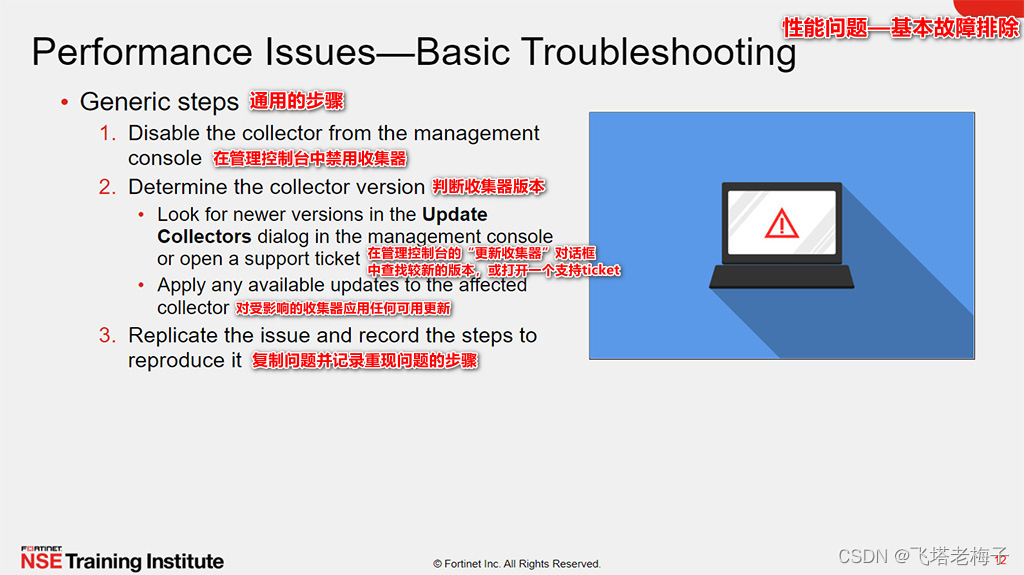
Tutorial (5.0) 10 Troubleshooting * fortiedr * Fortinet network security expert NSE 5
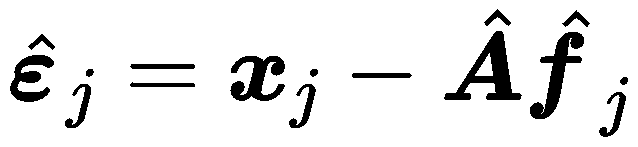
Data dimensionality reduction factor analysis

Develop fixed asset management system, what voice is used to develop fixed asset management system
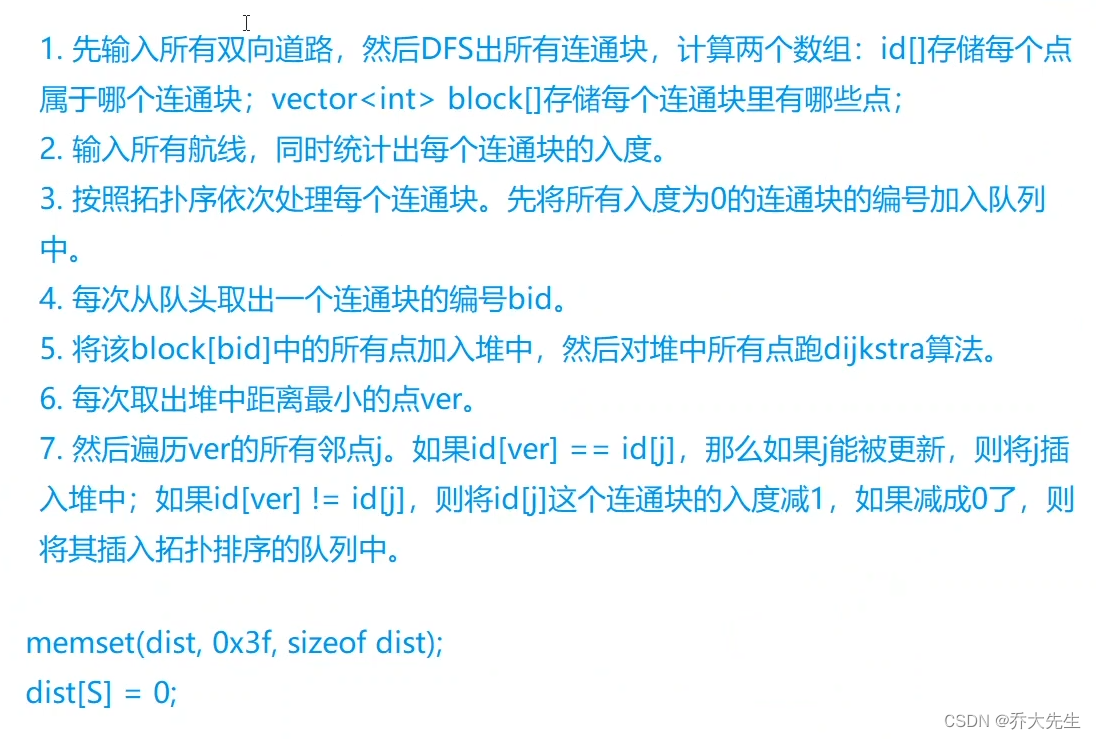
AcWing 342. 道路与航线 题解 (最短路、拓扑排序)

Why should we build an enterprise fixed asset management system and how can enterprises strengthen fixed asset management

Codeworks 5 questions per day (1700 average) - day 4
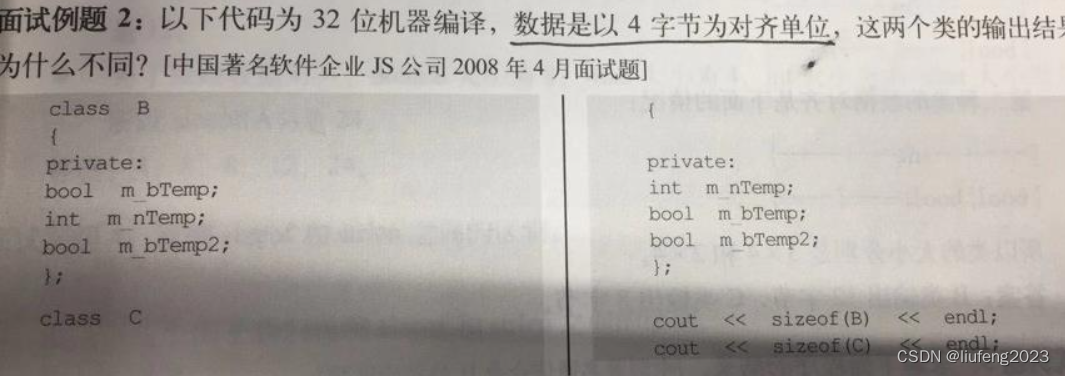
450-深信服面经1

教程篇(5.0) 09. RESTful API * FortiEDR * Fortinet 网络安全专家 NSE 5

PHP-Parser羽毛球预约小程序开发require线上系统
随机推荐
Date tool class (updated from time to time)
AcWing 341. 最优贸易 题解 (最短路、dp)
LeetCode 0871.最低加油次数 - 类似于POJ2431丛林探险
mybatiesHelperPro工具必须的可以生成到对应项目文件夹下
【ERP软件】ERP体系二次开发有哪些危险?
Getting started with typescript
注解开发方式下AutowiredAnnotationBeanPostProcessor的注册时机
Registration opportunity of autowiredannotationbeanpostprocessor under annotation development mode
[pytorch learning notes] tensor
PHP非对称加密方法私钥及公钥加密解密的方法
Codeworks round 802 (Div. 2) pure supplementary questions
Codeworks 5 questions per day (1700 average) - day 4
MySQL高级(进阶)SQL语句
Juypter notebook modify the default open folder and default browser
Emmet基础语法
字典
Pytorch版本、CUDA版本与显卡驱动版本的对应关系
全志A33使用主线U-Boot
In pytorch function__ call__ And forward functions
zabbix5客户端安装和配置