当前位置:网站首页>C version selenium operation chrome full screen mode display (F11)
C version selenium operation chrome full screen mode display (F11)
2022-07-06 17:27:00 【Heart blue 168】
Recently developed a classroom intelligent control software , It mainly realizes the control of all electrical equipment in the classroom on the podium , It is mainly based on MQTT Realized , Its control interface uses WEB Page implementation .
The main control computer on the podium starts up and enters Windows Behind the desktop , Automatically run the browser and enter the control page . Because there is no user authentication on the control interface , So you need to hide the address of the control interface , Therefore, verification information is added to the entry address , Then go to the real interface . In order to see the startup more like desktop software , Therefore, the browser is also required to display in full screen ( namely : Auto press F11 Enter full screen mode ).
Method 1 : By creating a Chrome Shortcut to , And add --kiosk Take realizable , As shown in the figure below :
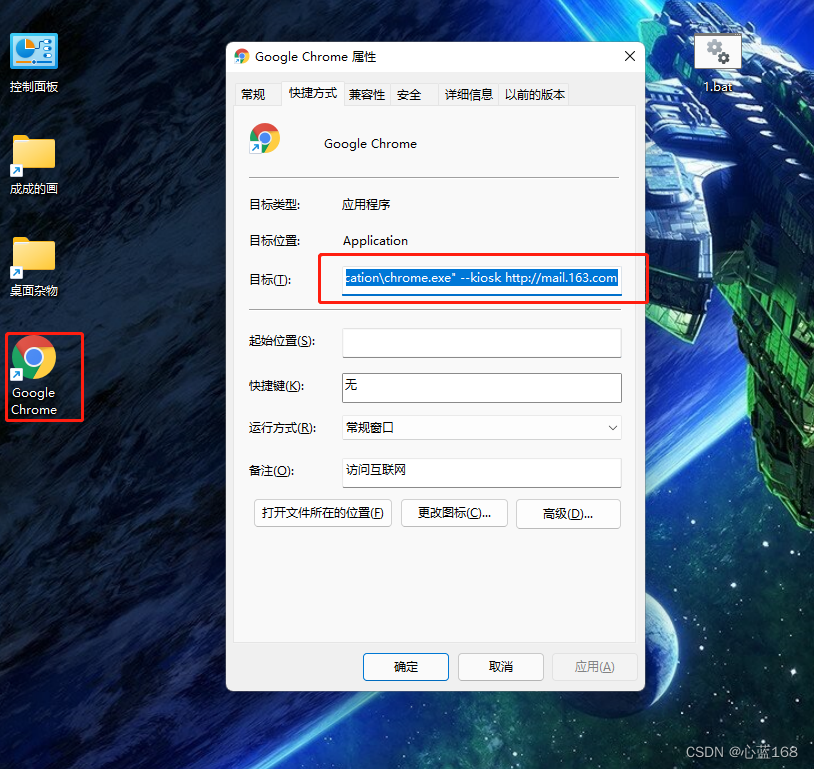
Then add it to Windows In the startup item of .
The only drawback of this method is : You can't really hide the entry address of the control interface , People who know a little about computers can easily get the address . Use other devices to access this address to operate the device , This is what we don't want to see .
Method 2 : Use automated testing tools Selenium Realize to Chrome Browser control . download Selenium Related to the class library , And download the installed with the local computer Chrome Browser version consistent ChromeDriver.exe. Download address is :http://chromedriver.storage.googleapis.com/index.html
The way to control the full screen of the browser is right ChromeOptions Set the properties of . Many people post on the Internet to maximize the browser and write the full screen of the browser , In fact, this is very wrong . The right way to do it is as follows :
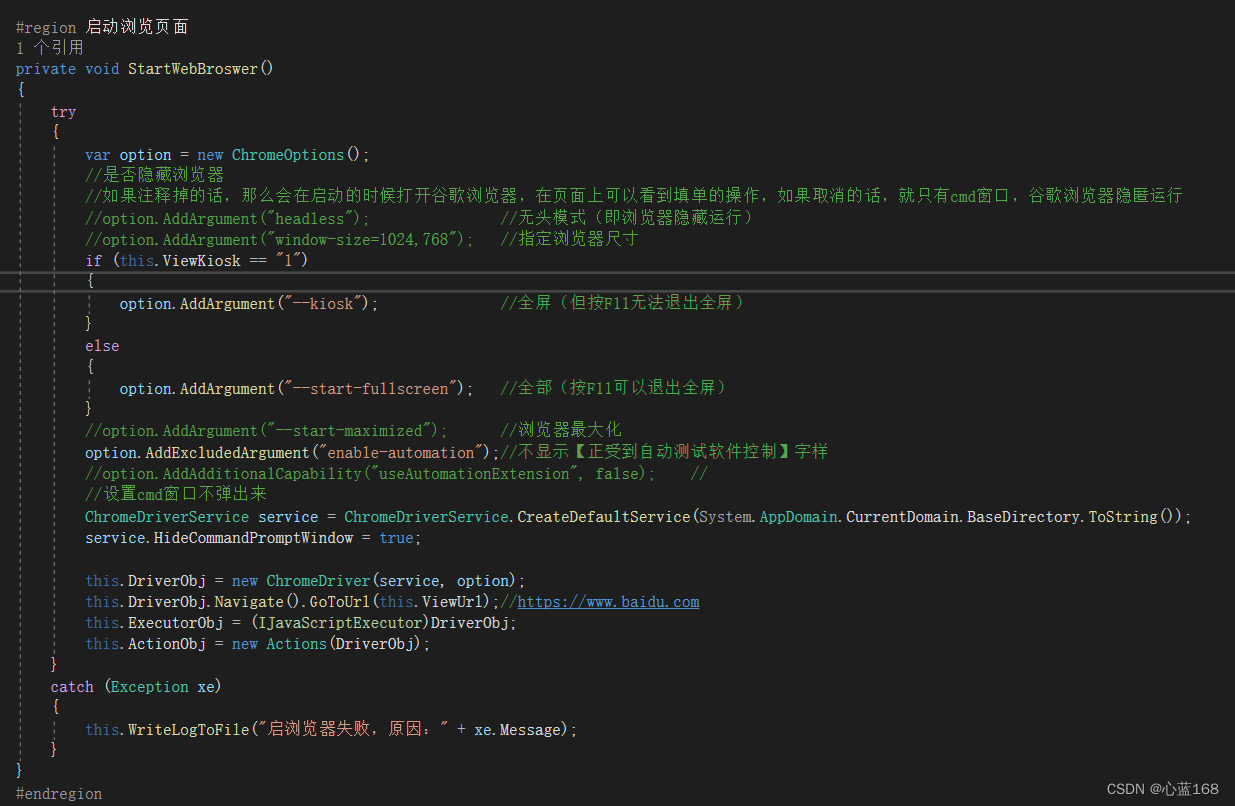
ha-ha , I can't see the above picture clearly , I attach the code :
        #region  Start browsing page
        private void StartWebBroswer()
        {
            try
            {
                var option = new ChromeOptions();
                // Whether to hide the browser
                // If commented out , Then it will open Google browser at startup , You can see the operation of filling in the form on the page , If you cancel , Only cmd window , Google browser runs silently
                //option.AddArgument("headless");               // Headless mode ( That is, the browser runs hidden )
                //option.AddArgument("window-size=1024,768");   // Specify browser size
                if (this.ViewKiosk == "1")
                {
                    option.AddArgument("--kiosk");              // Full screen ( But press F11 Unable to exit full screen )
                }
                else
                {
                    option.AddArgument("--start-fullscreen");   // All ( Press F11 You can exit the full screen )
                }
                //option.AddArgument("--start-maximized");      // Browser maximization
                option.AddExcludedArgument("enable-automation");// No display 【 Under the control of automatic test software 】 word
                //option.AddAdditionalCapability("useAutomationExtension", false);    //
                // Set up cmd The window doesn't pop up
                ChromeDriverService service = ChromeDriverService.CreateDefaultService(System.AppDomain.CurrentDomain.BaseDirectory.ToString());
                service.HideCommandPromptWindow = true;

                this.DriverObj = new ChromeDriver(service, option);
                this.DriverObj.Navigate().GoToUrl(this.ViewUrl);//https://www.baidu.com
                this.ExecutorObj = (IJavaScriptExecutor)DriverObj;
                this.ActionObj = new Actions(DriverObj);
            }
            catch (Exception xe)
            {
                this.WriteLogToFile(" Failed to start browser , reason :" + xe.Message);
            }
        }
        #endregion
The code snippet above also includes headless mode to control the browser , Specify the size of the browser 、 Browser maximization 、 No display 【 Under the control of automatic test software 】 Words, etc , You can enjoy it .
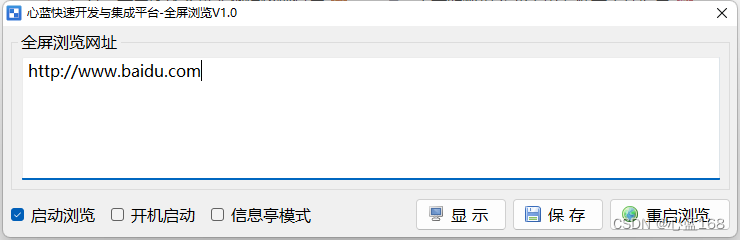
The following is a small tool developed in this project , stay Windows It is especially suitable for touch-screen devices , Support setting the starting address at will , Start up and run automatically 、 Kiosk mode and password protection , For your reference .
Download address :
边栏推荐
猜你喜欢
TCP's three handshakes and four waves

吴军三部曲见识(四) 大家智慧
Flink 解析(三):内存管理

Programmer orientation problem solving methodology
复盘网鼎杯Re-Signal Writeup
![[reverse primary] Unique](/img/80/9fcef27863facc9066e48f221c6686.png)
[reverse primary] Unique
自动答题 之 Selenium测试直接运行在浏览器中,就像真正的用户在操作一样。
02 personal developed products and promotion - SMS platform

Akamai浅谈风控原理与解决方案
应用服务配置器(定时,数据库备份,文件备份,异地备份)
随机推荐
Koa Middleware
Only learning C can live up to expectations Top1 environment configuration
EasyRE WriteUp
MySQL string function
Flink 解析(六):Savepoints
Flink 解析(一):基础概念解析
Wu Jun trilogy insight (IV) everyone's wisdom
CTF逆向入门题——掷骰子
Basic knowledge of assembly language
JVM 垃圾回收器之Serial SerialOld ParNew
基于Infragistics.Document.Excel导出表格的类
Activiti directory (IV) inquiry agency / done, approved
February database ranking: how long can Oracle remain the first?
MySQL报错解决
06个人研发的产品及推广-代码统计工具
Interview collection library
mysql高級(索引,視圖,存儲過程,函數,修改密碼)
集成开发管理平台
ByteDance overseas technical team won the championship again: HD video coding has won the first place in 17 items
Control transfer instruction