当前位置:网站首页>【人员密度检测】基于形态学处理和GRNN网络的人员密度检测matlab仿真
【人员密度检测】基于形态学处理和GRNN网络的人员密度检测matlab仿真
2022-07-02 03:38:00 【fpga和matlab】
1.软件版本
matlab2015b
2.算法概述
人群密度情况分为三个等级,(1)稀少和不拥挤情况下为绿色提醒。(2)比较拥挤情况下,黄色预警。(3)非常拥挤情况下,红色报警。 不同人群密度情况通过相应的报警级别在界面上实时显示出来
人群密度分类两种思路:
(1)估计在景人数,根据人数多少,判断人群密度情形。
(2)提取分析人群的整体特征,训练样本,利用分类器学习分类。
首先对视频进行纹理提取,采用的方法是灰度共生矩阵:
http://wenku.baidu.com/view/d60d9ff5ba0d4a7302763ae1.html?from=search
然后通过GRNN神经网络训练识别算法:
广义回归神经网络(Generalized regression neural network, GRNN)是一种建立在非参数核回归基础之上的神经网络,通过观测样本计算自变量和因变量之间的概率密度函数。GRNN结构如图1所示,整个网络包括四层神经元:输入层、模式层、求和层与输出层。
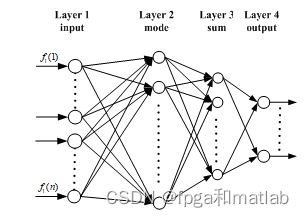
GRNN神经网络的性能,主要通过对其隐回归单元的核函数的光滑因子来设置的,不同的光滑因子可获得不同的网络性能。输入层的神经元数目与学习样本中输入向量的维数m相等。每个神经元都分别对应一个不同的学习样本,模式层中第i个神经元的传递函数为:
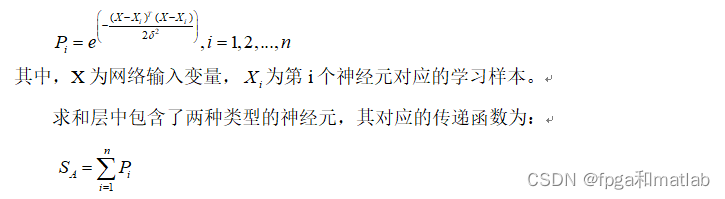
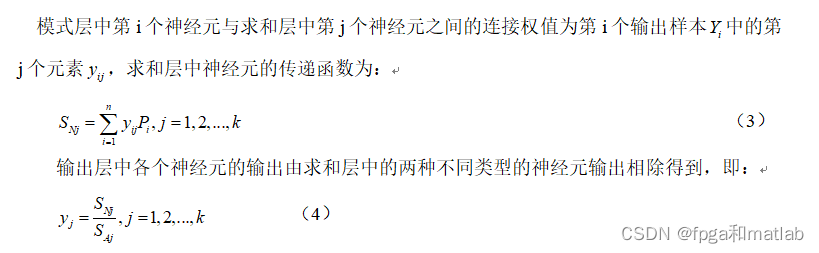
由此可以看出,当选择出学习样本之后,GRNN网络的结构与权值都是完全确定的,因而训练GRNN网络要比训练BP网络和RBF网络便捷得多。根据上述GRNN网络的各个层的输出计算公式,整个GRNN网络的输出可用如的式子表示:

3.部分源码
function pushbutton2_Callback(hObject, eventdata, handles)
% hObject    handle to pushbutton2 (see GCBO)
% eventdata  reserved - to be defined in a future version of MATLAB
% handles    structure with handles and user data (see GUIDATA)
global frameNum_Original;
global frameNum_Originals;
global Obj;
%%
%参数初始化
%处理视频大小
RR = 200;
CC = 300;


K                   = 3;                   %组件
Alpha               = 0.02;                %适应权重速度
Rho                 = 0.01;                %适应权重速度协方差
Deviation_sq        = 49;                  %阈值用于查找匹配
Variance            = 2;                   %初始方差为新放置组件
Props               = 0.00001;             %最初为新放置
Back_Thresh         = 0.8;                 %体重的比例必须占背景模型
Comp_Thresh         = 10;                  %滤掉连接组件的较小的尺寸
SHADOWS             =[0.7,0.25,0.85,0.95]; %设置阴影去除门限值

CRGB  = 3;
D     = RR * CC;
Temps = zeros(RR,CC,CRGB,'uint8');


Temps = imresize(read(Obj,1),[RR,CC]);
Temps = reshape(Temps,size(Temps,1)*size(Temps,2),size(Temps,3));

Mus                 = zeros(D,K,CRGB);
Mus(:,1,:)          = double(Temps(:,:,1));
Mus(:,2:K,:)        = 255*rand([D,K-1,CRGB]);
Sigmas              = Variance*ones(D,K,CRGB);
Weights             = [ones(D,1),zeros(D,K-1)];
Squared             = zeros(D,K);
Gaussian            = zeros(D,K);
Weight              = zeros(D,K);
background          = zeros(RR,CC,frameNum_Original);
Shadows             = zeros(RR,CC);
Images0             = zeros(RR,CC,frameNum_Original);
Images1             = zeros(RR,CC,frameNum_Original);
Images2             = zeros(RR,CC,frameNum_Original);
background_Update   = zeros(RR,CC,CRGB,frameNum_Original);

indxx               = 0;
for tt = frameNum_Originals
    disp('当前帧数');
    tt
    indxx            = indxx + 1;
    pixel_original   = read(Obj,tt);
    pixel_original2  = imresize(pixel_original,[RR,CC]);


    Temp = zeros(RR,CC,CRGB,'uint8');

    Temp = pixel_original2;
    Temp = reshape(Temp,size(Temp,1)*size(Temp,2),size(Temp,3));

    image = Temp;
    for kk = 1:K
        Datac         = double(Temp)-reshape(Mus(:,kk,:),D,CRGB);
        Squared(:,kk) = sum((Datac.^ 2)./reshape(Sigmas(:,kk,:),D,CRGB),2);
    end
    [junk,index] = min(Squared,[],2);
    Gaussian                                                = zeros(size(Squared));
    Gaussian(sub2ind(size(Squared),1:length(index),index')) = ones(D,1);
    Gaussian                                                = Gaussian&(Squared<Deviation_sq);
    %参数更新
    Weights = (1-Alpha).*Weights+Alpha.*Gaussian;
    for kk = 1:K
        pixel_matched   = repmat(Gaussian(:,kk),1,CRGB);
        pixel_unmatched = abs(pixel_matched-1);
        Mu_kk           = reshape(Mus(:,kk,:),D,CRGB);
        Sigma_kk        = reshape(Sigmas(:,kk,:),D,CRGB);
        Mus(:,kk,:)     = pixel_unmatched.*Mu_kk+pixel_matched.*(((1-Rho).*Mu_kk)+(Rho.*double(image)));
        Mu_kk           = reshape(Mus(:,kk,:),D,CRGB);
        Sigmas(:,kk,:)  = pixel_unmatched.*Sigma_kk+pixel_matched.*(((1-Rho).*Sigma_kk)+repmat((Rho.* sum((double(image)-Mu_kk).^2,2)),1,CRGB));
    end
    replaced_gaussian   = zeros(D,K);
    mismatched          = find(sum(Gaussian,2)==0);
    for ii = 1:length(mismatched)
        [junk,index]                            = min(Weights(mismatched(ii),:)./sqrt(Sigmas(mismatched(ii),:,1)));
        replaced_gaussian(mismatched(ii),index) = 1;
        Mus(mismatched(ii),index,:)             = image(mismatched(ii),:);
        Sigmas(mismatched(ii),index,:)          = ones(1,CRGB)*Variance;
        Weights(mismatched(ii),index)           = Props;
    end
    Weights         = Weights./repmat(sum(Weights,2),1,K);
    active_gaussian = Gaussian+replaced_gaussian;
    %背景分割
    [junk,index]    = sort(Weights./sqrt(Sigmas(:,:,1)),2,'descend');
    bg_gauss_good   = index(:,1);
    linear_index    = (index-1)*D+repmat([1:D]',1,K);
    weights_ordered = Weights(linear_index);
    for kk = 1:K
        Weight(:,kk)= sum(weights_ordered(:,1:kk),2);
    end
    bg_gauss(:,2:K) = Weight(:,1:(K-1)) < Back_Thresh;
    bg_gauss(:,1)   = 1;
    bg_gauss(linear_index)     = bg_gauss;
    active_background_gaussian = active_gaussian & bg_gauss;
    foreground_pixels          = abs(sum(active_background_gaussian,2)-1);
    foreground_map             = reshape(sum(foreground_pixels,2),RR,CC);
    Images1                    = foreground_map;
    objects_map                = zeros(size(foreground_map),'int32');
    object_sizes               = [];
    Obj_pos                    = [];
    new_label                  = 1;
    %计算连通区域
    [label_map,num_labels]     = bwlabel(foreground_map,8);

    for label = 1:num_labels
       object      = (label_map == label);
       object_size = sum(sum(object));
       if(object_size >= Comp_Thresh)
          objects_map             = objects_map + int32(object * new_label);
          object_sizes(new_label) = object_size;
          [X,Y]                   = meshgrid(1:CC,1:RR);
          object_x                = X.*object;
          object_y                = Y.*object;
          Obj_pos(:,new_label)    = [sum(sum(object_x)) / object_size;
                                     sum(sum(object_y)) / object_size];
          new_label               = new_label + 1;
       end
    end
    num_objects = new_label - 1;
    %去除阴影
    index                       = sub2ind(size(Mus),reshape(repmat([1:D],CRGB,1),D*CRGB,1),reshape(repmat(bg_gauss_good',CRGB,1),D*CRGB,1),repmat([1:CRGB]',D,1));
    background                  = reshape(Mus(index),CRGB,D);
    background                  = reshape(background',RR,CC,CRGB);
    background                  = uint8(background);
    if  indxx <= 500;
        background_Update           = background;
    else
        background_Update           = background_Update;
    end


    background_hsv              = rgb2hsv(background);
    image_hsv                   = rgb2hsv(pixel_original2);
    for i = 1:RR
        for j = 1:CC
            if (objects_map(i,j))&&...
               (abs(image_hsv(i,j,1)-background_hsv(i,j,1))<SHADOWS(1))&&...
               (image_hsv(i,j,2)-background_hsv(i,j,2)<SHADOWS(2))&&...
               (SHADOWS(3)<=image_hsv(i,j,3)/background_hsv(i,j,3)<=SHADOWS(4))
               Shadows(i,j) = 1;
            else
               Shadows(i,j) = 0;
            end
        end
    end
    Images0           = objects_map;
    objecs_adjust_map = Shadows;
    Images2           = objecs_adjust_map;


    %%
    %根据像素所在区域大小比例以及纹理特征分析获得人密度
    %腐蚀处理
    se        = strel('ball',6,6);
    Images2BW = floor(abs(imdilate(Images2,se)-5));
    Images3BW = zeros(size(Images2BW));
    X1 = round(168/2);
    X2 = round(363/2);
    Y1 = round(204/2);
    Y2 = round(339/2);
    if indxx > 80;
       %计算区域内像素值
       S1           = sum(sum(Images2BW(Y1:Y2,X1:X2)));
       S2(indxx-80) = S1/((X2-X1)*(Y2-Y1));
    end
    Images3BW(Y1:Y2,X1:X2)   = Images2BW(Y1:Y2,X1:X2);
    Images3Brgb              = pixel_original2(Y1:Y2,X1:X2,:);
    %纹理检测
    %计算纹理
    [A,B]     = func_wenli(rgb2gray(Images3Brgb));
    %选择能量 熵作为判断依据
    if indxx > 80;
       F1(indxx-80) = A(1);
       F2(indxx-80) = A(2);
       F3(indxx-80) = A(3);
    end
    if indxx > 80;
        load train_model.mat
        P     = [S2(indxx-80);F2(indxx-80)];
        y     = round(NET(P));


        if y == 1
           set(handles.text2,'String','低密度');
           set(handles.text2,'ForegroundColor',[0 1 0]) ;
        end
        if y == 2
           set(handles.text2,'String','中密度');
           set(handles.text2,'ForegroundColor',[1 1 0]) ;
        end
        if y == 3
           set(handles.text2,'String','高密度');
           set(handles.text2,'ForegroundColor',[1 0 0]) ;
        end
    end


    axes(handles.axes1)
    imshow(pixel_original2);
%     title('定位检测区域');
    hold on
    line([X1,X2],[Y1,Y1],'LineWidth',1,'Color',[0 1 0]);
    hold on
    line([X2,X2],[Y1,Y2],'LineWidth',1,'Color',[0 1 0]);
    hold on
    line([X2,X1],[Y2,Y2],'LineWidth',1,'Color',[0 1 0]);
    hold on
    line([X1,X1],[Y2,Y1],'LineWidth',1,'Color',[0 1 0]);


    axes(handles.axes2)
    imshow(uint8(background_Update));
%     title('背景获得');


    axes(handles.axes3)
    imshow(Images0,[]);
%     title('动态背景提取');
    axes(handles.axes4)
    imshow(Images3BW,[]);
%     title('动态背景提取(检测区域内)');


    pause(0.0000001);
end
4.仿真结果

边栏推荐
- Kotlin basic learning 14
- [untitled] basic operation of raspberry pie (2)
- Global and Chinese market of autotransfusion bags 2022-2028: Research Report on technology, participants, trends, market size and share
- 接口调试工具模拟Post上传文件——ApiPost
- [yolo3d]: real time detection of end-to-end 3D point cloud input
- Haute performance et faible puissance Cortex - A53 Core Board | i.mx8m mini
- 《MATLAB 神经网络43个案例分析》:第41章 定制神经网络的实现——神经网络的个性化建模与仿真
- JS generate random numbers
- Interface debugging tool simulates post upload file - apipost
- Retrofit's callback hell is really vulnerable in kotlin synergy mode
猜你喜欢
傅里叶级数
How to establish its own NFT market platform in 2022
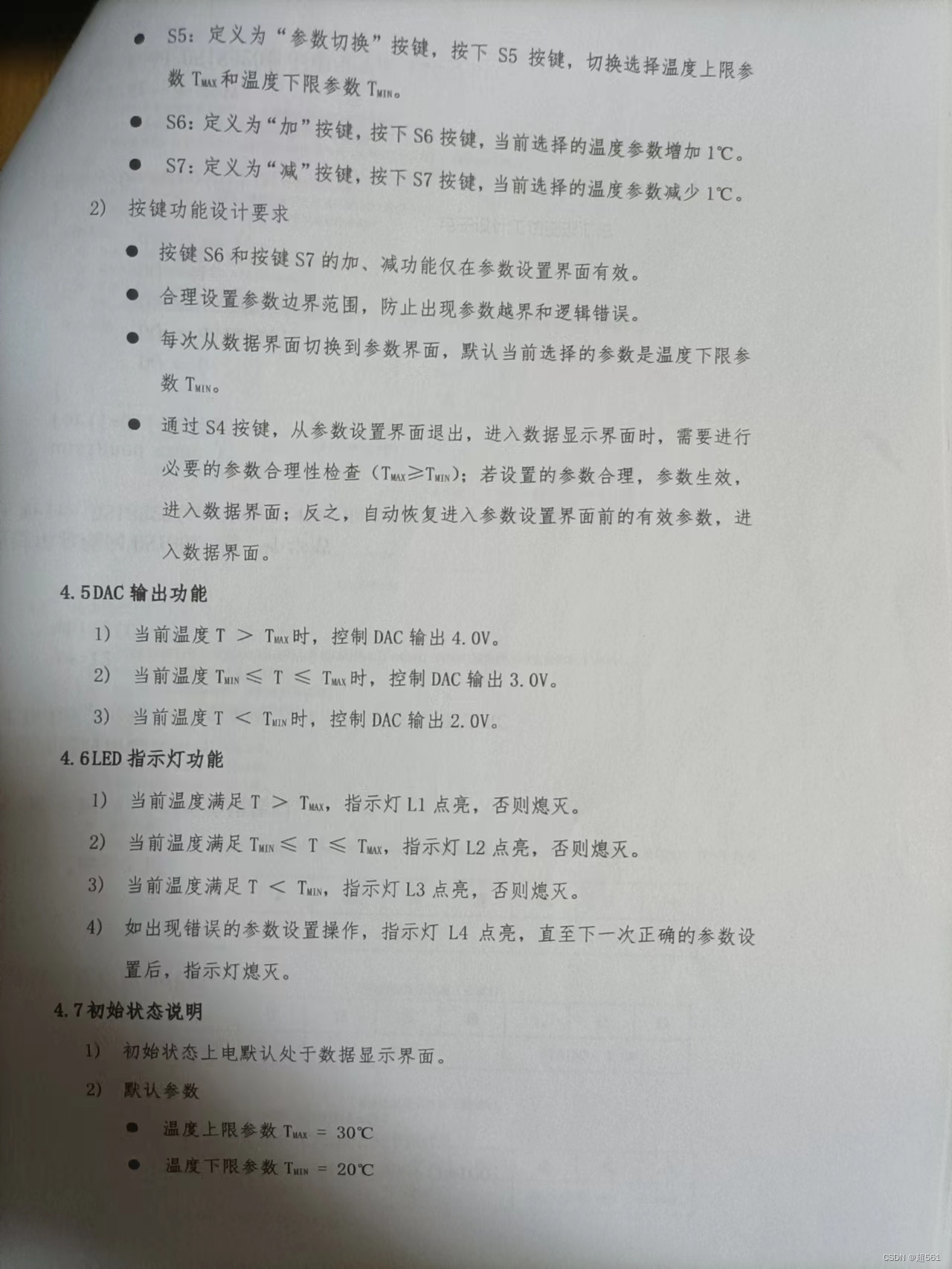
蓝桥杯单片机省赛第十一届第二场
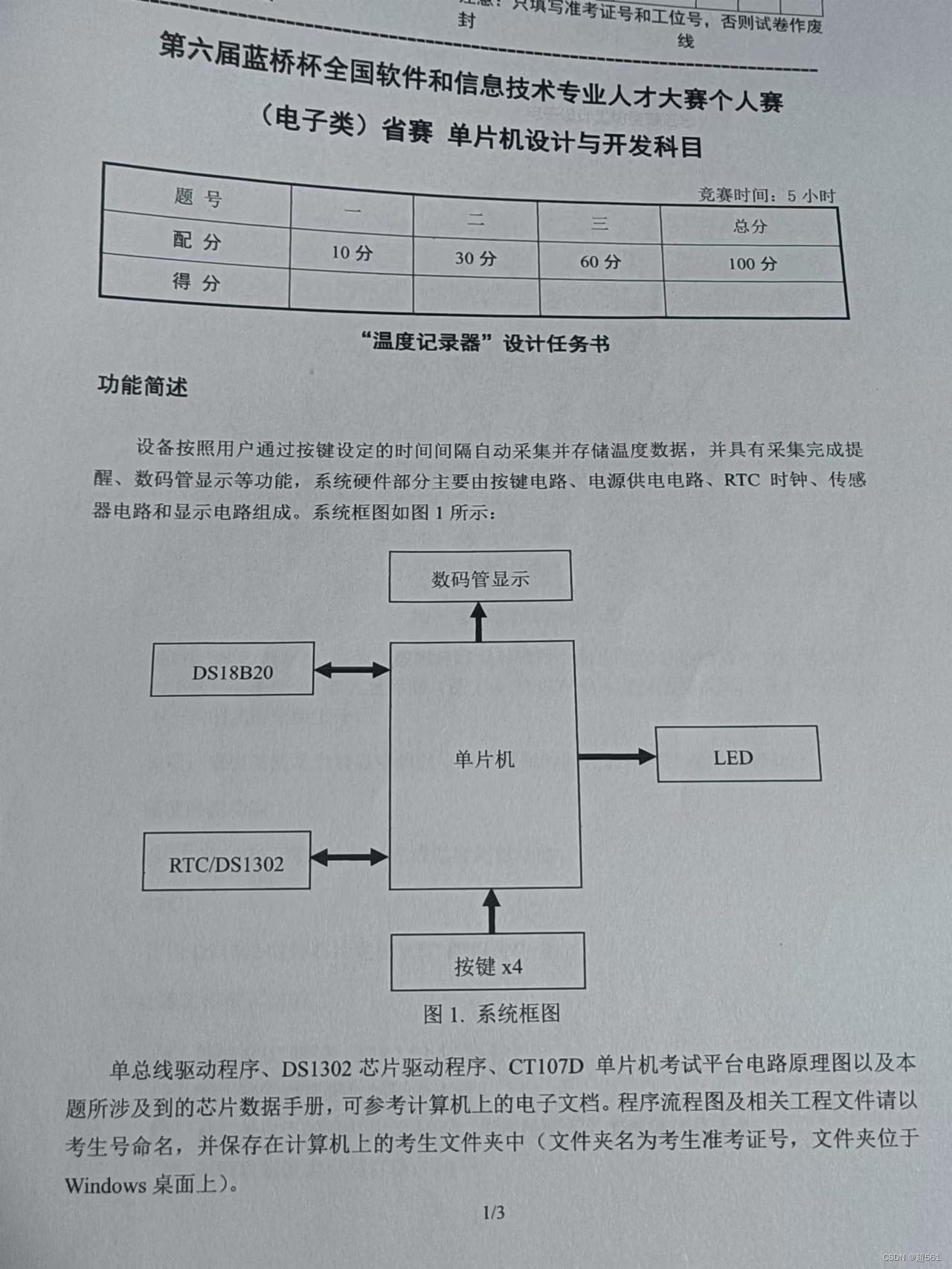
Blue Bridge Cup single chip microcomputer sixth temperature recorder

Screenshot literacy tool download and use
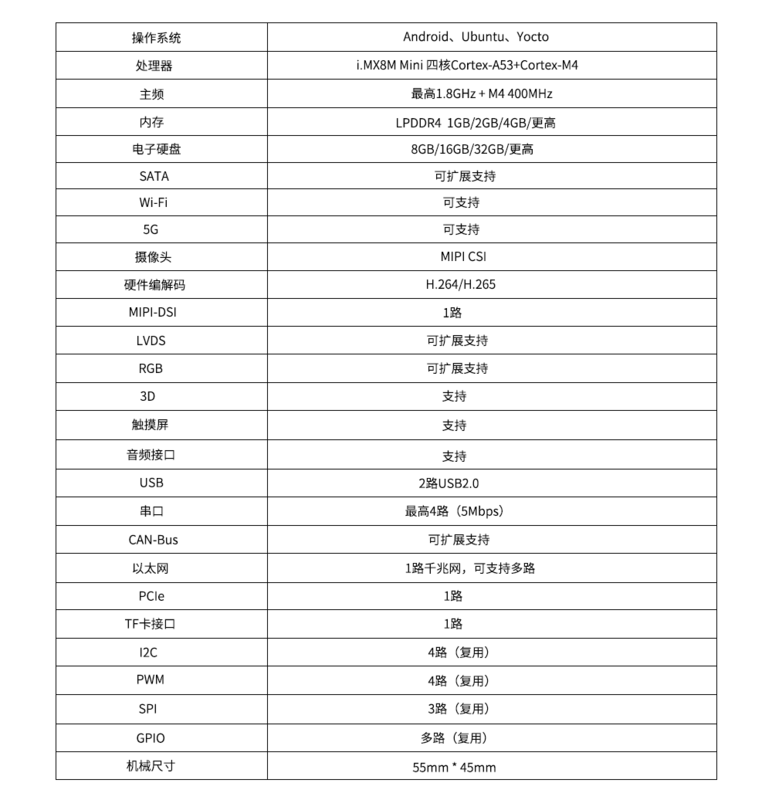
高性能 低功耗Cortex-A53核心板 | i.MX8M Mini

Unity脚本的基础语法(6)-特定文件夹
Pointer array & array pointer

Failed to upgrade schema, error: “file does not exist
高性能 低功耗Cortex-A53核心板 | i.MX8M Mini
随机推荐
The 6th Blue Bridge Cup single chip microcomputer provincial competition
[HCIA continuous update] working principle of OSPF Protocol
The 5th Blue Bridge Cup single chip microcomputer provincial competition
Global and Chinese markets for hand hygiene monitoring systems 2022-2028: Research Report on technology, participants, trends, market size and share
MD5 of Oracle
UI (New ui:: MainWindow) troubleshooting
《MATLAB 神经网络43个案例分析》:第41章 定制神经网络的实现——神经网络的个性化建模与仿真
Oracle 常用SQL
Kotlin basic learning 17
Kotlin基础学习 17
Work hard all day long and be alert at sunset
aaaaaaaaaaaaa
Blue Bridge Cup SCM digital tube skills
JS generate random numbers
Qt的网络连接方式
[mv-3d] - multi view 3D target detection network
蓝桥杯单片机省赛第七届
uniapp 使用canvas 生成海报并保存到本地
Basic syntax of unity script (8) - collaborative program and destruction method
Getting started with MQ