当前位置:网站首页>I217-V network disconnection problem in large traffic under openwrt soft routing
I217-V network disconnection problem in large traffic under openwrt soft routing
2022-08-05 06:10:00 【MuggleTan】
Background
Recently, I was playing an AIO (All In One) server with the upspotu, that is, integrating the soft routing, NAS system and audio-visual system into a physical system. I used a small M73 that I bought before.The host, the mini-PCIE slot inside is extended with a crab RTL8111 Gigabit network card, and the host comes with Intel's I217-V Gigabit network card.
After a day of use, I found that openwrt would be interrupted every time a large amount of traffic was downloaded or uploaded. At first, I thought it was a problem with the openwrt system. Later, after some data search, I found that there was a problem with the Intel network card under pve., checked the logs of the pve system and found the following:
pve kernel: e1000e 0000:00:19.0 eno1: Detected Hardware Unit Hang:This is the same as the search, so it is determined that this Intel network card is the problem.
reason
The cause of this problem is a bug in the Intel network card firmware
Workaround
Turn off the offload function of the network card under the pve virtual machine
ethtool -K <NIC number> tx off rx off >/tmp/e1000e.logFor convenience, there is no need to manually turn off the virtual machine every time after restarting the virtual machine. A self-starting script is set here. The principle is that the pve virtual machine will scan /etc/profile.d every time it starts.The following .sh file, so the method is very simple, create a new e1000e.sh file under the changed folder
vim /etc/profile.d/e1000e.shThen fill in the above command
Reference link:
边栏推荐
- 错误类型:reflection.ReflectionException: Could not set property ‘xxx‘ of ‘class ‘xxx‘ with value ‘xxx‘
- 硬核!Cocos开发面试必备十问,让你offer拿到手软
- Getting Started 03 Distinguish between development and production environments ("hot update" is performed only in the production environment)
- 【Machine Learning】1 Univariate Linear Regression
- spark算子-repartition算子
- 云计算——osi七层与TCP\IP协议
- 入门文档10 资源映射
- Spark源码-任务提交流程之-6-sparkContext初始化
- The spark operator - repartition operator
- 每日一题-无重复字符的最长子串-0712
猜你喜欢
【Day8】RAID Disk Array
lvm逻辑卷及磁盘配额
偷题——腾讯游戏开发面试问题及解答
【Machine Learning】1 Univariate Linear Regression
Dsf5.0 bounced points determine not return a value
![[Pytorch study notes] 8. How to use WeightedRandomSampler (weight sampler) when the training category is unbalanced data](/img/29/5b44c016bd11f0c0a9110cf513f4e1.png)
[Pytorch study notes] 8. How to use WeightedRandomSampler (weight sampler) when the training category is unbalanced data
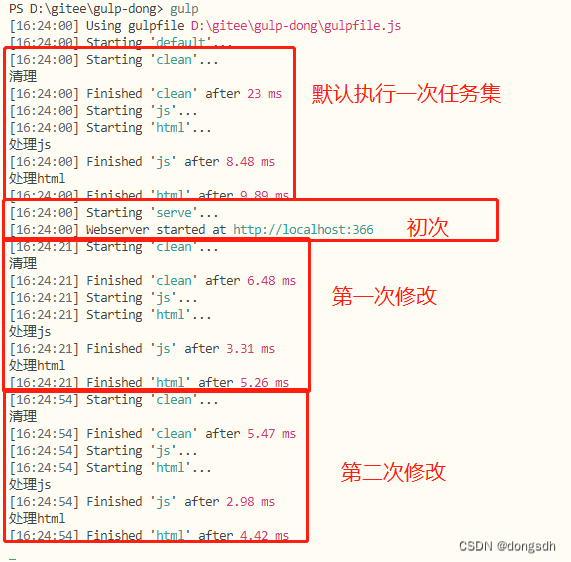
Getting Started Documentation 12 webserve + Hot Updates
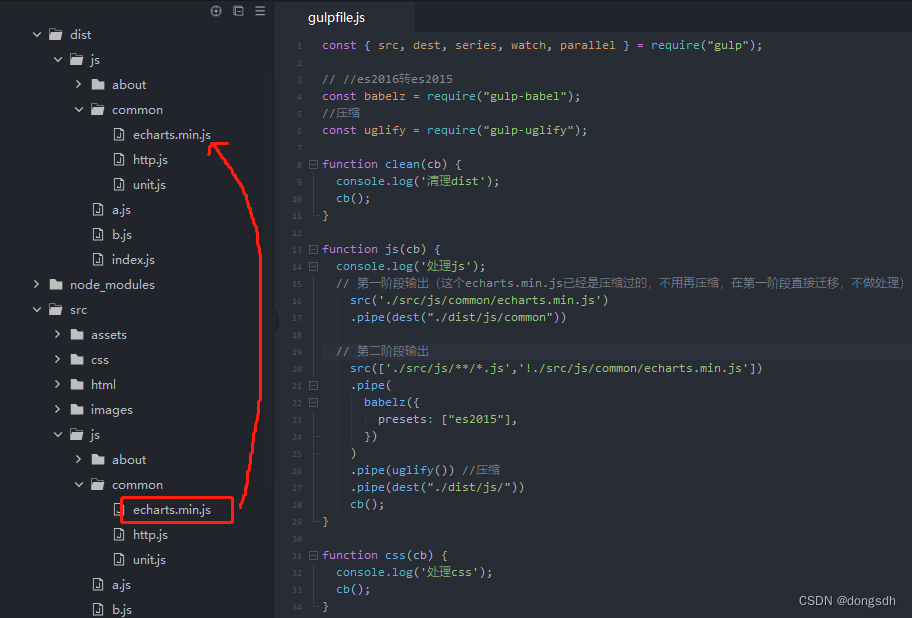
Getting Started Document 07 Staged Output
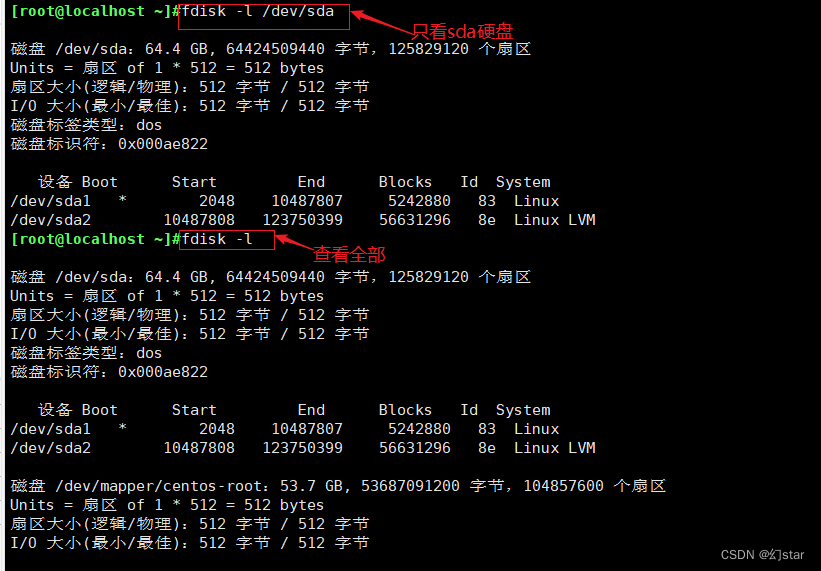
硬盘分区和永久挂载
Unity中的GetEnumerator 方法及MoveNext、Reset方法
随机推荐
【Day8】 RAID磁盘阵列
2020年手机上最好的25种免费游戏
TCP/IP四层模型
每日一题-字典
【Day1】(超详细步骤)构建软RAID磁盘阵列
TensorFlow ObjecDetectionAPI在win10系统Anaconda3下的配置
每日一题-正则表达式匹配-0715
每日一题-单调栈
阿里云视频点播
Spark源码-任务提交流程之-6-sparkContext初始化
Three modes of vim
IP地址及子网的划分
[Day5] Soft and hard links File storage, deletion, directory management commands
Cocos Creator开发中的事件响应
每日一题-DFS
【Day8】Knowledge about disk and disk partition
Introductory document 05-2 use return instructions the current task has been completed
【Day8】使用LVM扩容所涉及的命令
[Pytorch study notes] 8. How to use WeightedRandomSampler (weight sampler) when the training category is unbalanced data
spark算子-parallelize算子