当前位置:网站首页>Ggplot facet detail adjustment summary
Ggplot facet detail adjustment summary
2022-07-07 03:51:00 【Zhuang Shanshan】
brief introduction
Xiaobian introduced some time ago ggplot2 Faceted problem :R Visible | Split one page and many pictures . And many books have introduced How to use ggplot2 Facet of , Such as :《ggplot2: Elegant Graphics for Data Analysis》,《R Language course 》.
But the detail adjustment after painting , Hardly introduced . Xiaobian is in the process of learning , Some detail adjustment skills are sorted out , For reference . And share it with you , I hope I can help you ~
The framework of this paper
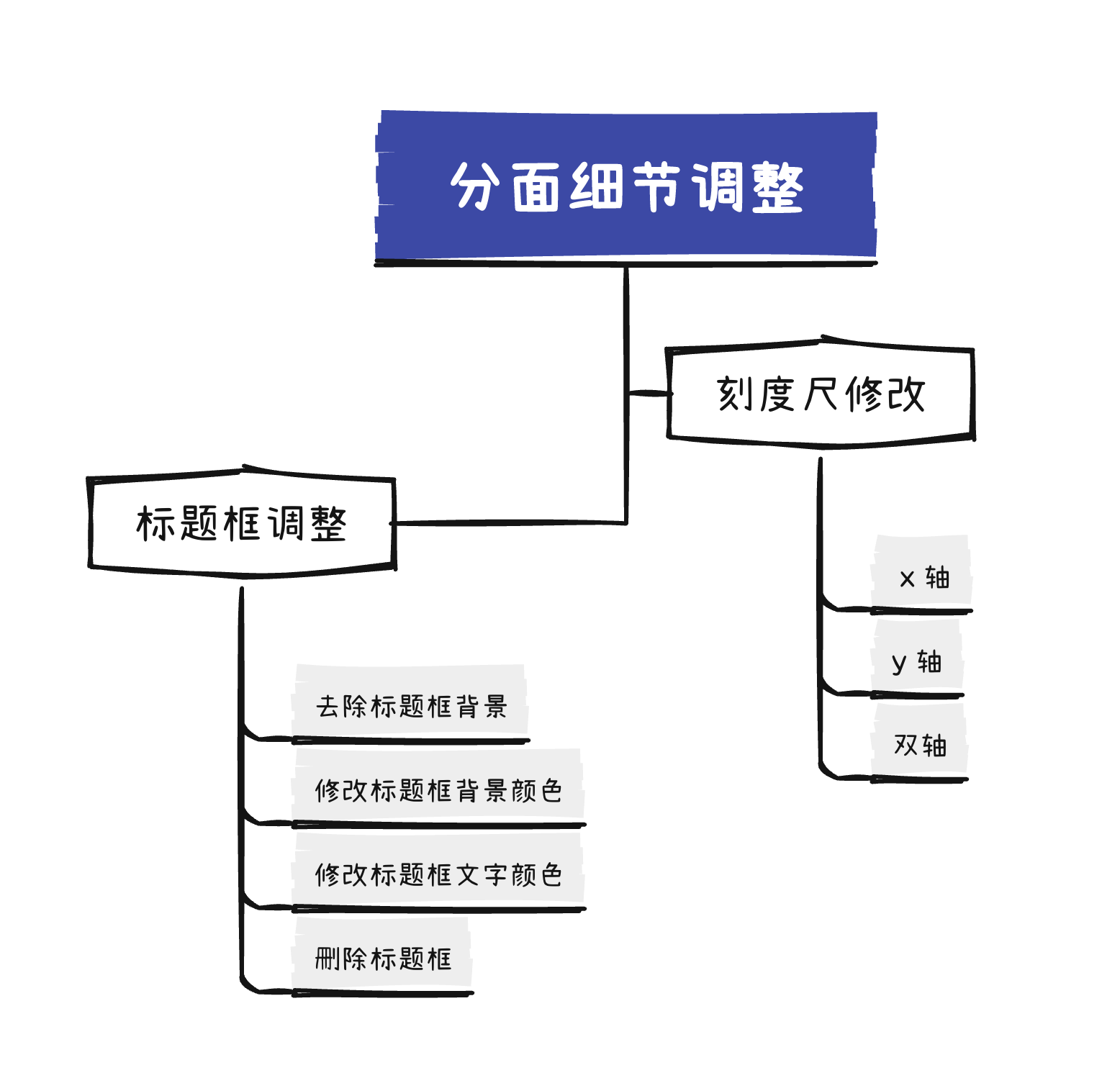
course
This paper gives an example by simulating data , Readers can use the data form , Load your own dataset , And corresponding data processing .
Generate the data
#  Import package
library(ggplot2)

set.seed(1)
dat = data.frame("time" = rep(2013:2019,6),
                 "method" = rep(LETTERS[1:6],each = 7),
                 "value" = rnorm(7*6,5,1),
                 "upper" = rnorm(7*6,5,1) + abs(rnorm(7*6,2,0.1)),
                 "lower" = rnorm(7*6,5,1) - abs(rnorm(7*6,2,0.1))
)
head(dat)
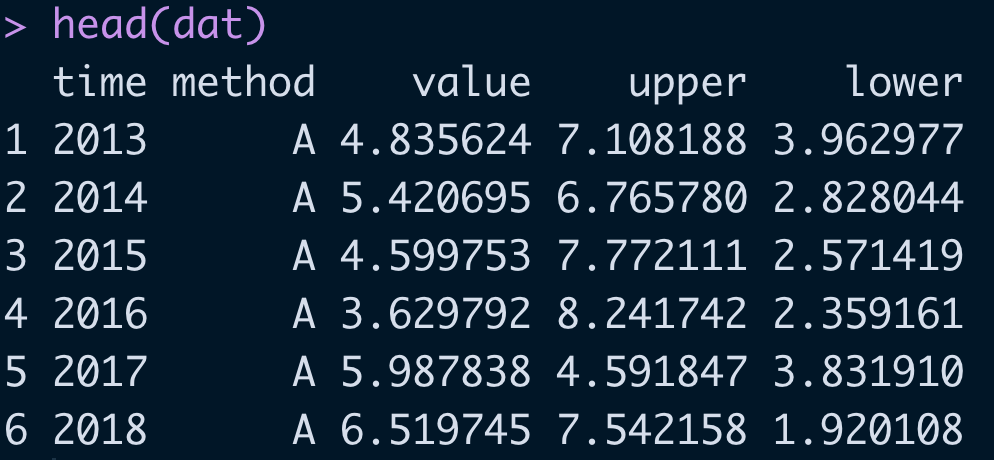
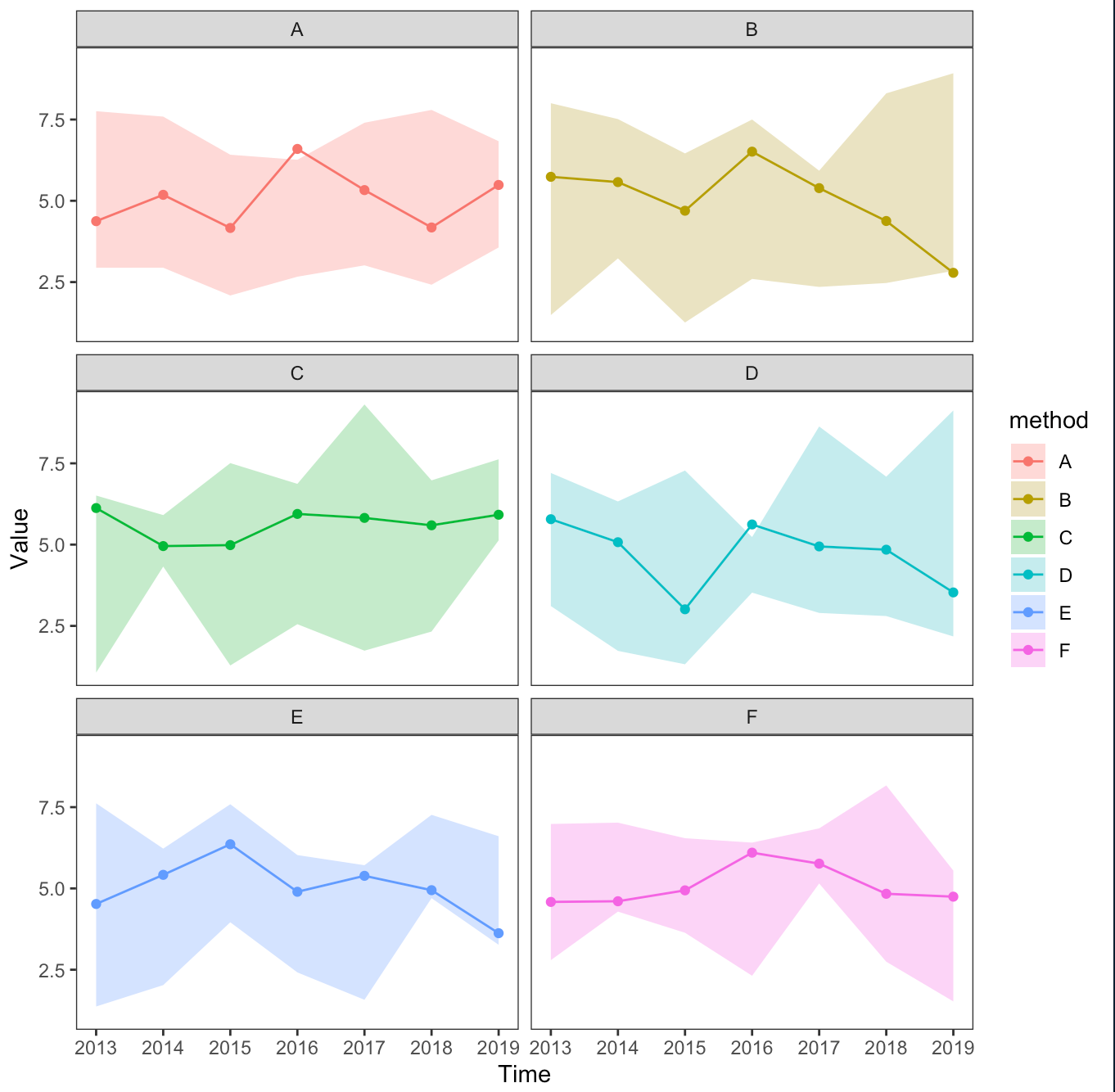
Basic version drawing
cols <- c("#85BA8F", "#A3C8DC","#349839","#EA5D2D","#EABB77","#F09594") # Set the color

p = ggplot(dat,aes(x = time, y = value,fill = method)) +
  geom_line(aes(color = method)) + # Add line
  geom_point(aes(color = method)) + # Add scatter
  geom_ribbon(aes(ymin=lower, ymax=upper), alpha=0.3) + # Add interval
  scale_x_continuous(breaks = 2013:2019) +
  facet_wrap(vars(method),nrow = 4) +
  theme_bw() + ylab("Value") + xlab("Time") + # Theme Settings
  theme(panel.grid = element_blank())
p
Scale modification
By default ,x、y The axis scale is fixed , namely ,scales = "fixed". For details, please refer to :https://ggplot2-book.org/facet.html.
x Axis
Using the parameter scales = "free_x", modify x Shaft scale .
p + facet_wrap(vars(method),nrow = 4,scales = "free_x")
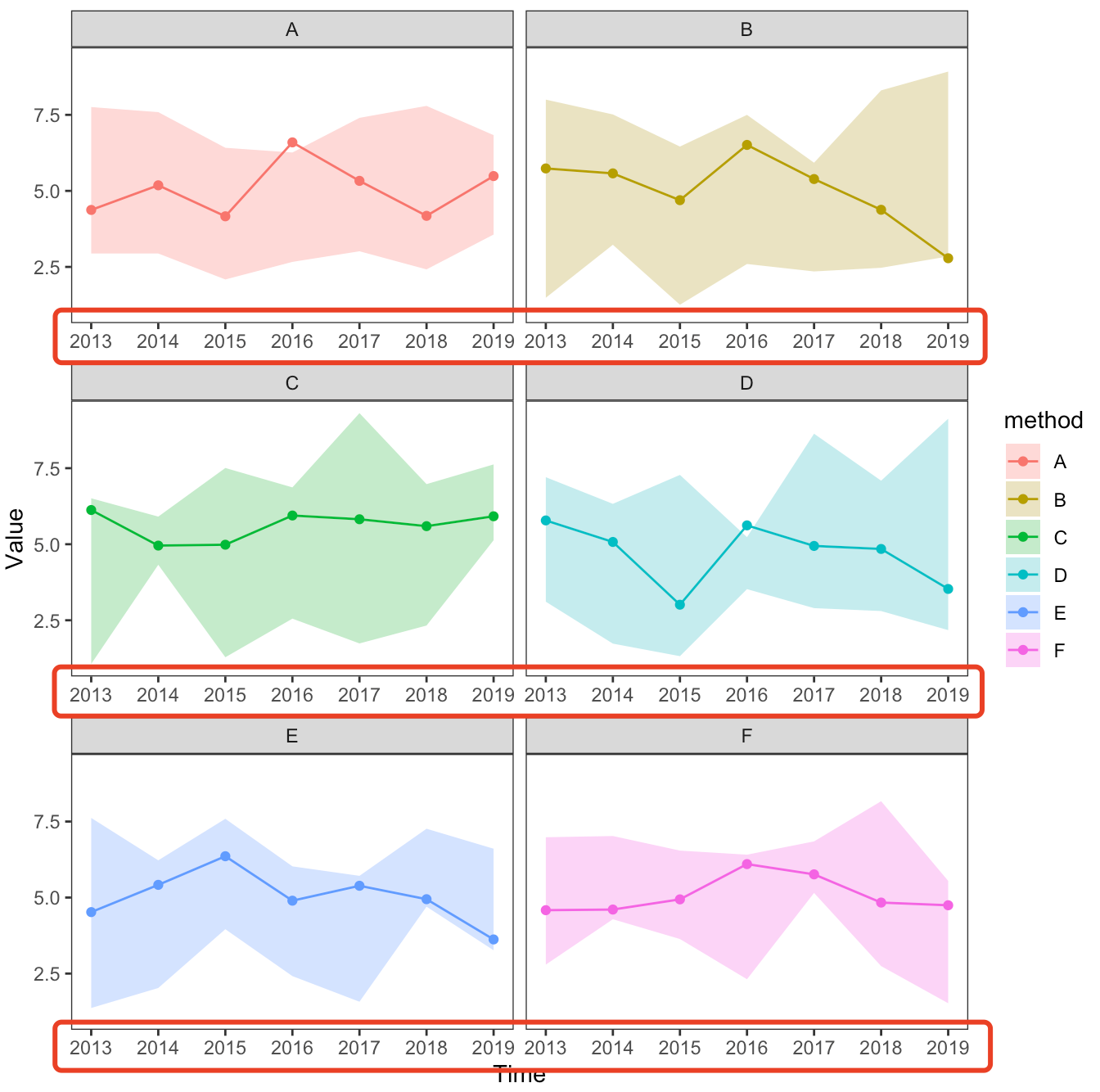
y Axis
Using the parameter scales = free_y, modify y Shaft scale .
p + facet_wrap(vars(method),nrow = 4,scales = "free_y")
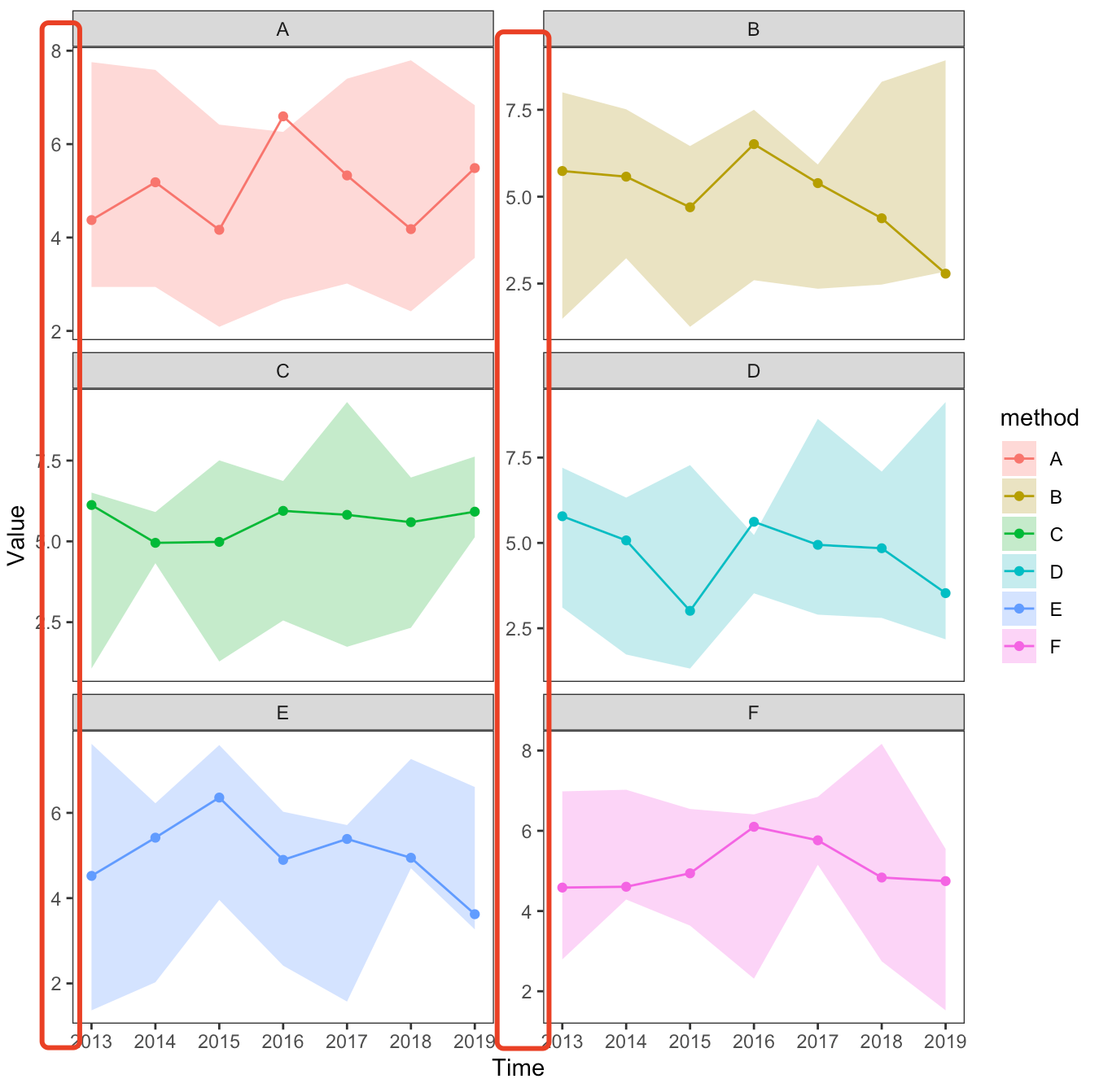
Double axis
Using the parameter scales = free, modify x and y Shaft scale .
p + facet_wrap(vars(method),nrow = 4,scales = "free")
[ Failed to transfer the external chain picture , The origin station may have anti-theft chain mechanism , It is suggested to save the pictures and upload them directly (img-q8BdFXbf-1656937310384)(https://files.mdnice.com/user/5000/9d1e15c9-ebc3-43b2-a892-43a1229eb0b5.png)]
Title box adjustment
This part is all about theme() Adjust in . For details, please refer to :https://ggplot2-book.org/polishing.html.
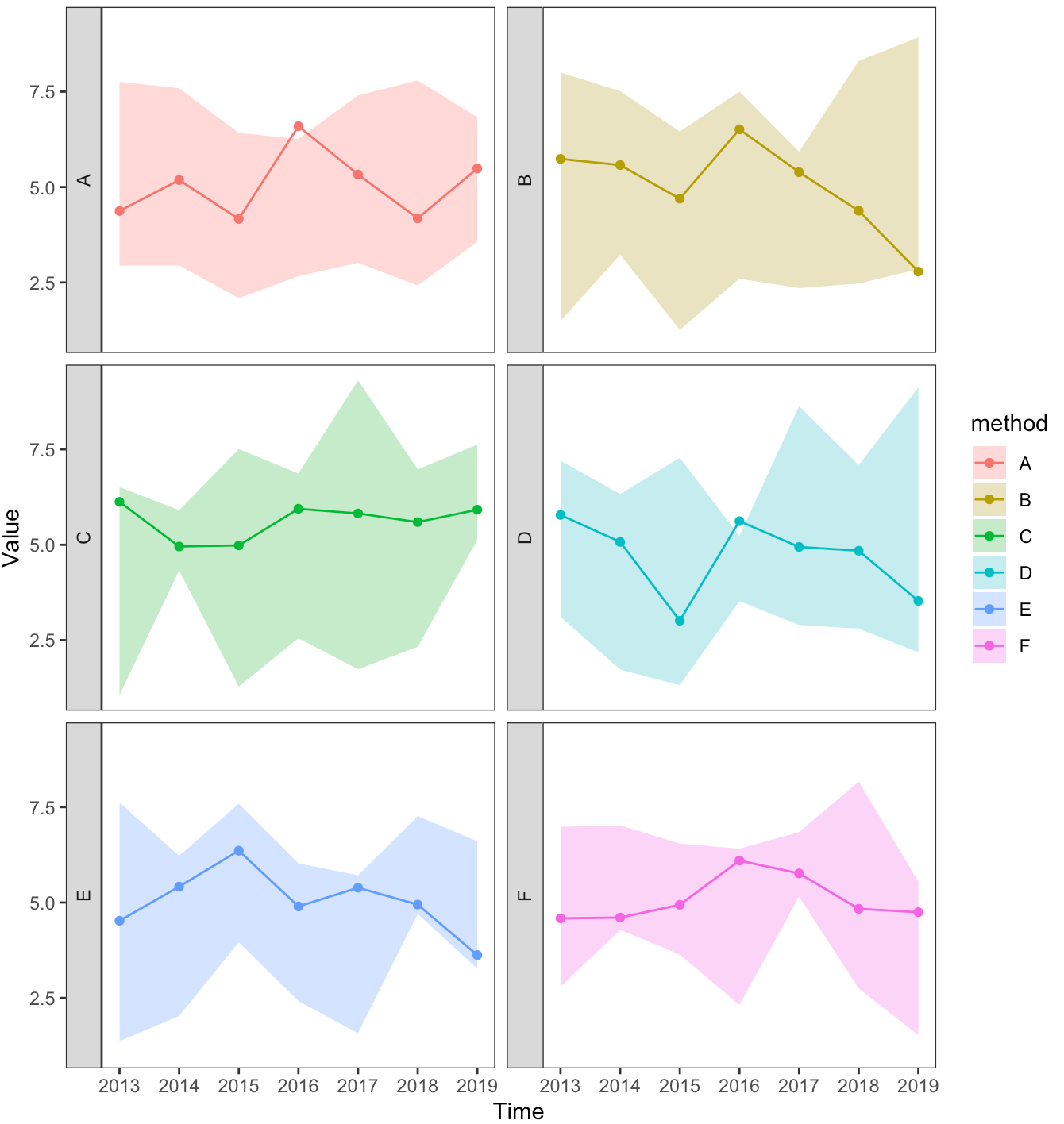
Position adjustment
modify strip.position Adjust the position .
p + facet_wrap(vars(method),nrow = 3,strip.position = "left")
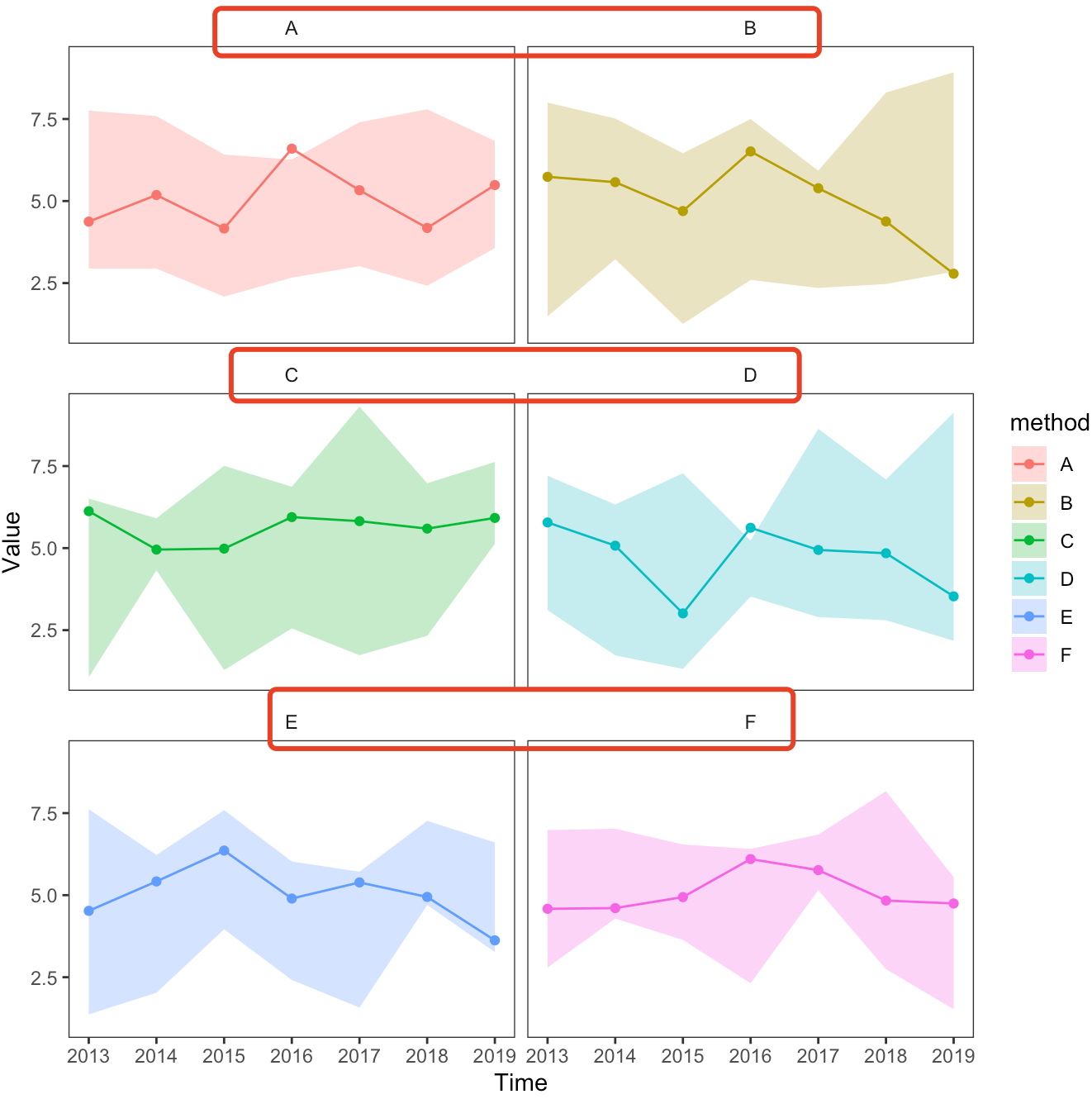
Remove the title box background
utilize strip.background = element_blank() Remove the title box background .
p + theme(
        strip.background = element_blank() # Remove the title box background
  )
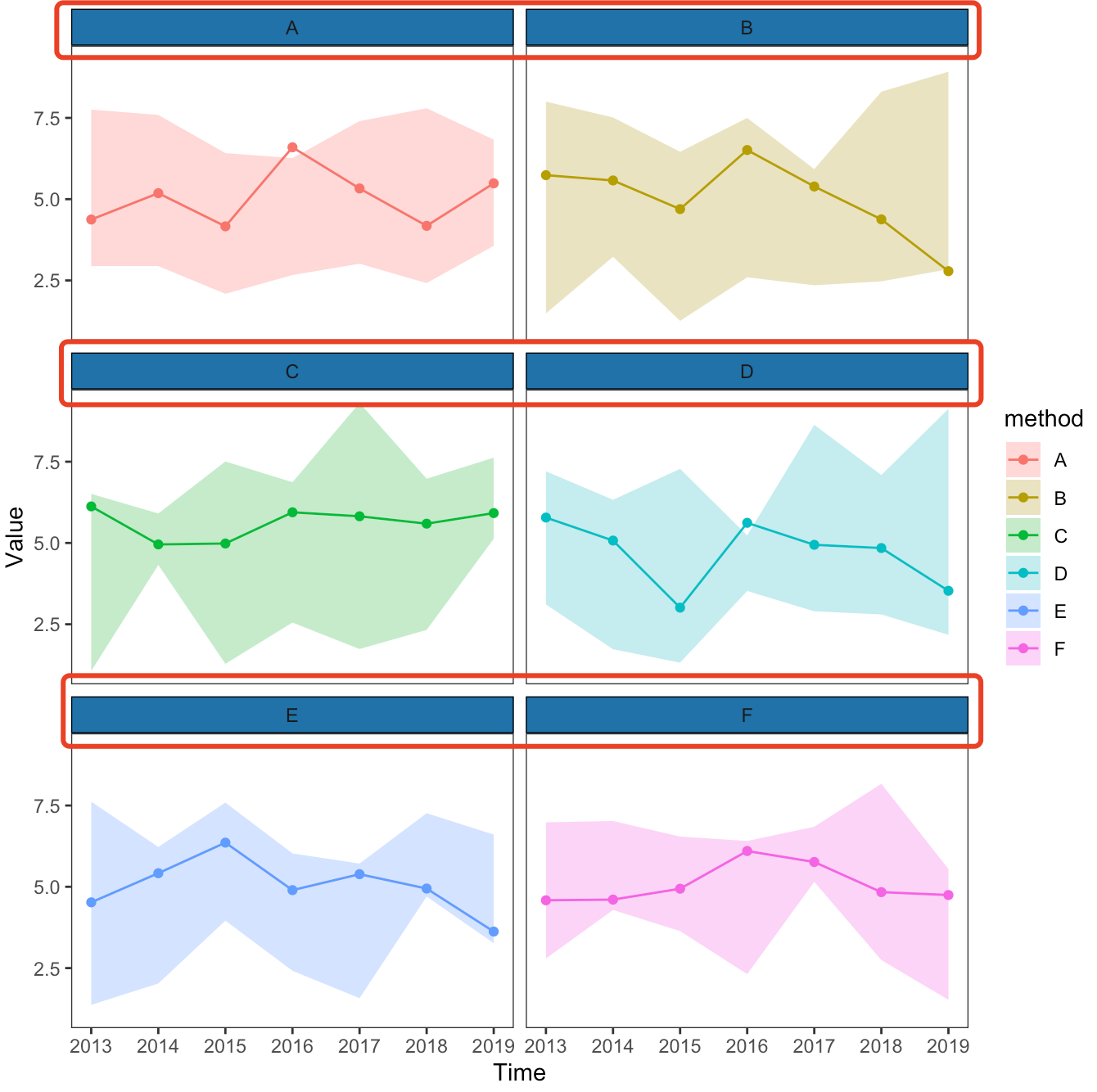
Change the background color of the title box
utilize strip.background = element_rect() Change the background color of the title box .
p + theme(strip.background=element_rect(colour="black",
                                      fill="#2072A8"))
Change the text color of the title box
utilize strip.text.x=element_text() Change the text color of the title box .
p + theme(strip.text.x=element_text(colour="white"))
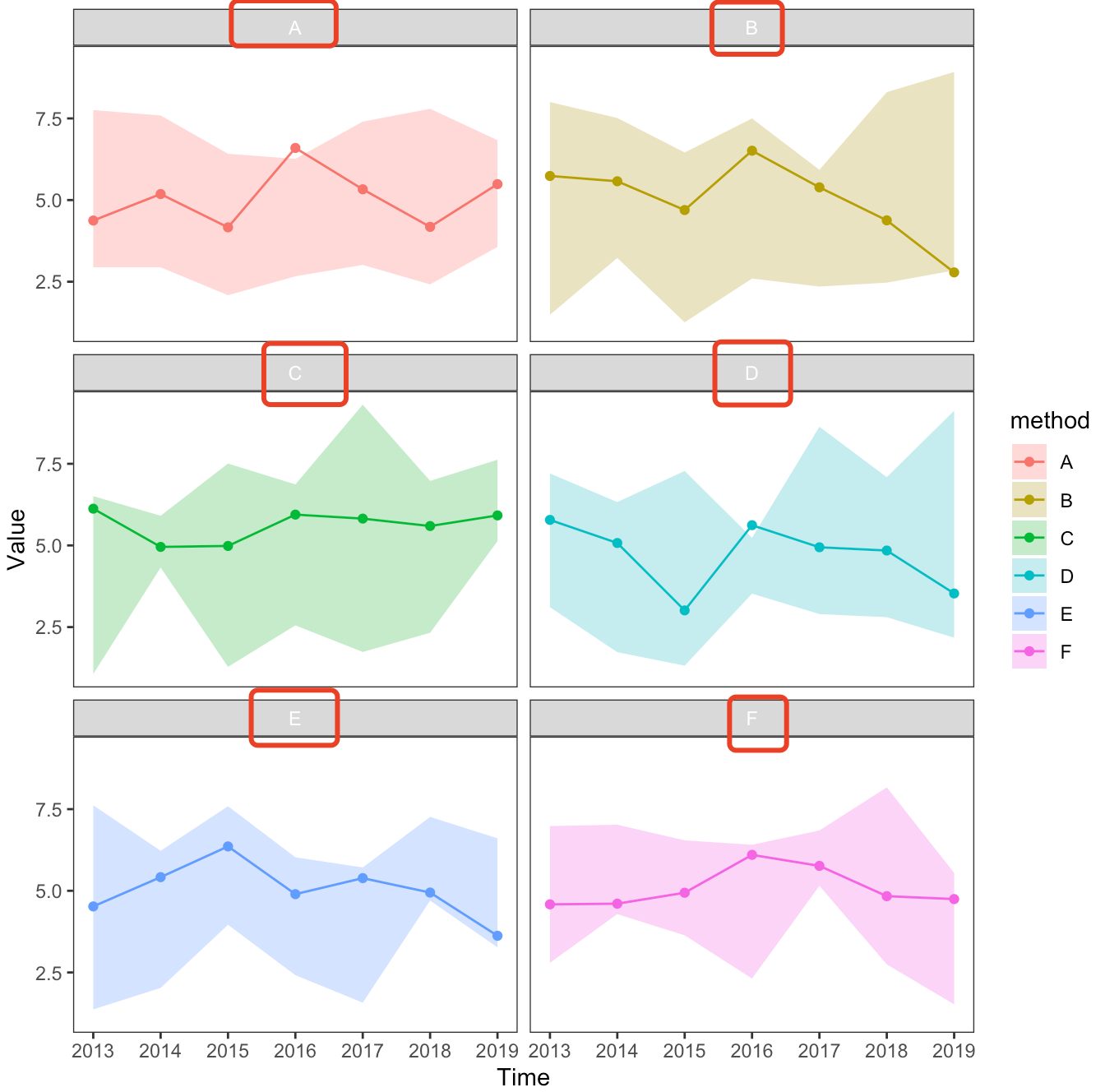
Delete the title box
utilize strip.text.x = element_blank() Delete the title box .
p + theme(strip.text.x = element_blank())
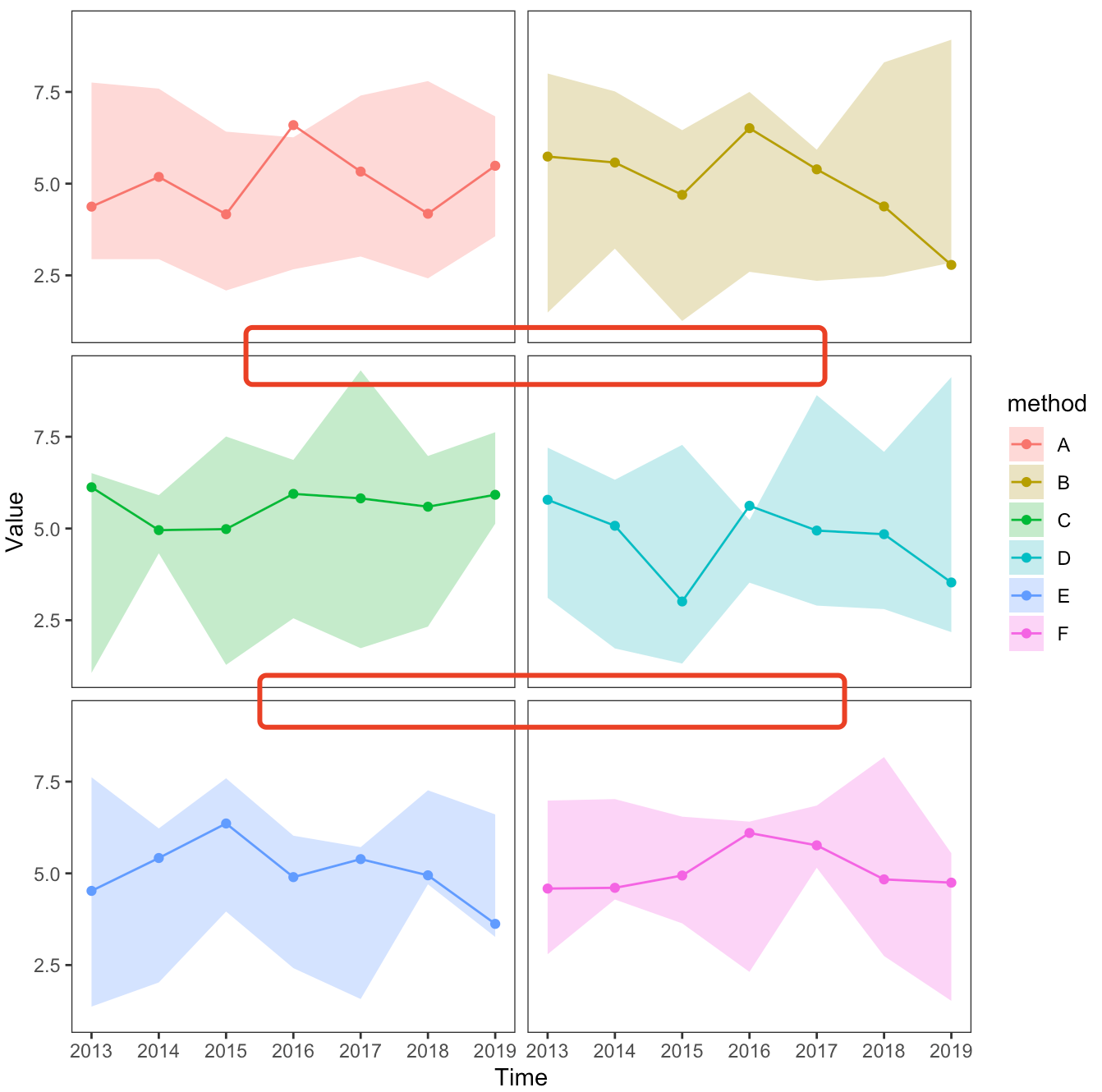
Small make up has words
If it helps , Welcome to thumb up , Share ~
边栏推荐
- Codeworks 5 questions per day (1700 average) - day 7
- 20.(arcgis api for js篇)arcgis api for js面采集(SketchViewModel)
- List interview common questions
- 再AD 的 界面顶部(菜单栏)创建常用的快捷图标
- Preprocessing - interpolation
- [leetcode] 450 and 98 (deletion and verification of binary search tree)
- API data interface of A-share index component data
- 枚举通用接口&枚举使用规范
- 【开发软件】 tilipa开发者软件
- Open3D 网格滤波
猜你喜欢
Clock in during winter vacation
R data analysis: how to predict Cox model and reproduce high score articles
Summer 2022 daily question 1 (1)
机器学习笔记 - 使用机器学习进行鸟类物种分类
Machine learning notes - bird species classification using machine learning
QT opens a file and uses QFileDialog to obtain the file name, content, etc
About Confidence Intervals
![[dpdk] dpdk sample source code analysis III: dpdk-l3fwd_ 001](/img/f6/dced69ea36fc95ef84bb546c56dd91.png)
[dpdk] dpdk sample source code analysis III: dpdk-l3fwd_ 001
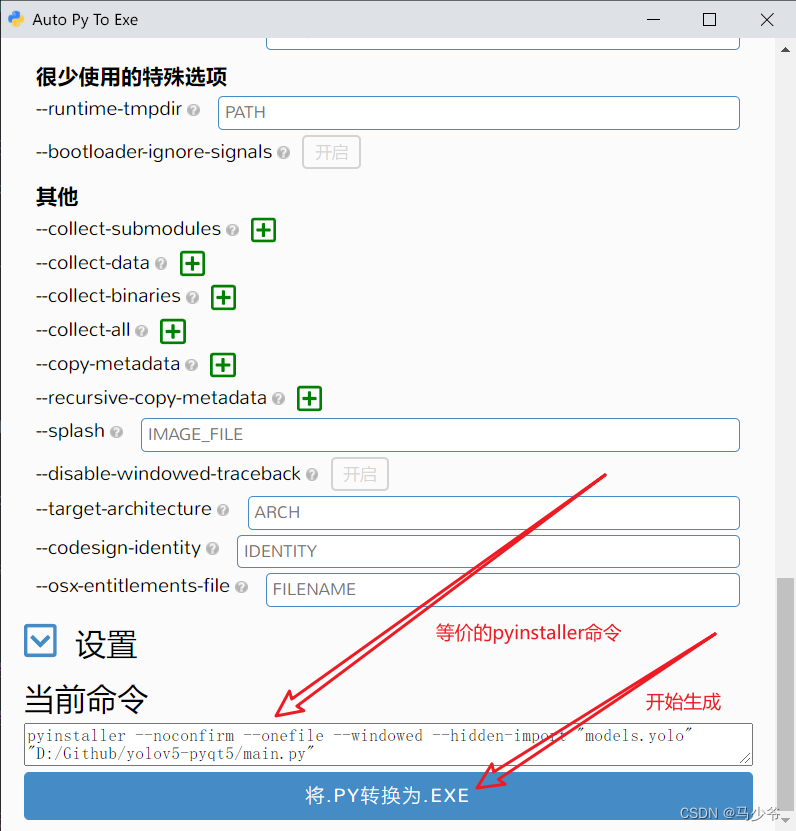
Graphical tools package yolov5 and generate executable files exe

浅谈网络安全之文件上传
随机推荐
Restcloud ETL Community Edition June featured Q & A
Calculation of time and space complexity (notes of runners)
.net中 接口可以有默认实现了
[safe office and productivity application] Shanghai daoning provides you with onlyoffice download, trial and tutorial
Machine learning notes - bird species classification using machine learning
19. (ArcGIS API for JS) ArcGIS API for JS line acquisition (sketchviewmodel)
A 股指数成分数据 API 数据接口
ubuntu20安裝redisjson記錄
Introduction to opensea platform developed by NFT trading platform (I)
VHDL实现任意大小矩阵加法运算
浅谈网络安全之文件上传
25. (ArcGIS API for JS) ArcGIS API for JS line modification line editing (sketchviewmodel)
大白话高并发(二)
一些常用软件相关
二进制、八进制、十六进制
ubuntu20安装redisjson记录
First understand the principle of network
About Confidence Intervals
Set WiFi automatic connection for raspberry pie
SSL证书部署