当前位置:网站首页>快速使用 Jacoco 代码覆盖率统计
快速使用 Jacoco 代码覆盖率统计
2022-07-07 04:31:00 【Wu_Candy】
简介
Jacoco 是一个开源的覆盖率工具。
Jacoco 可以嵌入到 Ant 、Maven 中,并提供了 EclEmma Eclipse 插件,也可以使用 JavaAgent技术监控 Java 程序。
很多第三方的工具提供了对 Jacoco 的集成,如 sonar、Jenkins 等。
今天分享使用的环境是:
k8s+jenkins 构建的,其中涉及到了在 node 节点机的容器中生成 jacoco.exec 文件,然后将其拷贝到节点机,再从节点机将 jacoco.exec 文件拷贝到 jenkins 的代码库中,用于生成报告。
操作步骤
**Step1:**引入相应的 jar 到应用服务的目录下,并修改需要监测的应用服务的启动脚本
以下是在 jenkins 中将相应应用服务部署脚本进行了调整
echo ' cd /opt/ wget http://192.168.214.100:7777/jacoco/tools/jacocoagent.jar #此处启动了一个siampleHttp 服务,用于获取jar 包 wget http://192.168.214.100:7777/jacoco/tools/jacocoant.jar wget -O buildexec.xml http://192.168.214.100:7777/jacoco/buildexec/build.xml wget http://192.168.214.100:7777/jacoco/tools/cron.sh sh cron.sh& #此处见step2 中编辑的脚本 sed -i "s#exec java#exec java -javaagent:/opt/jacocoagent.jar=includes=*,output=tcpserver,port=8044,address=127.0.0.1 -Xverify:none -javaagent:/opt/skywalking-agent/skywalking-agent.jar #g" /opt/mt/bin/startup.sh && cd /opt/mt/ && dos2unix -k start.sh && cd /opt/mt/bin/ && dos2unix -k startup.sh && sh startup.sh '> ./start.sh
Step2: 用于在容器里定时生成 jacoco.exec
此 jacoco.exec 文件是拿取的代码执行的情况文件所生成的一个 exec文件,该文件仅仅是 Step1 中需要的一个脚本文件。
[[email protected] tools]# more cron.sh
while true;do ant dump -buildfile buildexec.xml;sleep 60;done
Step3: 在 jenkins 拉取源码处,将生成的 jacoco.exec 文件复制过来,然后生成最终的执行报告
以下是一个jenkins job
cd ../test-deploy
wget -O buildreport.xml http://192.168.214.100:7777/jacoco/buildreport/build_test_model.xml
wget -nc http://192.168.214.100:7777/jacoco/tools/jacocoant.jar
wget -nc http://192.168.214.100:7777/jacoco/tools/dlexec.sh
sh dlexec.sh testqyd test-model  #详细见step4
ant report -buildfile ./buildreport.xml  #生成执行的报告
open site:http://192.168.214.100:7777/jacoco/report/testqyd/test-model/jacocoReport/   #打开报告
Step4: 从 docker 中获取jacoco.exec文件,然后放在jenkins摘取源码的目录下
[[email protected]]# more dlexec.sh
platformname=$1
projectname=$2
echo " ############################################# # 从node节点机下载jacoco.exec文件执行脚本 # ############################################# "
case $# in
0)
echo ""
;;

1)
ssh [email protected] "kubectl get pods -n $platformname -o wide"
;;

2)
pnip=`ssh 192.168.214.50 "kubectl --kubeconfig=/etc/kubernetes/kubelet.kubeconfig get pods -n $platformname -o wide|grep $projectname|awk '{print \\$7}'|head -1"`
if [ $pnip == '192.168.214.55' ];then
 pnip='[email protected]'
 rqid=`ssh $pnip "docker ps |grep $platformname/$projectname|awk '{print \\$1}'|head -1"`
 ssh $pnip "docker cp $rqid:/opt/jacoco.exec /opt/test/jacoco.exec"
 scp $pnip:/opt/test/jacoco.exec ./
elif [ $pnip == '192.168.214.56' ];then
 pnip='[email protected]'
 rqid=`ssh $pnip "docker ps |grep $platformname/$projectname|awk '{print \\$1}'|head -1"`
 ssh $pnip "docker cp $rqid:/opt/jacoco.exec /opt/test/jacoco.exec"
 scp $pnip:/opt/test/jacoco.exec ./
else
 echo "not found!"
fi
;;
esac
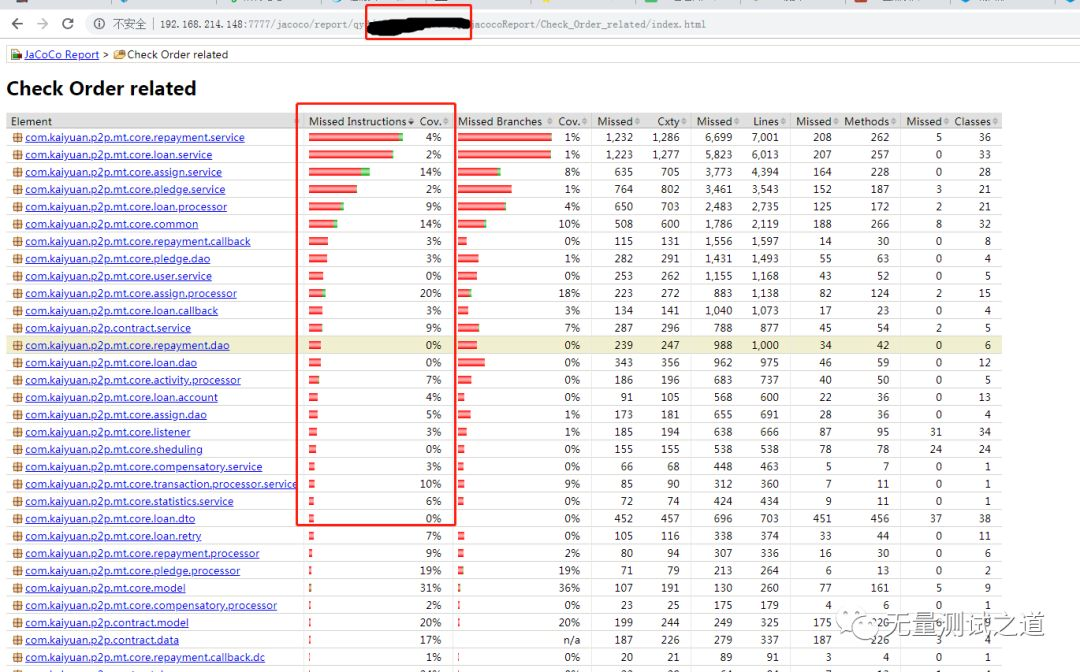
Jenkins 执行效果图如下图所示: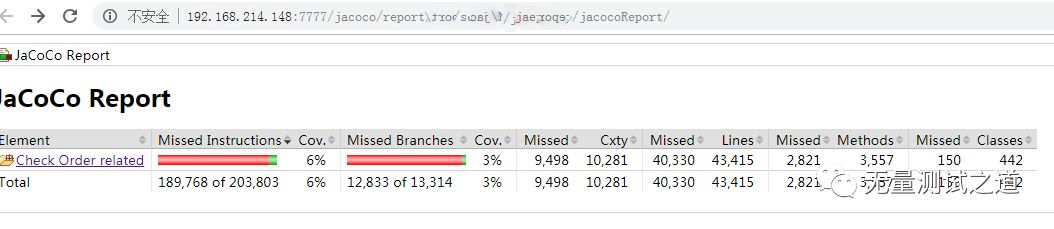
欢迎关注:无量测试之道公众号,回复: 领取资源
Python+Unittest框架API自动化、
Python+Unittest框架API自动化、
Python+Pytest框架API自动化、
Python+Pandas+Pyecharts大数据分析、
Python+Selenium框架Web的UI自动化、
Python+Appium框架APP的UI自动化、
Python编程学习资源干货、
Vue前端组件化框架开发、
资源和代码 免费送啦~
包含:数据分析、大数据、机器学习、测试开发、API接口自动化、测试运维、UI自动化、性能测试、代码检测、编程技术等。
微信搜索公众号: 无量测试之道,添加关注,让我们一起共同成长 !
边栏推荐
- Wechat applet data binding multiple data
- Six methods of flattening arrays with JS
- [webrtc] m98 Screen and Window Collection
- Use and analysis of dot function in numpy
- Leetcode-226. Invert Binary Tree
- [UTCTF2020]file header
- 【webrtc】m98 screen和window采集
- [UVM basics] summary of important knowledge points of "UVM practice" (continuous update...)
- [CV] Wu Enda machine learning course notes | Chapter 8
- JSON introduction and JS parsing JSON
猜你喜欢
【webrtc】m98 screen和window采集
The configuration that needs to be modified when switching between high and low versions of MySQL 5-8 (take aicode as an example here)
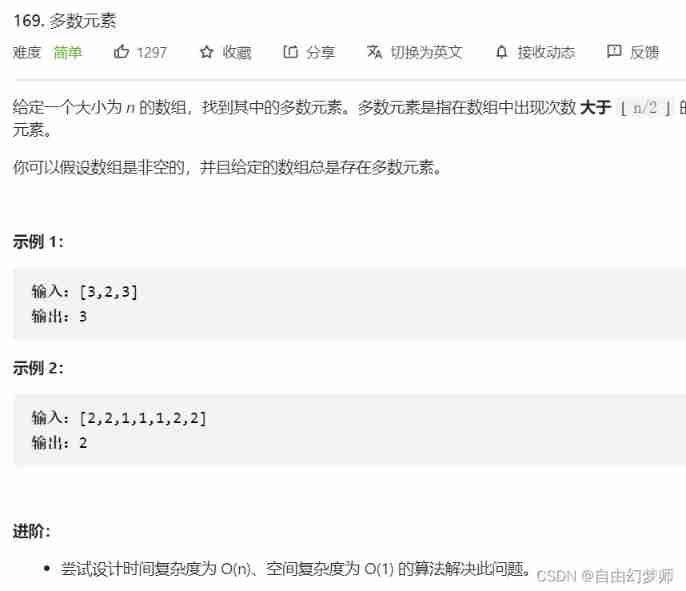
Most elements

buuctf misc USB
buuctf misc USB
![[experience sharing] how to expand the cloud service icon for Visio](/img/42/dba9f78f3fb2049dad8b343b0b36e5.png)
[experience sharing] how to expand the cloud service icon for Visio
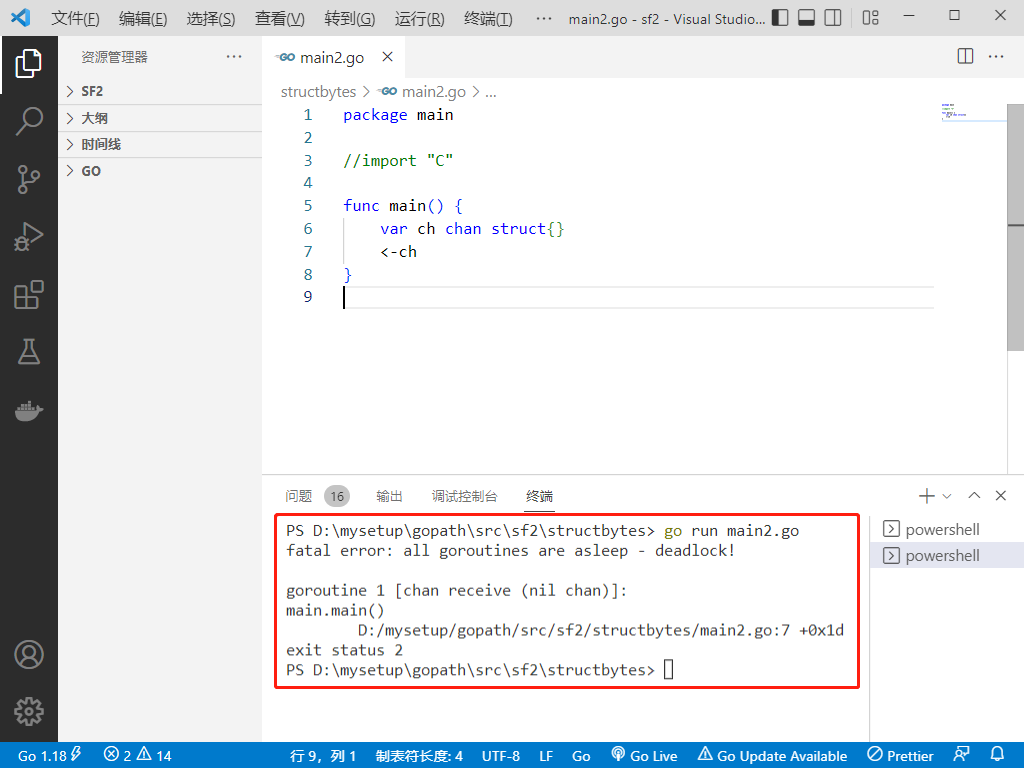
2022-07-06: will the following go language codes be panic? A: Meeting; B: No. package main import “C“ func main() { var ch chan struct
[webrtc] M98 screen and window acquisition
![[ANSYS] learning experience of APDL finite element analysis](/img/bc/dc0742c308816553a80d50d1a990e3.jpg)
[ANSYS] learning experience of APDL finite element analysis

今日现货白银操作建议
随机推荐
Tianqing sends instructions to bypass the secondary verification
知识点滴 - 关于苹果认证MFI
Flutter riverpod is comprehensively and deeply analyzed. Why is it officially recommended?
Sign up now | oar hacker marathon phase III, waiting for your challenge
Codeforces Global Round 19
Button wizard collection learning - mineral medicine collection and running map
[P2P] local packet capturing
即刻报名|飞桨黑客马拉松第三期等你挑战
2022制冷与空调设备运行操作复训题库及答案
【斯坦福计网CS144项目】Lab4: TCPConnection
JSON introduction and JS parsing JSON
Few-Shot Learning && Meta Learning:小样本学习原理和Siamese网络结构(一)
LeetCode 40:组合总和 II
[webrtc] M98 screen and window acquisition
C语言通信行程卡后台系统
海思芯片(hi3516dv300)uboot镜像生成过程详解
You Li takes you to talk about C language 6 (common keywords)
[2022 ACTF]web题目复现
Zhilian + AV, AITO asked M7 to do more than ideal one
LeetCode 90:子集 II