当前位置:网站首页>Alibaba /热门json解析开源项目 fastjson2
Alibaba /热门json解析开源项目 fastjson2
2022-07-02 06:34:00 【Janson666】
一、介绍
FASTJSON v2是FASTJSON项目的重要升级,目标是为下一个十年提供一个高性能的JSON库。通过同一套API,
GitHub地址 : https://github.com/alibaba/fastjson2
- 支持JSON/JSONB两种协议,JSONPath是一等公民。
- 支持全量解析和部分解析。
- 支持Java服务端、客户端Android、大数据场景。
- 支持kotlin
1.使用maven添加依赖
<dependency>
    <groupId>com.alibaba.fastjson2</groupId>
    <artifactId>fastjson2</artifactId>
    <version>2.0.3</version>
</dependency>
2. fastjson v1 兼容模块
如果原来使用fastjson 1.2.x版本,可以使用兼容包,兼容包不能保证100%兼容,请仔细测试验证,发现问题请及时反馈。
<dependency>
    <groupId>com.alibaba</groupId>
    <artifactId>fastjson</artifactId>
    <version>2.0.3</version>
</dependency>
二、简单使用
1.创建实体类对象
package com.janson.demo.fastjson;

import lombok.Data;

/** * @Author Janson * @Date 2022/5/16 9:05 * @Version 1.0 */
@Data
public class DemoData {

    private Integer id;
    private String name;
    private Integer age;
    private String sex;
}
2. 测试常用的三个方法 JSON.toJSONString(JavaBean),JSON.parseObject(str, DemoData.class);JSON.parseArray(str, DemoData.class);
方法介绍:
- JSON.parseObject(str, DemoData.class) 将JSON解析为JSONObject
- JSON.parseArray(str, DemoData.class); 将JSON解析为JSONArray
- JSON.toJSONString(JavaBean),将Java对象序列化为JSON
package com.janson.demo.fastjson;

import com.alibaba.fastjson2.JSON;
import java.util.List;
/** * @Author Janson * @Date 2022/5/16 9:03 * @Version 1.0 */
public class TestFastjson {

    public static void main(String[] args) {

        System.out.println("-----JSON.toJSONString()-----测试javaBean转为json字符串---------------");
        DemoData demoData = new DemoData();
        demoData.setAge(18);
        demoData.setId(11108);
        demoData.setName("法外狂徒张三");
        demoData.setSex("男"); //
        String stoJSONString = JSON.toJSONString(demoData);
        System.out.println(stoJSONString);
        System.out.println("-----------测试结束--------------\n");

        System.out.println("-----JSON.parseObject(s, DemoData.class);-----测试json字符串转为javaBean---------------");
        DemoData demoDataparseObject = JSON.parseObject(stoJSONString, DemoData.class);
        System.out.println(demoDataparseObject.getAge() + " "  + demoDataparseObject.getName()+" " + demoDataparseObject.getId() + " "+demoDataparseObject.getSex());
        System.out.println("-----------测试结束--------------\n");

        System.out.println("-----JSON.parseArray(str, DemoData.class);-----测试一组json字符串转为javaBean的集合(list)---------------");
        String str = "[{\"age\":18,\"id\":11108,\"name\":\"法外狂徒张三\",\"sex\":\"男\"},{\"age\":80,\"id\":188808,\"name\":\"法外狂徒川普\",\"sex\":\"未知\"}]";
        List<DemoData> demoDataparseArray = JSON.parseArray(str, DemoData.class);
        int i = 0;
        for (DemoData demoDataList: demoDataparseArray) {

            System.out.println("集合索引:" + i+ "集合数据" + demoDataList);
            i++;
        }
        System.out.println("-----------测试结束--------------");
    }
}
三、进阶使用 使用JSONB (JSONB 指 JSON Byte[])
3.1 将JavaBean对象序列化JSONB =>
- 方法 JSONB.toBytes(JavaBean)
- 将JSONB数据解析为JavaBean :JSONB.parseObject(bytes,DemoData.class)
System.out.println("-----JSONB.toBytes()-----测试javaBean序列化JSONB,字节数组--------------");
DemoData demoData1 = new DemoData();
demoData1.setAge(18);
demoData1.setId(11108);
demoData1.setName("法外狂徒张三");
demoData1.setSex("男");
byte[] bytes = JSONB.toBytes(demoData1);
System.out.println(bytes.length);
for (int b = 0;b<bytes.length;b++) {

    System.out.println( b +" "+ bytes[b]);
}
System.out.println("-----------测试结束--------------\n");

System.out.println("-----JSONB.parseObject(bytes,DemoData.class)-----测试JSONB解析为javaBean--------------");
DemoData demoDataJSONB = JSONB.parseObject(bytes,DemoData.class);
System.out.println(demoDataJSONB.getId() + " "+ demoDataJSONB.getName() + " "
        + demoDataJSONB.getAge() + " "+demoDataJSONB.getSex());
System.out.println("-----------测试结束--------------\n");


``
边栏推荐
- WSL installation, beautification, network agent and remote development
- 【Go实战基础】gin 如何自定义和使用一个中间件
- Microservice practice | declarative service invocation openfeign practice
- [go practical basis] how to customize and use a middleware in gin
- Matplotlib剑客行——初相识Matplotlib
- 微服务实战|手把手教你开发负载均衡组件
- 使用IBM MQ远程连接时报错AMQ 4043解决思路
- Microservice practice | fuse hytrix initial experience
- 机器学习实战:《美人鱼》属于爱情片还是动作片?KNN揭晓答案
- Insight into cloud native | microservices and microservice architecture
猜你喜欢

There is a problem with MySQL installation (the service already exists)

西瓜书--第六章.支持向量机(SVM)
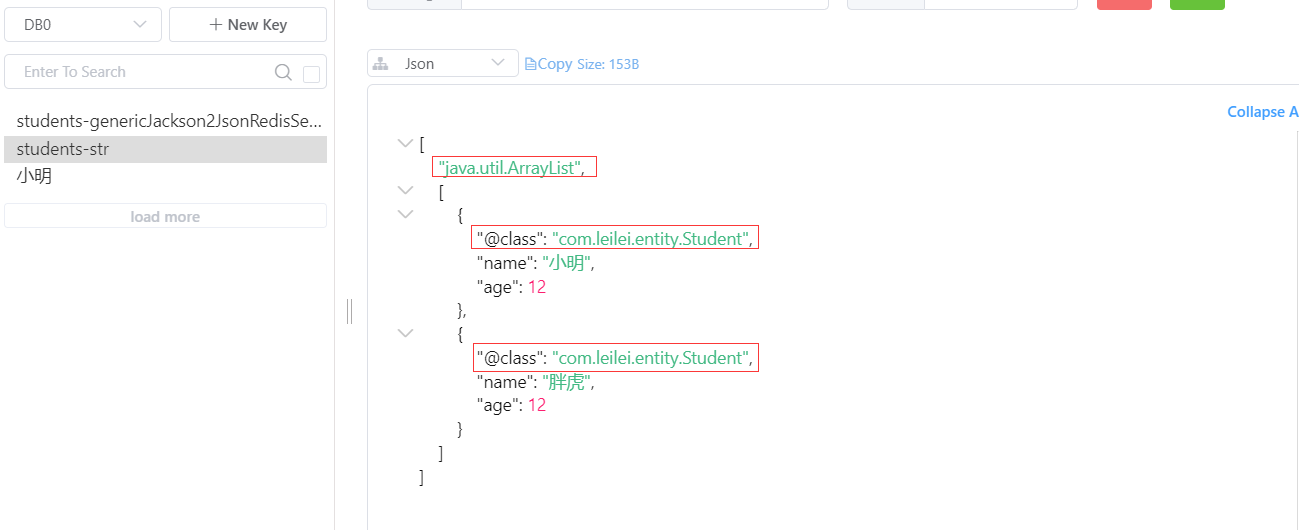
Difference between redis serialization genericjackson2jsonredisserializer and jackson2jsonredisserializer

Probability is not yet. Look at statistical learning methods -- Chapter 4, naive Bayesian method
![[go practical basis] how can gin get the request parameters of get and post](/img/fd/66074d157d93bcf20a5d3b37da9b3e.png)
[go practical basis] how can gin get the request parameters of get and post

Solution to amq4036 error in remote connection to IBM MQ
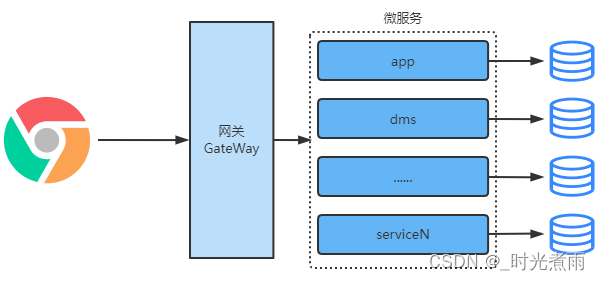
Micro service practice | introduction and practice of zuul, a micro service gateway
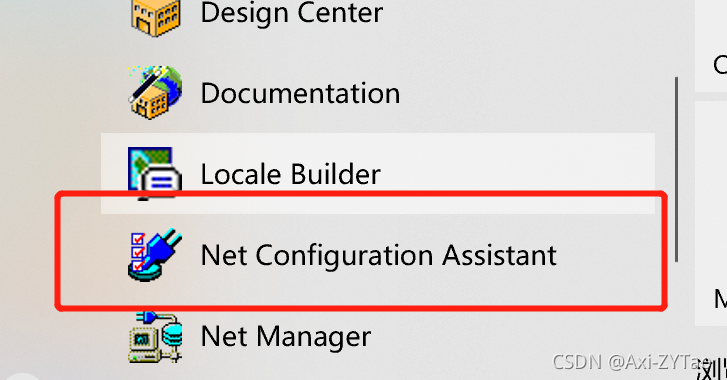
Ora-12514 problem solving method
概率还不会的快看过来《统计学习方法》——第四章、朴素贝叶斯法
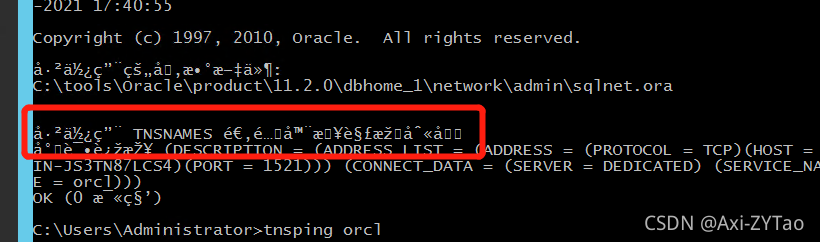
Solutions to Chinese garbled code in CMD window
随机推荐
Number structure (C language) -- Chapter 4, compressed storage of matrices (Part 2)
【Go实战基础】gin 如何自定义和使用一个中间件
ORA-12514问题解决方法
定时线程池实现请求合并
聊聊消息队列高性能的秘密——零拷贝技术
"Interview high frequency question" is 1.5/5 difficult, and the classic "prefix and + dichotomy" application question
Matplotlib剑客行——布局指南与多图实现(更新)
【Go实战基础】gin 如何绑定与使用 url 参数
别找了,Chrome浏览器必装插件都在这了
Knife4j 2.X版本文件上传无选择文件控件问题解决
知识点很细(代码有注释)数构(C语言)——第三章、栈和队列
Matplotlib swordsman line - layout guide and multi map implementation (Updated)
Chrome user script manager tempermonkey monkey
C4D quick start tutorial - Chamfer
Oracle modifies tablespace names and data files
Actual combat of microservices | discovery and invocation of original ecosystem implementation services
Difference between redis serialization genericjackson2jsonredisserializer and jackson2jsonredisserializer
Solutions to Chinese garbled code in CMD window
机器学习之数据类型案例——基于朴素贝叶斯法,用数据辩男女
机器学习实战:《美人鱼》属于爱情片还是动作片?KNN揭晓答案