当前位置:网站首页>TD联合Modelsim进行功能仿真
TD联合Modelsim进行功能仿真
2022-07-02 06:34:00 【Quikk】
TD联合Modelsim进行功能仿真
1 引言
最近在接触使用国产安路科技公司的FPGA进行相关的开发,TD(Tang Dynasty)作为一款安路FPGA开发工具与Quartus 使用大致相同,但仍旧有一定的不同。
2 基本配置流程
这里推荐以官方使用手册作为参考进行实践,首先需要完成TD软件内部的操作。
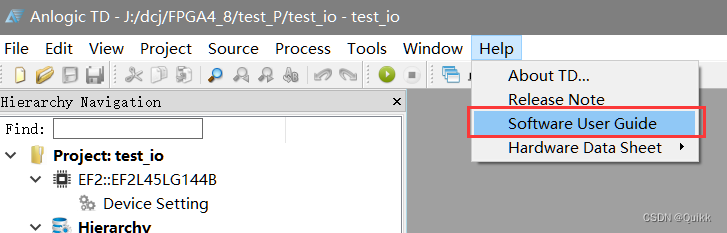
2.1 TD软件设置操作
1. Process ⇒ \Rightarrow ⇒ Properties ⇒ \Rightarrow ⇒ Optimize RTL :
rtl_sim_model :ON
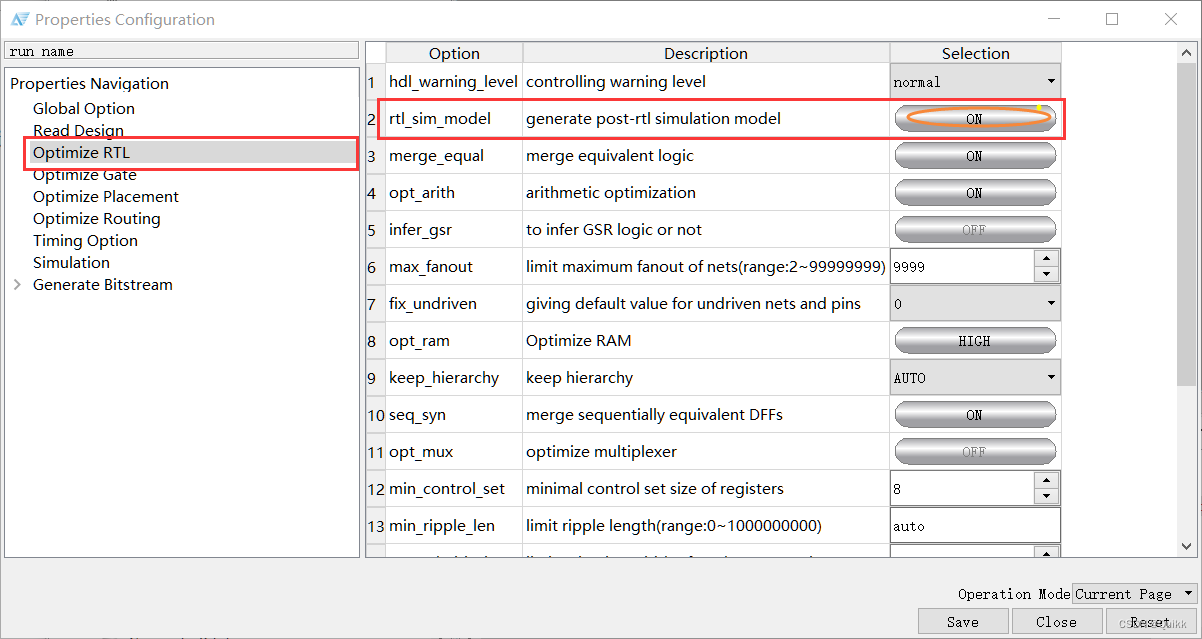
2. Process ⇒ \Rightarrow ⇒ Properties ⇒ \Rightarrow ⇒ Optimize Gate :
gate_sim_model :ON

3. Process ⇒ \Rightarrow ⇒ Properties ⇒ \Rightarrow ⇒ Optimize Routing :
phy_sim_model :ON

4. Process ⇒ \Rightarrow ⇒ Properties ⇒ \Rightarrow ⇒ Timing Option :
sdf :ON
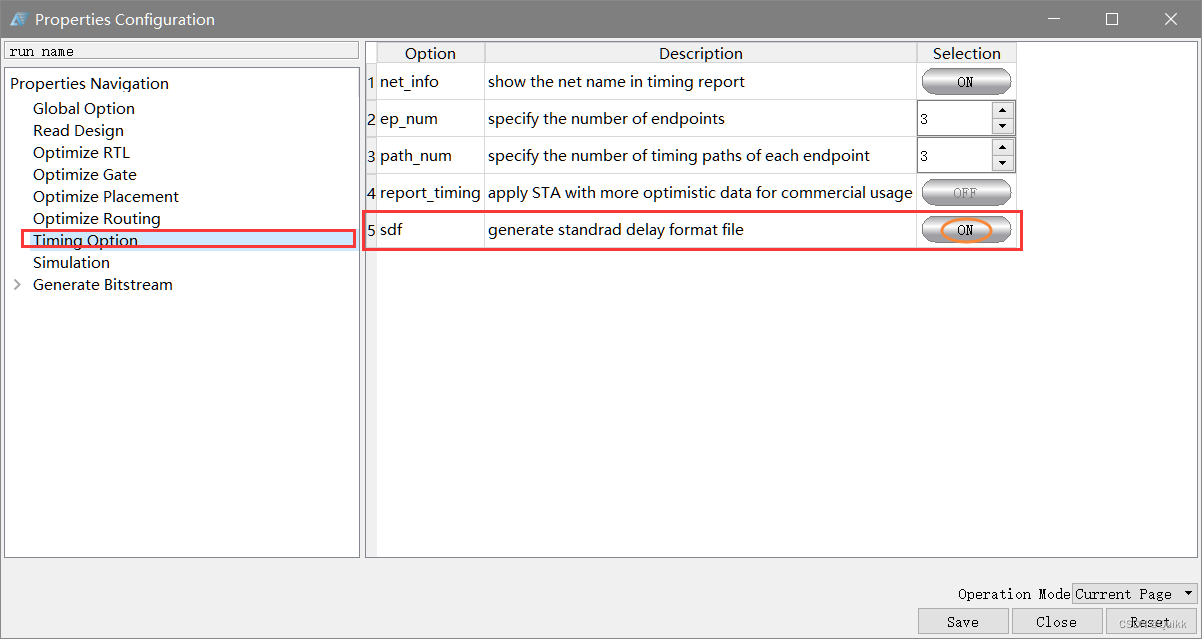
5.设置相关仿真参数
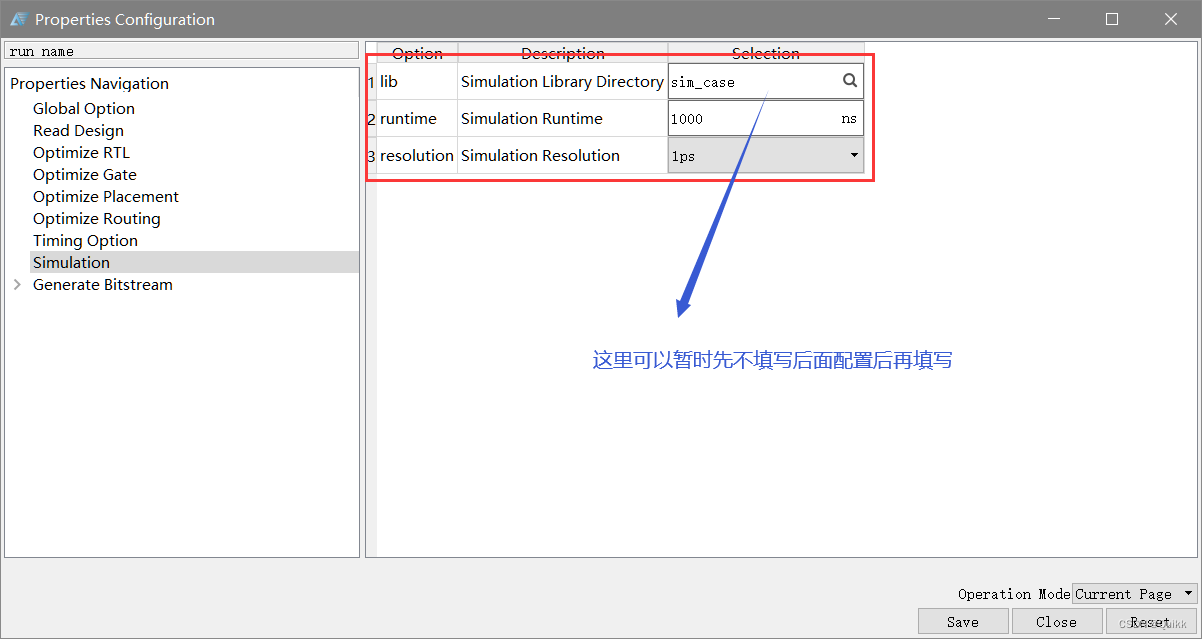
6.运行Simulation

7.选择相关测试文件(testbench文件)
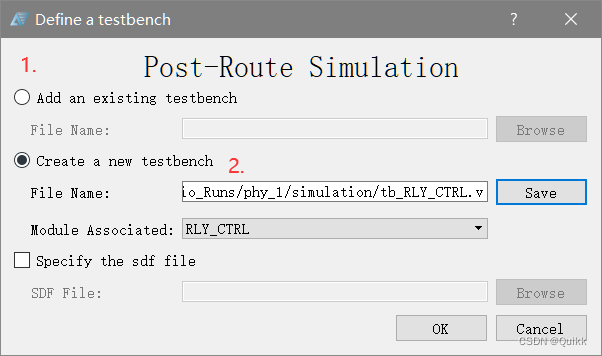
这里有两种方式,第一种是添加已经存在的tb文件进行测试;第二种是新建一个新的测试文件。
8.完成上述步骤之后会生成两个文件:①testbench文件 ②脚本文件do文件。
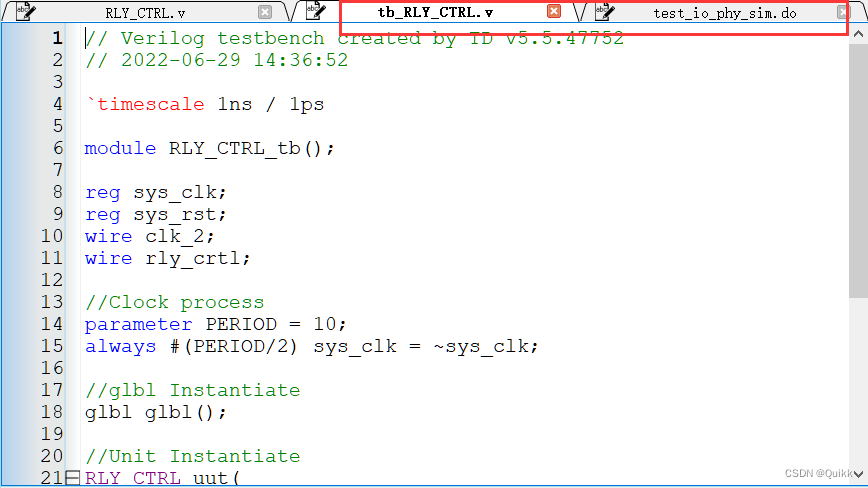
完成这些步骤之后,TD软件这边的设置便已经完成,下面需要完成Modelsim软件方面的设置。
2.2 Modelsim软件方面设置
首先进入TD安装目录,在改目录下有一个文件夹为sim_release的文件,文件夹下是一些对应芯片的仿真文件,因为这里使用的芯片为EF2L45LG144B。所以仅复制EF2文件夹下的相关文件。(这里一定要注意根据芯片类型选择复制的文件夹)
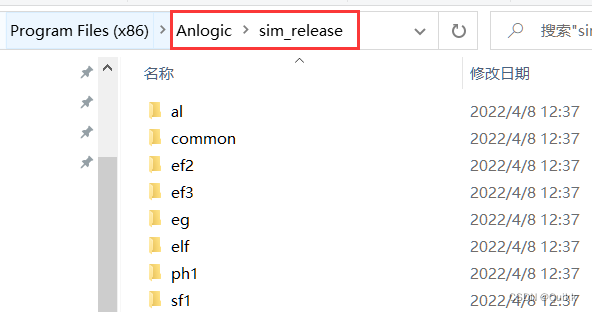
在Modelsim安装根目录下新建一个文件夹(Anlogic),将刚才复制的EF2文件夹复制进新建的Anlogic >> src文件夹内。此时src文件夹内便存放着大量该芯片的仿真文件。

- 打开Modelsim,File ⇒ \Rightarrow ⇒ Change Directory ⇒ \Rightarrow ⇒ 修改当前目录为刚创建的Modelsim根目录下的Anlogic文件夹。

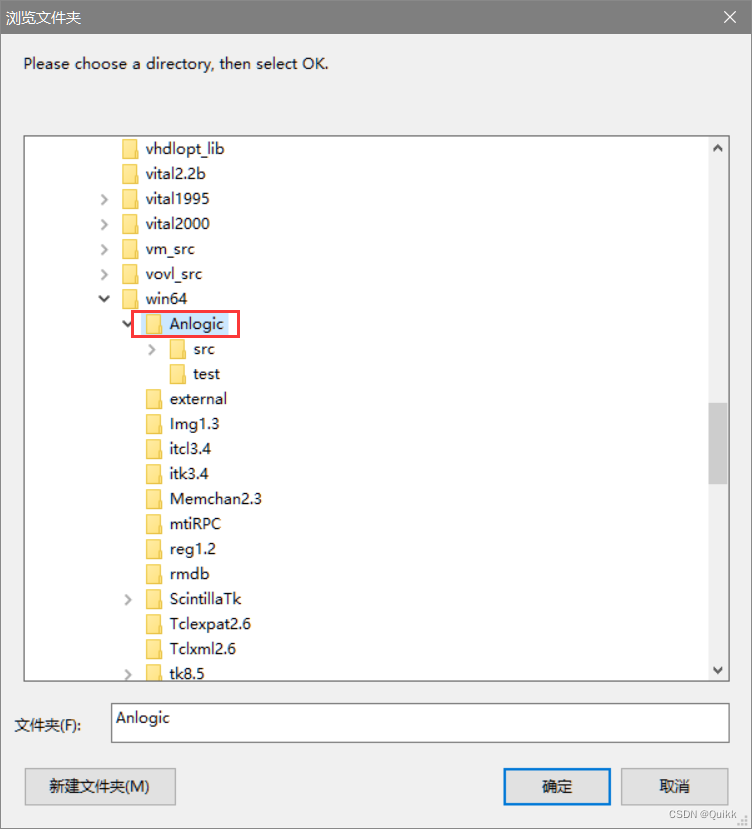
File ⇒ \Rightarrow ⇒ New ⇒ \Rightarrow ⇒ Library ⇒ \Rightarrow ⇒ 新建安路仿真库。库名字设置为EF2_ver。
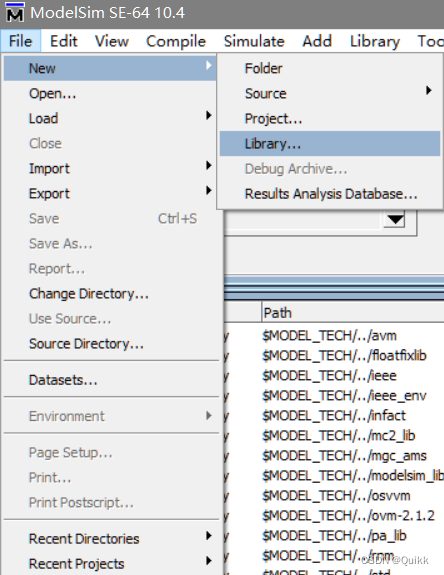
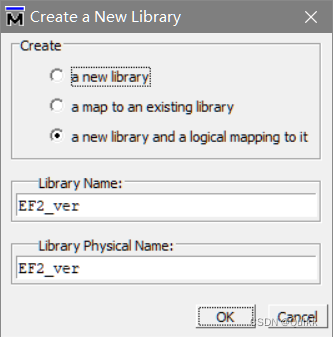
5.Compile ⇒ \Rightarrow ⇒ Compile ⇒ \Rightarrow ⇒ 编译新库
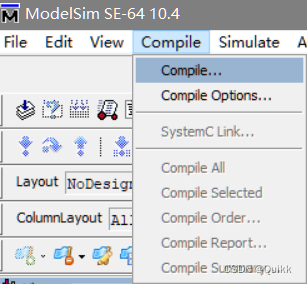

6.回到TD软件,设置Lib,重新进行Simulation。

将TD工程目录下的tb文件和原始Verilog文件进行拷贝到modelsim根目录Anlogic文件夹下的新建文件夹内,作为工程文件。

8.在Modelsim中新建工程文件


9.为工程加入测试文件
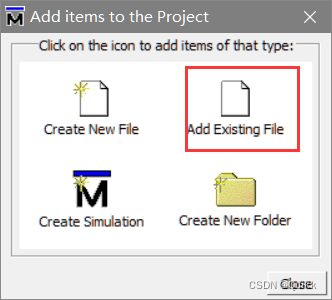
10.加入文件后进行编译,编译之前一定要对tb文件进行初值的幅值与修改。即修改initial语句中的定义部分。
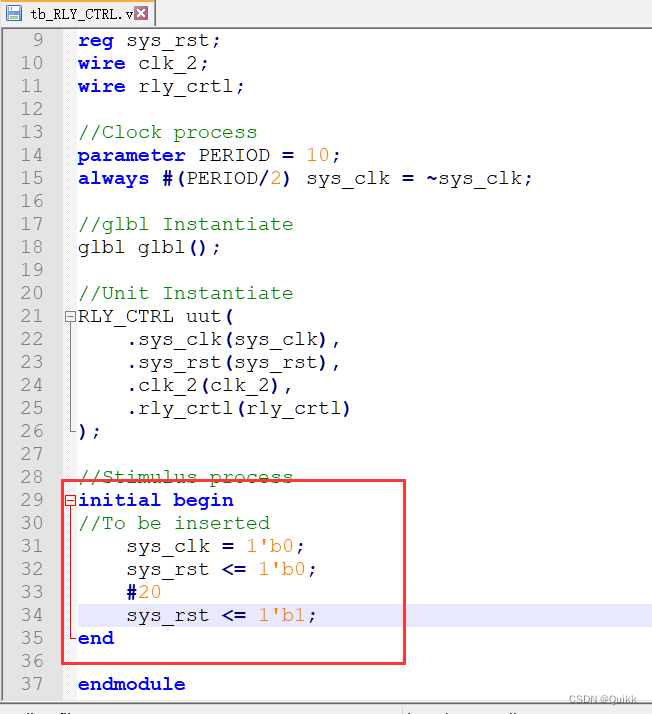

11.启动仿真,设置仿真文件,加入仿真库

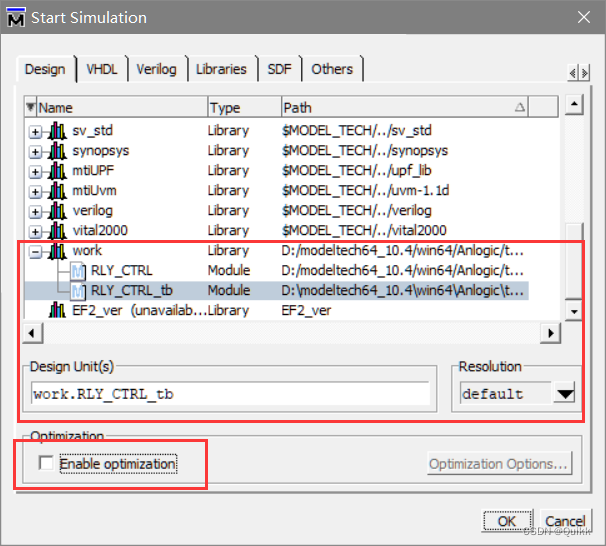
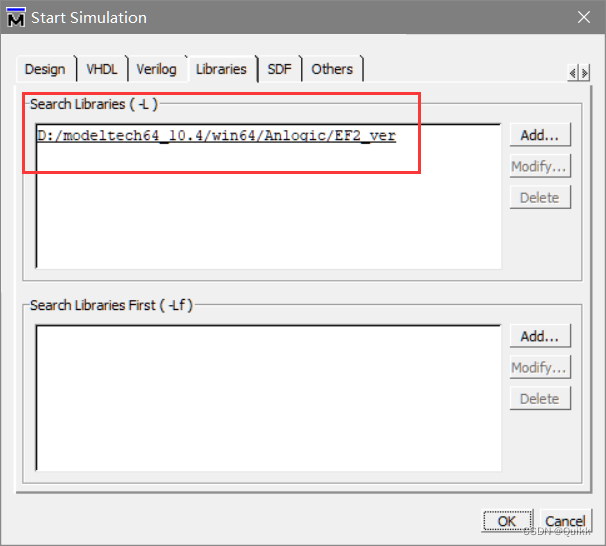
12.仿真结果
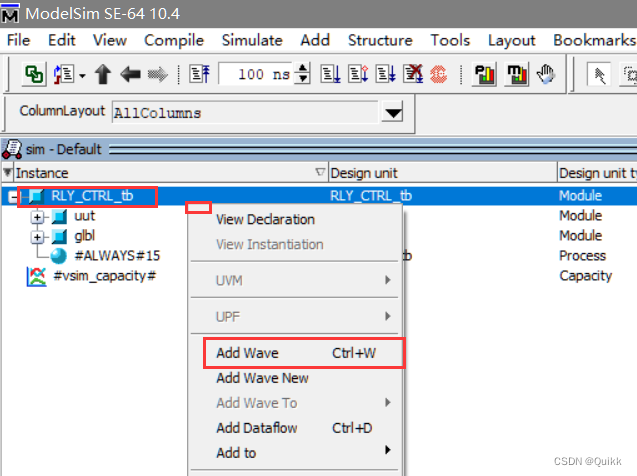

边栏推荐
猜你喜欢

企业级SaaS CRM实现

Beats (filebeat, metricbeat), kibana, logstack tutorial of elastic stack

Probability is not yet. Look at statistical learning methods -- Chapter 4, naive Bayesian method
![[go practical basis] how to install and use gin](/img/0d/3e899bf69abf4e8cb7e6a0afa075a9.png)
[go practical basis] how to install and use gin

Hystrix implements request consolidation

个人经历&&博客现状

idea查看字节码配置

A detailed explanation takes you to reproduce the statistical learning method again -- Chapter 2, perceptron model
Creation and jump of activity
微服务实战|熔断器Hystrix初体验
随机推荐
Matplotlib swordsman - a stylist who can draw without tools and code
[go practical basis] how to set the route in gin
自定义Redis连接池
Amq6126 problem solving ideas
College Students' CET-4 and CET-6 composition template (self created version, successfully crossed CET-6)
View the port of the application published by was
双非本科生进大厂,而我还在底层默默地爬树(上)
每天睡觉前30分钟阅读_day4_Files
Failed to configure a DataSource: ‘url‘ attribute is not specified and no embedd
每天睡觉前30分钟阅读_day3_Files
MySQL事务
VIM operation command Encyclopedia
A detailed explanation takes you to reproduce the statistical learning method again -- Chapter 2, perceptron model
Don't look for it. All the necessary plug-ins for Chrome browser are here
The channel cannot be viewed when the queue manager is running
Break the cocoon | one article explains what is the real cloud primordial
Long summary (code with comments) number structure (C language) -- Chapter 4, string (Part 1)
Flink - use the streaming batch API to count the number of words
C语言之分草莓
How to use PHP spoole to implement millisecond scheduled tasks