当前位置:网站首页>The most detailed teaching -- realize win10 multi-user remote login to intranet machine at the same time -- win10+frp+rdpwrap+ Alibaba cloud server
The most detailed teaching -- realize win10 multi-user remote login to intranet machine at the same time -- win10+frp+rdpwrap+ Alibaba cloud server
2022-07-04 10:22:00 【Java full stack preacher】
summary :
Use win10 pro + frp + RDPwrap + Aliyun server The combination of win10 Multiple users can log in to intranet at the same time . Use frp Do intranet penetration , Expose the specified port of Intranet to the external network , adopt ip+port To achieve remote login . Reuse rdpwrap To crack win10 The problem that multiple users cannot log in at the same time .
Imagine the scene
I am a construction engineer . Frequent business trips , Need to draw often 3D Drawings and display architectural drawings , So I bought a notebook workstation with very strong performance . The weight of the notebook is about 3.9kg, The charger 0.5kg, A book , A schoolbag , All add up to close 10 The weight of Jin . Carry it on your back every day 10 Heavy things come and go on business , I'm tired of thinking !!!
Notebook workstation is not only heavy , The price is also very expensive , Very inconvenient for business travel , It was torture ......
After months of torture , He began to complain to one of his friends , This is really too t*d It's painful , Can I carry a light notebook on business , But the performance should be very good , What do I do ???
And then there's this article .
With ↑ Sheer nonsense. ……
----------------------- I am the perfect separator --------------------
One 、 Before configuration
1. Intranet through
Let the intranet machine access through the public network .
2. What to prepare
 Several computers ……
 Cloud server ( For example, Alibaba cloud server )
frp  Reverse agent tool ( Free, simple and efficient )
window End frp download :https://github.com/fatedier/frp/releases/download/v0.30.0/frp_0.30.0_windows_amd64.zip
linux End frp download :https://github.com/fatedier/frp/releases/download/v0.30.0/frp_0.30.0_linux_amd64.tar.gz
windows After decompressing

linux After decompressing

Have a look at the sketch first :

Two 、 First, realize single user remote login to intranet
Overview of the configuration required for single user remote login intranet :
windows Under the frp client :frpc
linux Of frp Server side :frps;
Alibaba cloud server port is open ;
windows Remote login configuration ;
start-up window Medium frpc Client command : Client connection service ;
Turn on the other one windows The computer , Prepare for remote connection test
1. win To configure frpc.ini file
frpc ( client ), Don't be wrong
[common]
server_addr = 11.11.11.11
server_port = 7000

# trace, debug, info, warn, error
log_level = trace

# Remote desktop
[ssh]
type = tcp
local_ip = 127.0.0.1
local_port = 3389
remote_port = 6000
2.Linux To configure frps.ini file ( Server side )
[common]
bind_port = 7000
vhost_http_port=8080
start-up linux Medium frps Commands for services : Start the service
 The current window starts , Closing the window fails :./frps -c frps.ini
 Background start , Closing the window is still valid :nohup ./frps -c frps.ini &
The effects of successful startup are >>>


In the second picture [1] 2374 What is it? ??? Enter the command :kill 2374 You know the ……
3. Open the Alibaba cloud server port
Get into : Security group configuration

Get into : Security group list > Configuration rules

Open ports :6000 and 7000

Alicloud instance : restart

4. To configure windows Remote login user
Right click “ My computer ” Enter this interface choice “ Remote settings ”
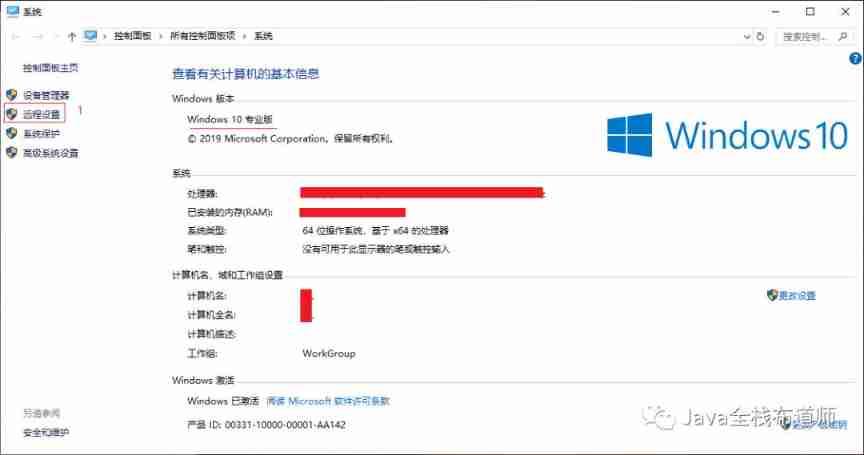
Allow remote connections

spot “ add to ” Get into , >>> “ senior ” >>> " Find now " >>> Select the user , For remote login

PS: about win10 Home Edition users , The interface of remote setting is like this

about win Home Edition users , Crack multi-user remote login in advance : RDP Cracking operation
5. start-up window Medium frpc Client command :
Client connection service
 open cmd window :
 First cd  To :frpc.exe  Directory of executing programs
 Re execution : frpc.exe -c frpc.ini
Start the effect picture of success >>> Give a brief description of

6. Turn on the other one windows The computer , Prepare for remote connection test
Quickly open the remote connection window :win + R >>> Input :mstsc To determine the

The most exciting moment has come

Enter the user password for remote login

This interface shows that it is successful spot “ yes ” go in

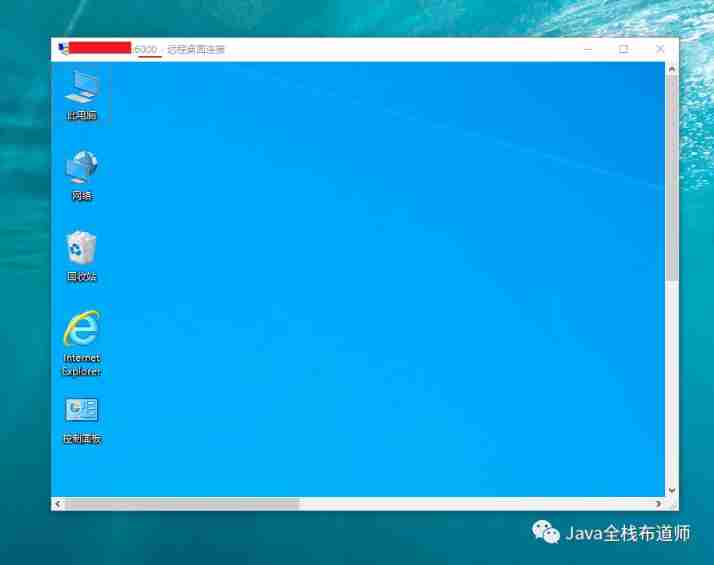
up to now Single user remote login Completed !!!
For example, a high-performance computer can only be used by one person at the same time , That's a waste ;
Another example is that another person has to ask you when he wants to log in with your account : Pro - , You are using XXX Computer ?
Another example is when multiple people log in remotely with one account at the same time : Which parent is using , People who don't need to reply to you silently , The person who is using it may not hear , You're embarrassed /(ㄒoㄒ)/~~
Finally, for example, someone is using , You logged in without saying a word , Clicking ,m Egg that gou Egg login without saying …………………………
Continue to learn , solve the problem >>>
3、 ... and 、 Multiple users can log in to intranet at the same time
What multiple users need to do to log in to the intranet at the same time :
Single user remote login succeeded ;
Create a new one windows The logged in user ;
To configure windows Remote login user ;
Edit local group policy : Configure something about remote login ;
solve windows The problem of multiple users logging in at the same time ;
Test remote login .
1. Single user remote login succeeded
Premise : After your single user remote login is successful, do multi-user remote login at the same time .
2. Create a new one windows The logged in user
Search directly :“ user ”, Get into “ Create standard user accounts ”
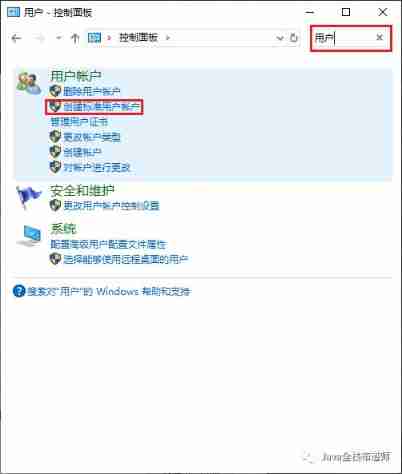


Enter new user information :ccccc Enter whatever you like

ps: When you click Create , The input field data will be cleared , In fact, it has been created , It's just win10 It doesn't automatically close the window for you , Maybe it's convenient to create multiple users , Personally, I feel the sense of experience is very poor .
Double-click to open : user >>> You can see there is

3. To configure windows Remote login user
Add the newly created user to the remote login ( It's already said )

Add success :

4. Edit local group policy
win + R >>> Input ”gpedit.msc“

Turn on Local Group Policy

Enter remote login configuration
Configure the number of connections and information about simultaneous remote login

PS: windows Although it is allowed to set up multiple users to log in remotely at the same time , But you are not allowed to connect so remotely ……
The effect after configuring this : First log in a user remotely , When you log in another user remotely, you will be prompted to wait for the previous user to exit .
Self verifiable , I won't show it here .

5. solve windows The problem of multiple users logging in at the same time
To download :RDPWrap-v1.6 https://github.com/stascorp/rdpwrap/releases/tag/v1.6.2
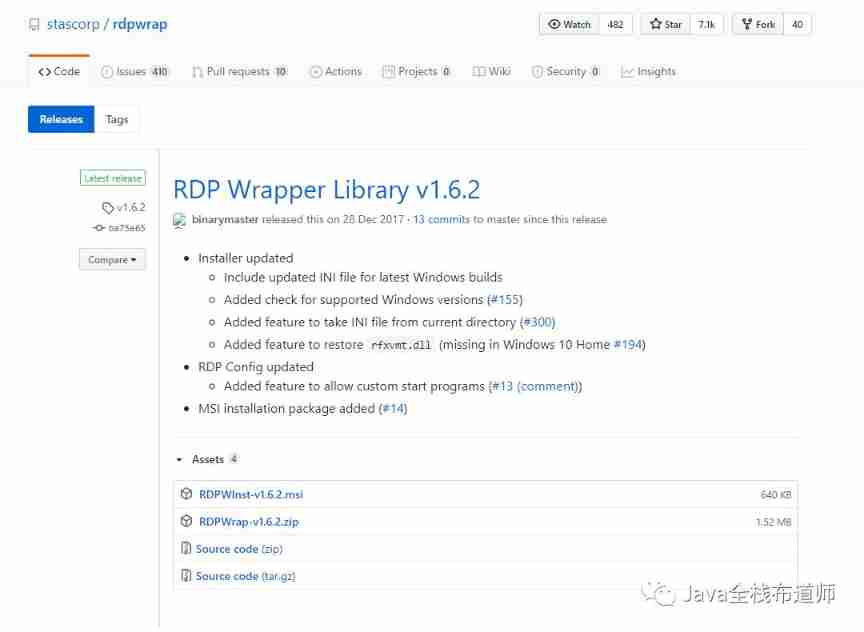
After decompressing :

1. First again cmd Next perform “install.bat” install RDPWrap ; After successful installation , stay “C:\Program Files\RDP Wrapper” Directory is

2. Try again update.bat . Unable to update configuration information , It needs to be configured manually
In the configuration rdpwrap.ini Look at the computer version before :win + r , Then the input :ver ( Careful friends will see , open cmd In fact, I have seen the version :10.0.18362.53 )

Then open C:\Program Files\RDP Wrapper\rdpwrap.ini , Add face configuration information at the end of the text ( Different win The configuration of the version is different , The configuration of other versions is attached at the end of the text ) There are blank lines between configurations , Don't miss the last blank line
[10.0.18362.53]
LocalOnlyPatch.x86=1
LocalOnlyOffset.x86=B7D06
LocalOnlyCode.x86=jmpshort
LocalOnlyPatch.x64=1
LocalOnlyOffset.x64=82FB5
LocalOnlyCode.x64=jmpshort
SingleUserPatch.x86=1
SingleUserOffset.x86=50535
SingleUserCode.x86=nop
SingleUserPatch.x64=1
SingleUserOffset.x64=DBFC
SingleUserCode.x64=Zero
DefPolicyPatch.x86=1
DefPolicyOffset.x86=50269
DefPolicyCode.x86=CDefPolicy_Query_eax_ecx
DefPolicyPatch.x64=1
DefPolicyOffset.x64=1FE15
DefPolicyCode.x64=CDefPolicy_Query_eax_rcx
SLInitHook.x86=1
SLInitOffset.x86=5A77A
SLInitFunc.x86=New_CSLQuery_Initialize
SLInitHook.x64=1
SLInitOffset.x64=22DDC
SLInitFunc.x64=New_CSLQuery_Initialize

[10.0.18362.53-SLInit]
bInitialized.x86      =D577C
bServerSku.x86        =D5780
lMaxUserSessions.x86  =D5784
bAppServerAllowed.x86 =D578C
bRemoteConnAllowed.x86=D5790
bMultimonAllowed.x86  =D5794
ulMaxDebugSessions.x86=D5798
bFUSEnabled.x86       =D579C

bInitialized.x64      =F6A8C
bServerSku.x64        =F6A90
lMaxUserSessions.x64  =F6A94
bAppServerAllowed.x64 =F6A9C
bRemoteConnAllowed.x64=F6AA0
bMultimonAllowed.x64  =F6AA4
ulMaxDebugSessions.x64=F6AA8
bFUSEnabled.x64       =F6AAC
3. The administrator starts RDPWrap.exe

ps: Do not configure the 2 Step , Or the effect of the wrong version

4. perform :RDPCheck.exe Check whether the cracking is successful


about RDPWrap.exe After execution, all prompt words are green , But login is a reminder “ Access denied ” Of , It should be the current user ( Same user ) Log on to the .
PS: start-up RDPConf.exe Before restart “ Remote desktop service ”:Remote Desktop Services Pictured

6. Test remote login
Quickly open the remote login window :win+r >>> Input :mstsc
Test the effect of multi-user logging in to the intranet machine remotely at the same time :

Finally, different versions of rdpwrap.ini Configuration information :https://gitee.com/RDNGL/rdpwrap
The back is pure nonsense , Don't look .
Four 、 Extended learning
up to now , The simultaneous remote login of multiple users to the intranet machine has been completed .
Expand its application :
After intranet penetration , The external network can access the internal network , Intranet services can be accessed by the Internet , That is, it can be published on the intranet web service ,ftp Services, etc. -- Application of Intranet penetration .
The external network can be remotely connected to the internal network machine , Multiple people can use one computer at the same time .
With a laptop that can be connected to the Internet, you can have huge computing resources .
Extended to Cloud Computing :
trend : Now many things are beginning “ cloud ” turn , This is also the future development direction . Future trends : There is no need to buy a computer with fixed configuration , Upgrading is not only troublesome , And it's not convenient to carry . In the future, you only need to buy connector equipment , Open another cloud computing service , Upgrade configuration anytime, anywhere , You can have huge computing resources .
" cloud " The impact of trends : The hardware configuration will face the centralized procurement of enterprises , And retail sales fell . It seems to be far away ……
That's all for now ……
Learning will broaden one's horizons , Standing on the top can look forward to the future .
More high-quality articles and resources will be shared in the future
Leave a comment in the comments section Focus on give the thumbs-up forward
边栏推荐
- Latex error: missing delimiter (. Inserted) {\xi \left( {p,{p_q}} \right)} \right|}}
- BGP advanced experiment
- MySQL case
- 2021-08-11 function pointer
- How to teach yourself to learn programming
- Golang Modules
- Rhcsa day 9
- Latex learning insertion number - list of filled dots, bars, numbers
- uniapp 小于1000 按原数字显示 超过1000 数字换算成10w+ 1.3k+ 显示
- Sword finger offer 31 Stack push in and pop-up sequence
猜你喜欢

Hands on deep learning (45) -- bundle search
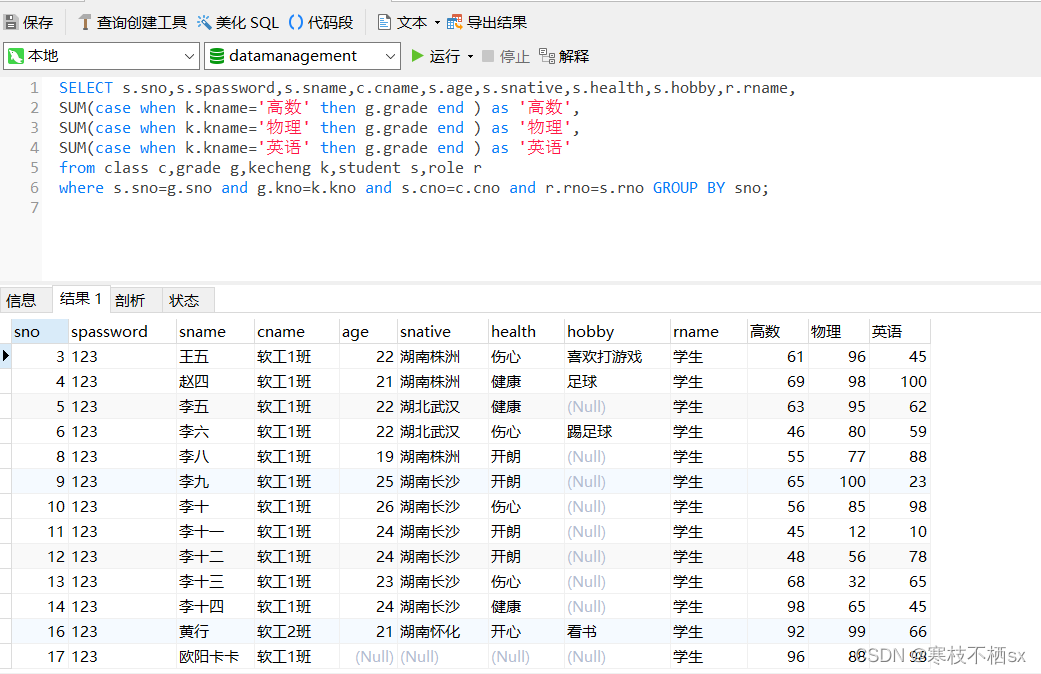
SQL replying to comments
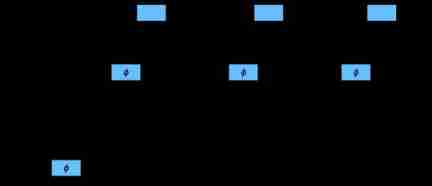
Hands on deep learning (37) -- cyclic neural network
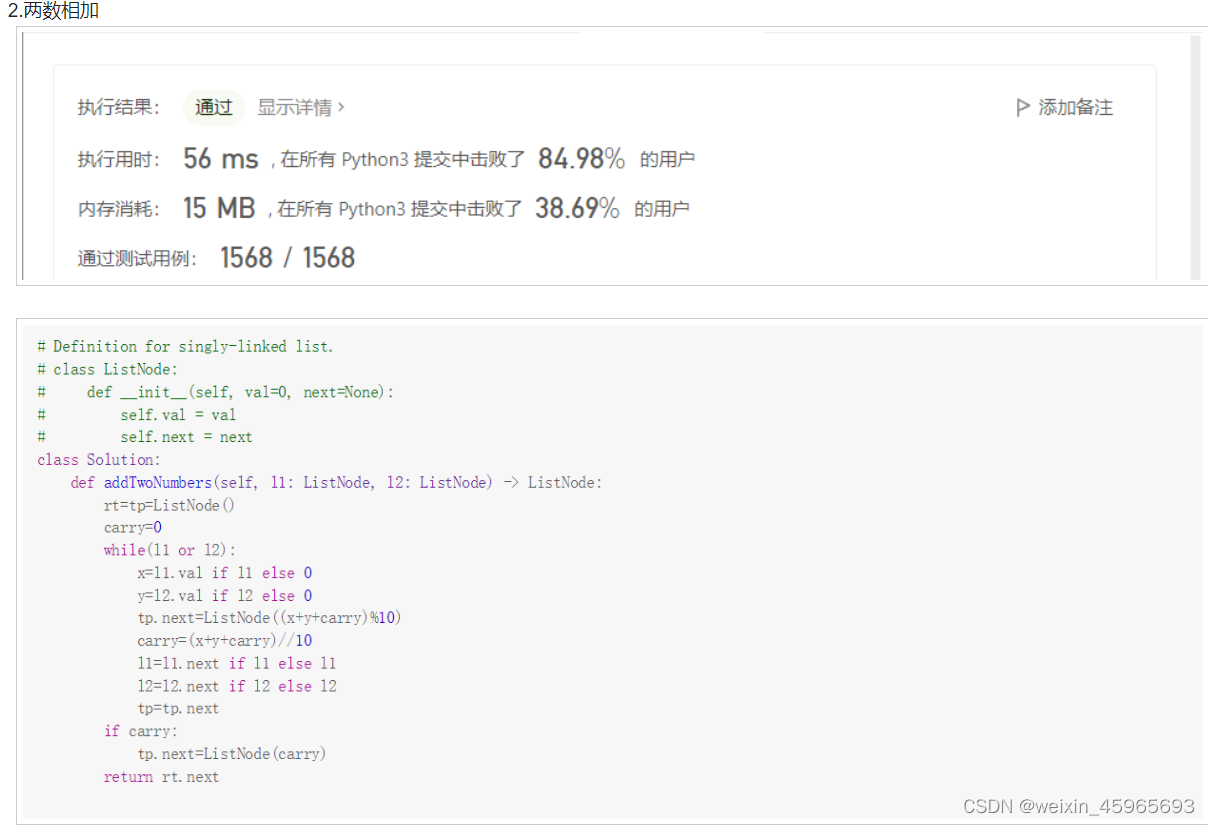
leetcode1-3
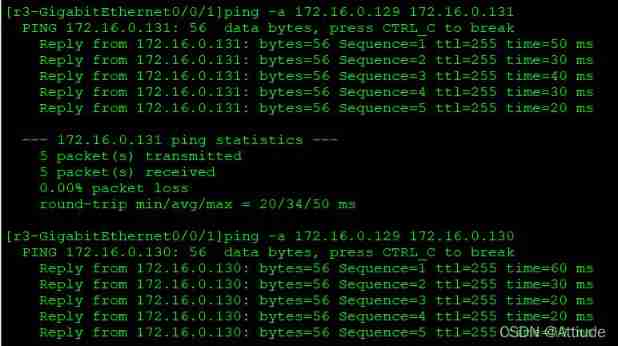
OSPF comprehensive experiment
Baidu R & D suffered Waterloo on three sides: I was stunned by the interviewer's set of combination punches on the spot

Normal vector point cloud rotation
2. Data type
Qtreeview+ custom model implementation example
Realsense of d435i, d435, d415, t265_ Matching and installation of viewer environment
随机推荐
对于程序员来说,伤害力度最大的话。。。
Go context basic introduction
Container cloud notes
2020-03-28
Hands on deep learning (43) -- machine translation and its data construction
MySQL case
Dos:disk operating system, including core startup program and command program
Ruby time format conversion strftime MS matching format
Dynamic memory management
Si vous ne connaissez pas ces quatre modes de mise en cache, vous osez dire que vous connaissez la mise en cache?
Histogram equalization
OSPF summary
使用 C# 提取 PDF 文件中的所有文字(支持 .NET Core)
If the uniapp is less than 1000, it will be displayed according to the original number. If the number exceeds 1000, it will be converted into 10w+ 1.3k+ display
Hands on deep learning (37) -- cyclic neural network
【OpenCV 例程200篇】218. 多行倾斜文字水印
Check 15 developer tools of Alibaba
libmysqlclient. so. 20: cannot open shared object file: No such file or directory
用数据告诉你高考最难的省份是哪里!
Safety reinforcement learning based on linear function approximation safe RL with linear function approximation translation 1