当前位置:网站首页>Office提示您的许可证不是正版弹框解决
Office提示您的许可证不是正版弹框解决
2022-07-06 09:18:00 【SQ刘】
Office提示您的许可证不是正版弹框解决
问题:
kms已经激活,但是一直有许可证不是正版的弹框烦扰。
解决方法:
需求修改注册表中的键值对,来更换更新频道。
步骤:
1、打开注册表Win+R,输入regedit
按照下图步骤来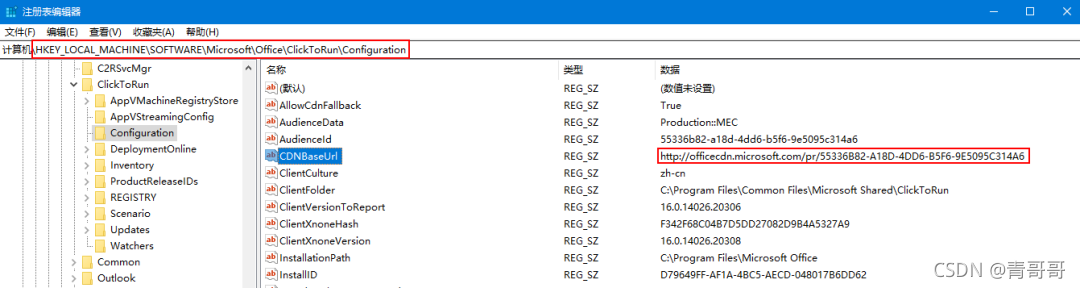
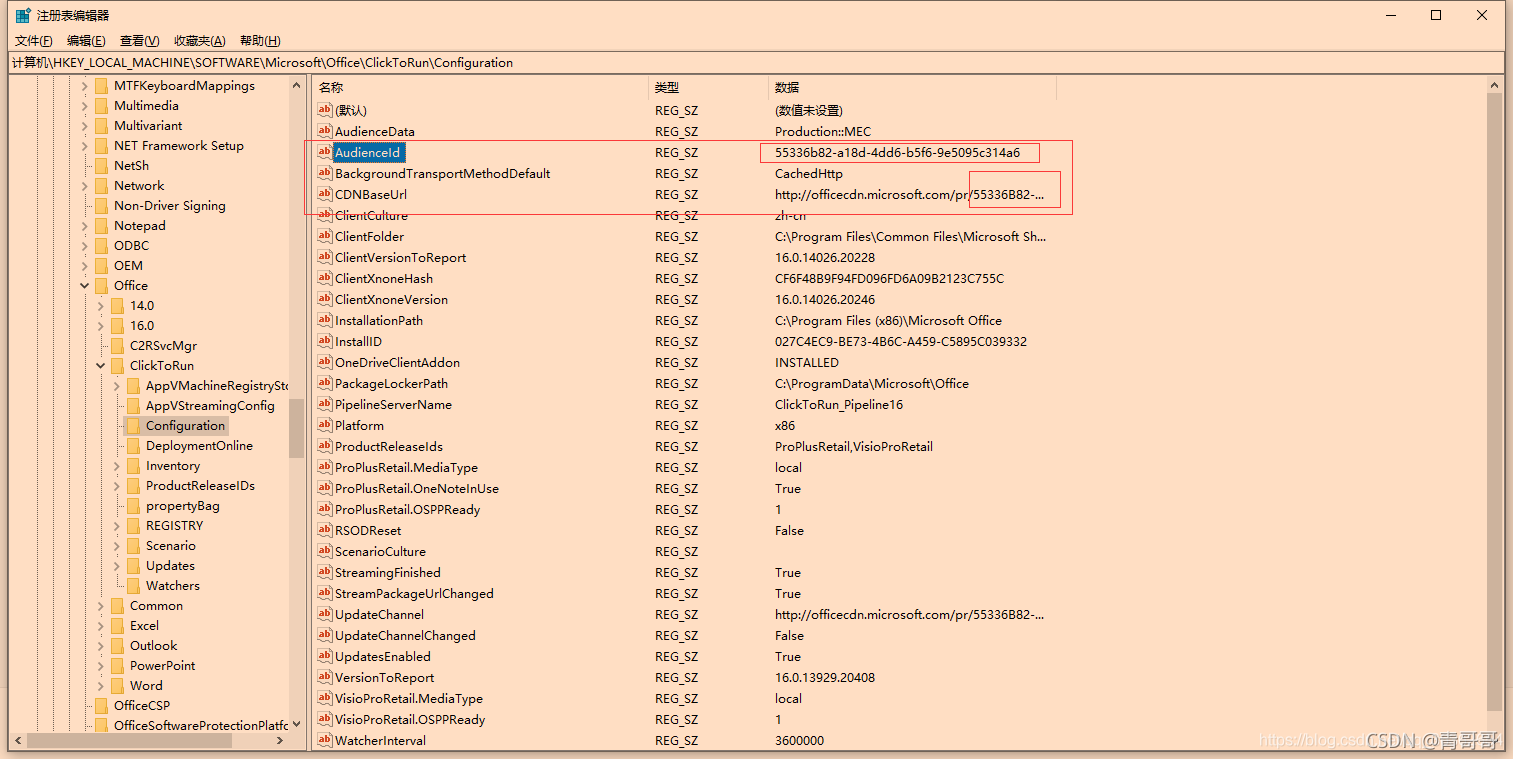
2、将修改注册表中AudienceId和CDNBaseUrl的键值
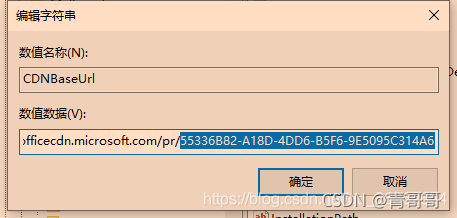
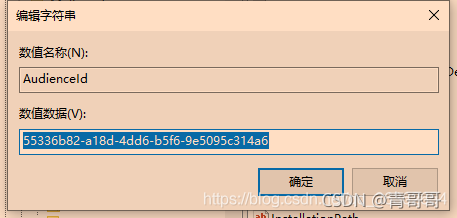
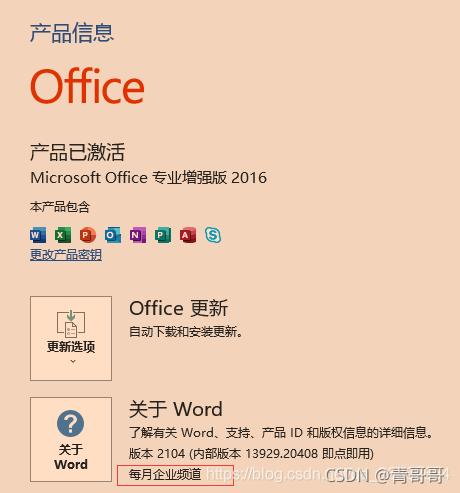
ID“55336B82-A18D-4DD6-B5F6-9E5095C314A6”,指的即为“每月企业频道”。
3、删除一些键值对,若是没有则不删除。
HKLM\SOFTWARE\Microsoft\Office\ClickToRun\Configuration\UpdateUrl
HKLM\SOFTWARE\Microsoft\Office\ClickToRun\Configuration\UpdateToVersion
HKLM\SOFTWARE\Microsoft\Office\ClickToRun\Updates\UpdateToVersion
HKLM\SOFTWARE\Policies\Microsoft\Office\16.0\Common\OfficeUpdate
4、打开word->账户->office更新->更新选项->立即更新,等待更新后,更新通道将由“当前频道”变为“每月企业频道”,至此解决完成,正常使用。
5、原理释义
    Office使用更新频道概念来确定所安装的 Office 版本要接收哪些更新。更新频道是在 configuration.xml 文件中指定的,该文件由 Office 部署工具使用。应始终显示指定更新频道。

    Microsoft 定期为 Office 应用提供新增(和更新)功能,如 Excel 和 Word。可通过指定更新频道来控制组织中的用户获取这些新功能的频率。除新增功能外,每个月都会定期更新频道以提供所需的安全和非安全更新。非安全更新提供对已知问题的修复,并为 Office 提供稳定性或性能改进。有三个主要的更新频道:当前频道、月度企业版频道、半年度企业版频道。
**参考:**https://docs.microsoft.com/zh-cn/deployoffice/overview-update-channels?redirectSourcePath=%252fen-us%252farticle%252f9ccf0f13-28ff-4975-9bd2-7e4ea2fefef4#current-channel-overview
当前频道、月度企业版频道和半年度企业版频道的比较。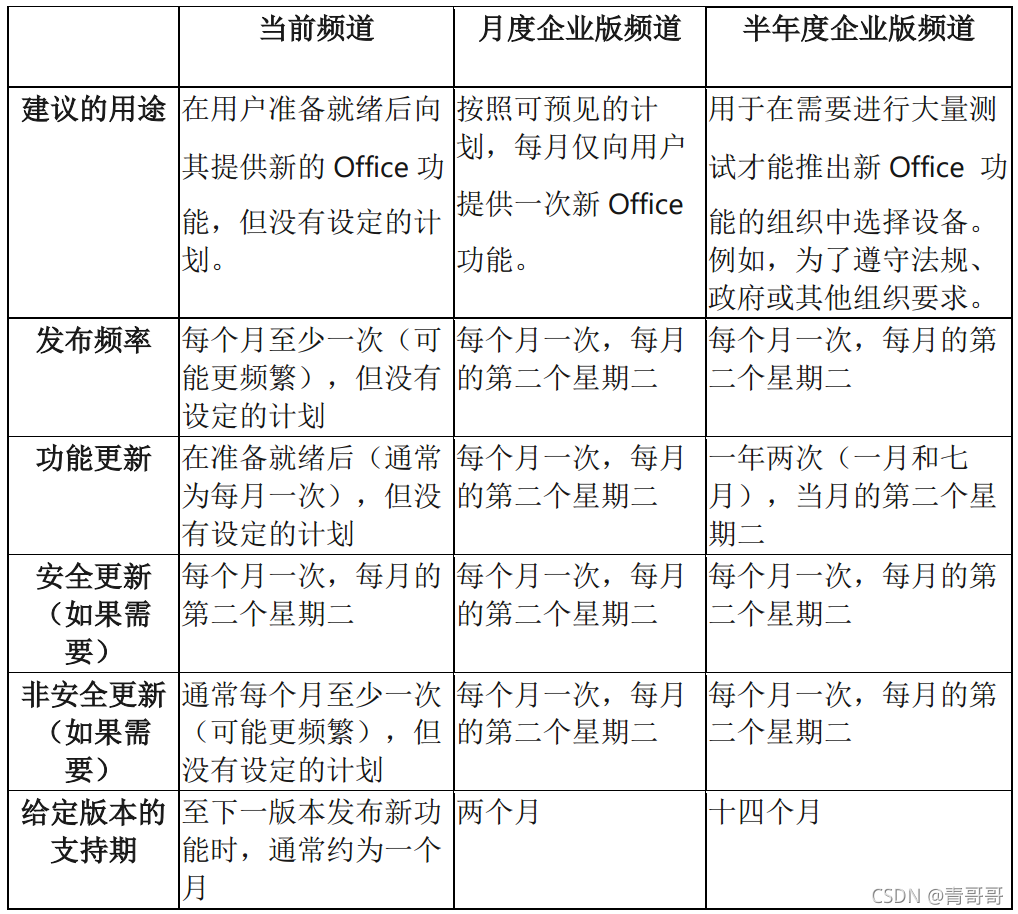
上述内容均来自微软官方文档,一言以蔽之,更新频道大概意思是,不同的通道有着不同的“更新频率”,批量版Office2019/2021有着唯一的更新通道“企业长期频道”。
    安装的Office版本并非“微软官方指定的方式”。也就是说使用了“不合规”的更新通道安装的Office 2019/2021,都是有可能收到横幅或者弹窗提示的。

    使用KMS激活的Office如果是“月度企业频道”、“2019企业长期频道”、“2021企业长期频道”,则不会出现“你可能是盗版软件的受害者”的横幅或“你的Office许可证有问题”的弹窗。
边栏推荐
- Get the position of the nth occurrence of the string
- SSD technical features
- VSCode基础配置
- Knowledge summary of request
- Flink late data processing (3)
- ES6语法总结--上篇(基础篇)
- [leetcode15] sum of three numbers
- Intermediate use tutorial of postman [environment variables, test scripts, assertions, interface documents, etc.]
- JS regular expression basic knowledge learning
- Arduino JSON data information parsing
猜你喜欢
Understanding of AMBA, AHB, APB and Axi
The dolphin scheduler remotely executes shell scripts through the expect command
![[Clickhouse kernel principle graphic explanation] about the collaborative work of partitioning, indexing, marking and compressed data](/img/28/221b0a51ef5f2e8ed5aeca2de8f463.jpg)
[Clickhouse kernel principle graphic explanation] about the collaborative work of partitioning, indexing, marking and compressed data
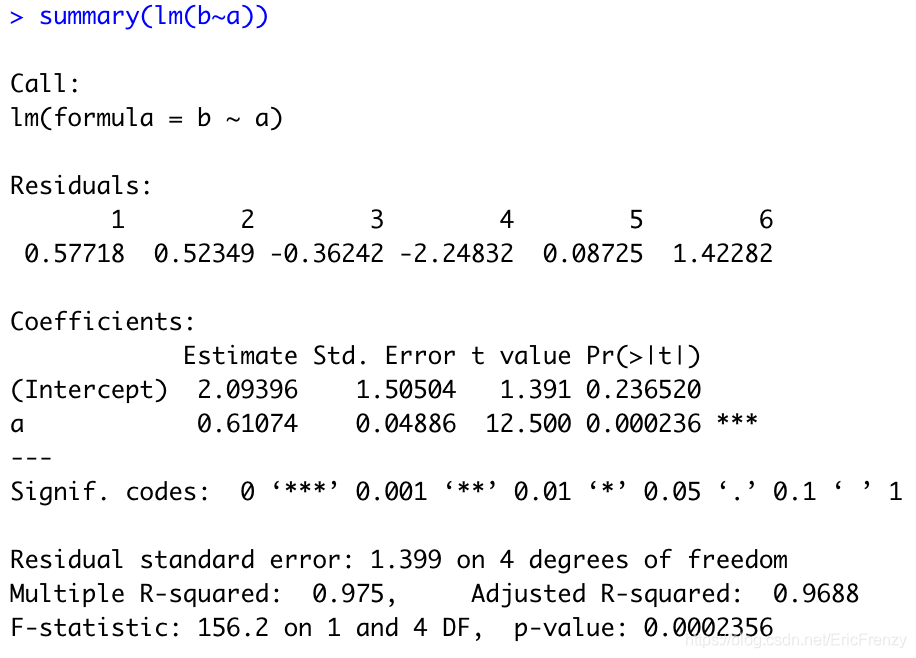
(4) Data visualization of R language -- matrix chart, histogram, pie chart, scatter chart, linear regression and strip chart
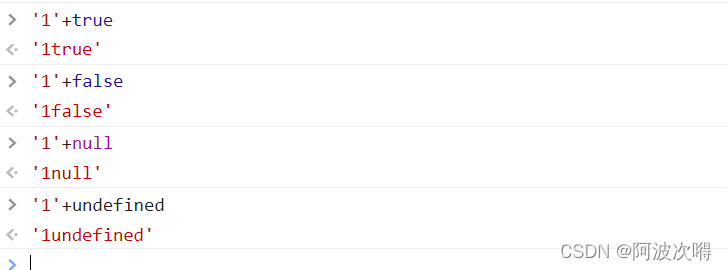
JS變量類型以及常用類型轉換
Esp8266 uses Arduino to connect Alibaba cloud Internet of things
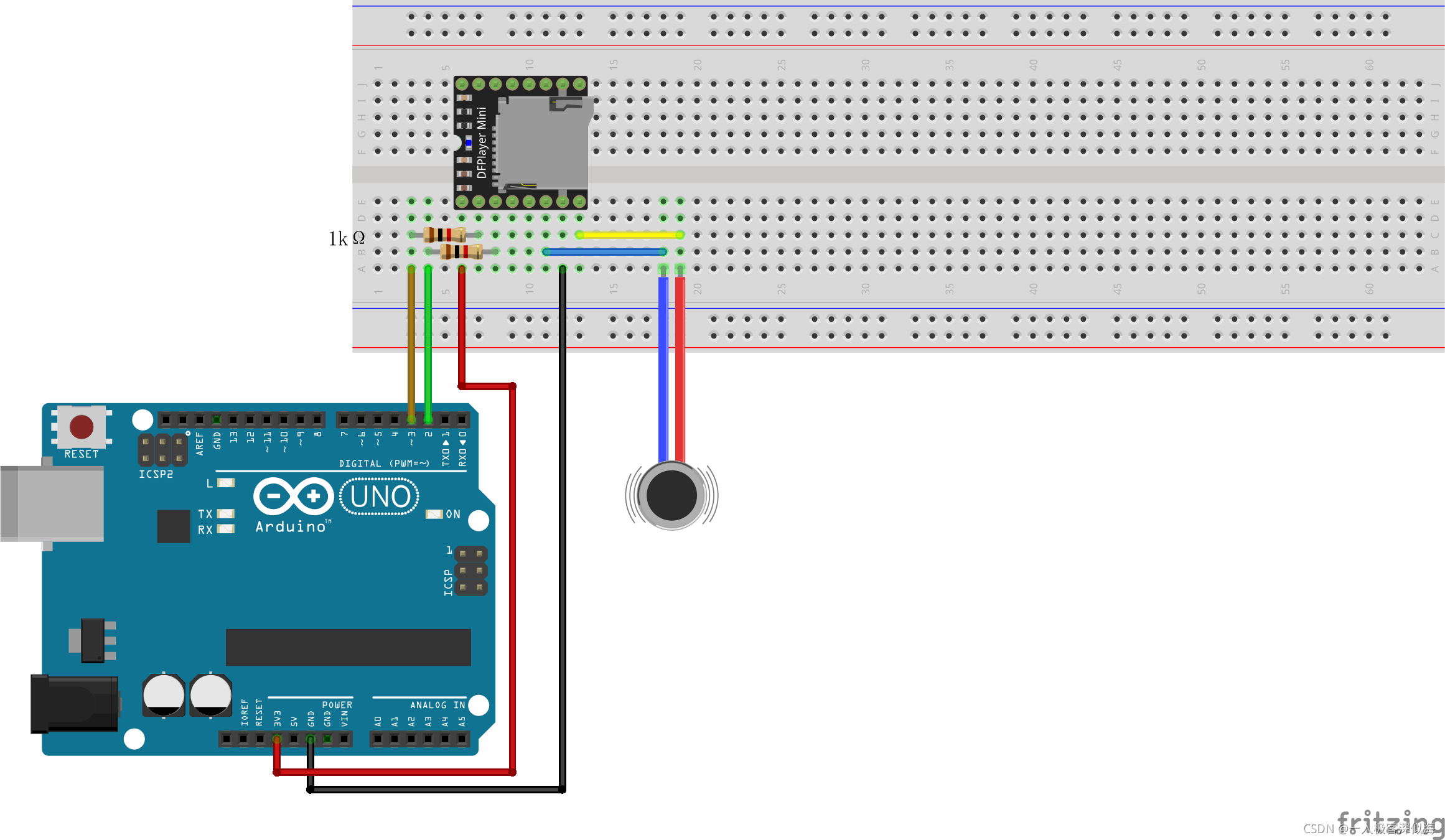
Mp3mini playback module Arduino < dfrobotdfplayermini H> function explanation
(五)R语言入门生物信息学——ORF和序列分析
MySQL time, time zone, auto fill 0
![[Red Treasure Book Notes simplified version] Chapter 12 BOM](/img/ff/0ad410b5b556c0e16a4076a2a0577b.jpg)
[Red Treasure Book Notes simplified version] Chapter 12 BOM
随机推荐
[Offer29] 排序的循环链表
Understanding of AMBA, AHB, APB and Axi
Vulnhub target: hacknos_ PLAYER V1.1
RuntimeError: cuDNN error: CUDNN_STATUS_NOT_INITIALIZED
Detailed explanation of truncate usage
Postman 中级使用教程【环境变量、测试脚本、断言、接口文档等】
Classification, understanding and application of common methods of JS array
RuntimeError: cuDNN error: CUDNN_ STATUS_ NOT_ INITIALIZED
[Red Treasure Book Notes simplified version] Chapter 12 BOM
[leetcode15] sum of three numbers
idea中导包方法
(三)R语言的生物信息学入门——Function, data.frame, 简单DNA读取与分析
【ESP32学习-1】Arduino ESP32开发环境搭建
Redis cache update strategy, cache penetration, avalanche, breakdown problems
(五)R语言入门生物信息学——ORF和序列分析
ES6语法总结--上篇(基础篇)
(4) Data visualization of R language -- matrix chart, histogram, pie chart, scatter chart, linear regression and strip chart
Single chip Bluetooth wireless burning
NRF24L01 troubleshooting
ESP学习问题记录