当前位置:网站首页>marathon-envs项目环境配置(强化学习模仿参考动作)
marathon-envs项目环境配置(强化学习模仿参考动作)
2022-07-06 08:29:00 【daoboker】
运行这个项目(Unity引擎)的原因主要还是想可以在不同物理引擎中去模仿参考动作。在这之前已经运行过Deepmimic(Bullet引擎),Deepmimic的参考动作是四元数的格式,可以通过BvhToDeepMimic换自己的参考动作(.bvh),当然参考动作(.bvh)可以通过frankmocap等项目生成的smpl数据集格式转化过来。
1.主项目:
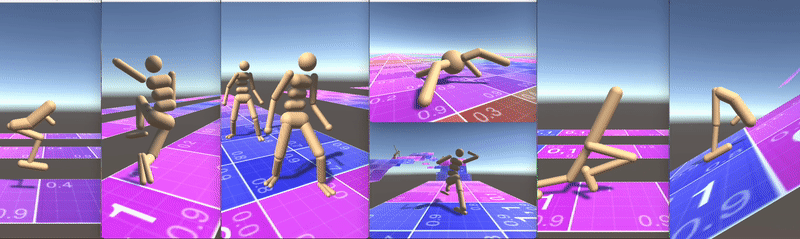
1.1 配置python环境
pip install mlagents==0.14.1
1.2 配置Unity环境
Unity版本2020.1.2f1
1.3 training
官方训练文档
如果要自己在unity里训练而不是调用它的.X86_64的话,在conda终端输入以下命令再在Unity里点出scene场景按button按钮即可,--run-id可以自己随意设置:
mlagents-learn config/marathon_envs_config.yaml --train --run-id=hopper001
换成自己的参考动作进行训练:
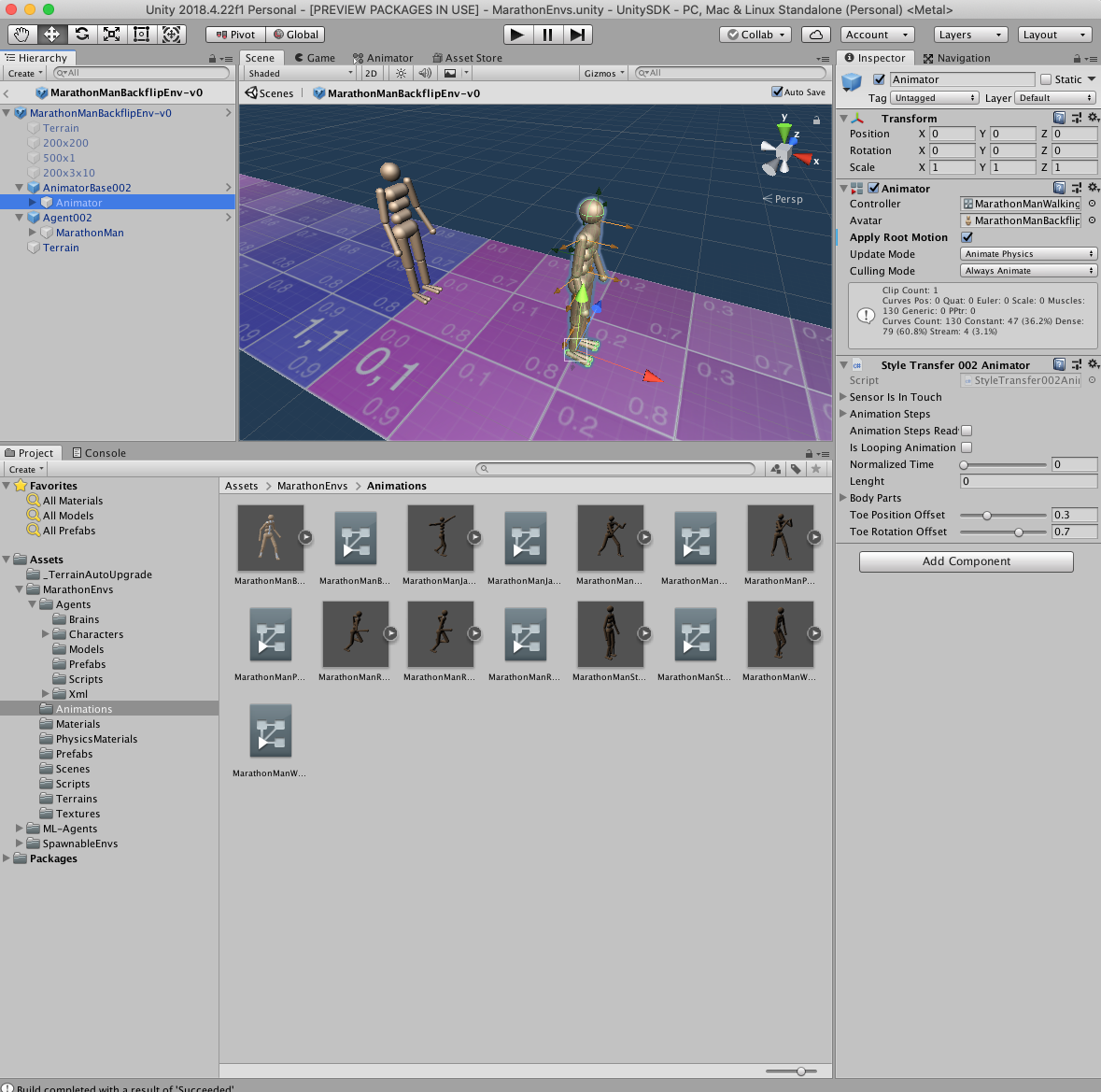
在Unity里点击Assets/MarathonEnvs/Environments/MarathonManBackflipEnv-v0.prefab,再点击上方框里的AnimatorBase002下的Animator,把Animations文件夹下的controller文件拖到右边框里的Controller里。然后要不build好导出.X86_64,要不就是选择scenes修改train_environments的数量(赛道的数量)在Unity软件里进行训练。
下一步: 添加自己的参考动作.fbx和对应的.controller进行训练,并且研究一下强化学习。
2.版本0.5:
2.1 配置python环境
对应0.5版本,下载好之后创建python3.6不能3.7的环境,本地安装代码目录下的mlagents==0.5.0,然后缺什么装什么。或者先去用官方命令装pip install mlagents==1.10.0 mlagents_envs==0.10.0,然后再去替换主包mlagents(个人没试过不知道可不可行):
conda create -n marathon python=3.6
cd ml-agents
python setup.py install
2.2 配置unity环境(上面代码里的Unity SDK包)
unity API接口要和 python API 接口对应,这也正是为什么要本地安装mlagents package的原因
unty版本(2018.2.14.f)要从导入unity SDK时看,ubuntu系统的话从unity hub里下载对应的版本即可,点击网站即可跳转unity hub下载。
2.3 training
这部分照手册里来就可以,点出scene场景,配置内部还是外部externel权重后,在conda里运行下列代码后回unity里即可开始训练。
mlagents-learn config/marathon_envs_config.yaml --train --run-id=hopper001
2.4 附录(0.5版本python环境)
Package              Version
-------------------- -------------------
absl-py              1.1.0
argon2-cffi          21.3.0
argon2-cffi-bindings 21.2.0
astor                0.8.1
async-generator      1.10
attrs                21.4.0
backcall             0.2.0
bleach               1.5.0
certifi              2016.9.26
cffi                 1.15.0
cycler               0.11.0
dataclasses          0.8
decorator            5.1.1
defusedxml           0.7.1
docopt               0.6.2
entrypoints          0.4
gast                 0.5.3
grpcio               1.11.1
html5lib             0.9999999
importlib-metadata   4.8.3
iniconfig            1.1.1
ipykernel            5.5.6
ipython              7.16.3
ipython-genutils     0.2.0
ipywidgets           7.7.0
jedi                 0.17.2
Jinja2               3.0.3
jsonschema           4.0.0
jupyter              1.0.0
jupyter-client       7.1.2
jupyter-console      6.4.3
jupyter-core         4.9.2
jupyterlab-pygments  0.1.2
jupyterlab-widgets   1.1.0
kiwisolver           1.3.1
Markdown             3.3.7
MarkupSafe           2.0.1
matplotlib           3.0.0
mistune              0.8.4
mlagents             0.5.0
nbclient             0.5.9
nbconvert            6.0.7
nbformat             5.1.3
nest-asyncio         1.5.5
notebook             6.4.10
numpy                1.13.3
packaging            21.3
pandocfilters        1.5.0
parso                0.7.1
pexpect              4.8.0
pickleshare          0.7.5
Pillow               8.4.0
pip                  21.2.4
pluggy               1.0.0
prometheus-client    0.14.1
prompt-toolkit       3.0.29
protobuf             3.6.1
ptyprocess           0.7.0
py                   1.11.0
pycparser            2.21
Pygments             2.12.0
pyparsing            3.0.9
pyrsistent           0.18.0
pytest               7.1.2
python-dateutil      2.8.2
PyYAML               5.4.1
pyzmq                23.1.0
qtconsole            5.2.2
QtPy                 2.0.1
Send2Trash           1.8.0
setuptools           49.6.0.post20210108
six                  1.16.0
tensorboard          1.7.0
tensorflow           1.7.0
termcolor            1.1.0
terminado            0.13.0
testpath             0.6.0
tomli                1.2.3
tornado              6.1
traitlets            4.3.3
typing_extensions    4.1.1
wcwidth              0.2.5
Werkzeug             2.0.3
wheel                0.37.1
widgetsnbextension   3.6.0
zipp                 3.6.0
3. 后续问题
1.不知道程序内部是怎么调用参考动作训练集的,想自己去换掉参考动作文件(.fbx)并且修改配置参数进行强化学习训练。
2.作者的项目结构过于庞大,想要深入了解有点困难而且版本过多,每个版本里面的代码都不一样,就如最新的github版本里的代码,里面专门有一个animation文件夹放参考动作生成的权重也是.nn,而老版本是里面有各种动作的场景,参考动作不知道放哪里去了而且生成的权重后缀是.bytes。
边栏推荐
- 2022.02.13 - NC001. Reverse linked list
- 电脑F1-F12用途
- LDAP应用篇(4)Jenkins接入
- [luatos-air551g] 6.2 repair: restart caused by line drawing
- [secretly kill little partner pytorch20 days -day01- example of structured data modeling process]
- Colorlog combined with logging to print colored logs
- win10系统中的截图,win+prtSc保存位置
- [2022 Guangdong saim] Lagrange interpolation (multivariate function extreme value divide and conquer NTT)
- tree树的精准查询
- China Light conveyor belt in-depth research and investment strategy report (2022 Edition)
猜你喜欢
C language custom type: struct
Bottom up - physical layer
![[secretly kill little partner pytorch20 days -day01- example of structured data modeling process]](/img/ae/4e616882f6d68acdf8e885843e68a3.jpg)
[secretly kill little partner pytorch20 days -day01- example of structured data modeling process]
Let the bullets fly for a while
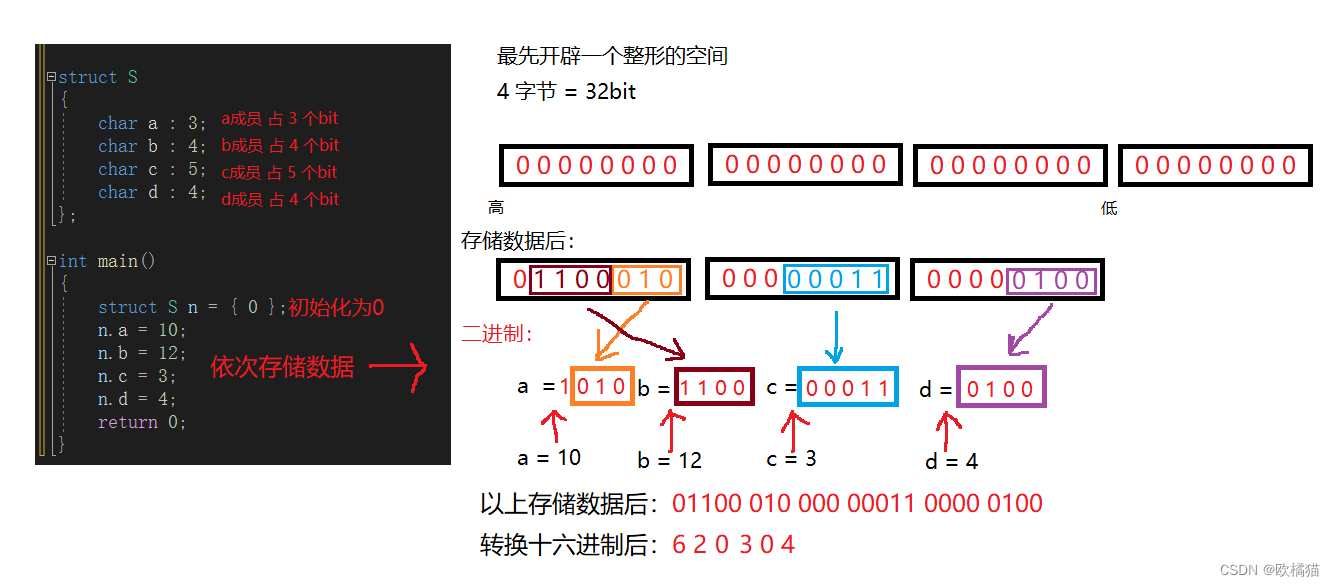
C language - bit segment
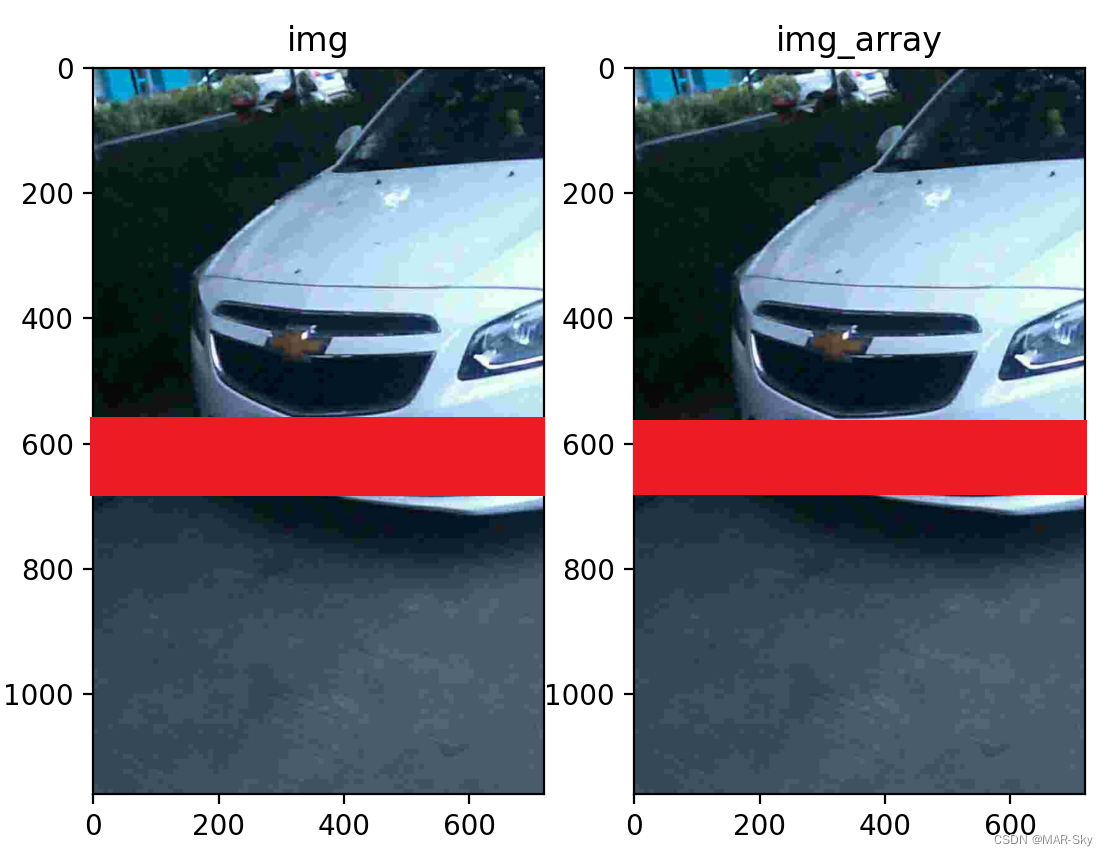
Image,cv2读取图片的numpy数组的转换和尺寸resize变化

Pyqt5 development tips - obtain Manhattan distance between coordinates
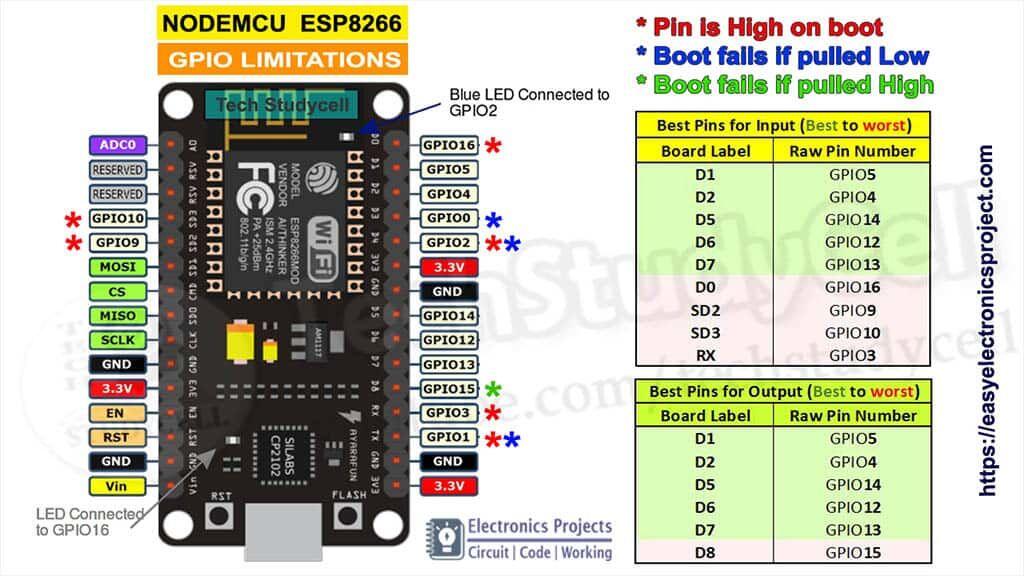
Résumé des diagrammes de description des broches de la série ESP
指针进阶---指针数组,数组指针
![[research materials] 2021 Research Report on China's smart medical industry - Download attached](/img/c8/a205ddc2835c87efa38808cf31f59e.jpg)
[research materials] 2021 Research Report on China's smart medical industry - Download attached
随机推荐
Beijing invitation media
Analysis of pointer and array written test questions
指针进阶---指针数组,数组指针
sublime text没关闭其他运行就使用CTRL+b运行另外的程序问题
Restore backup data on S3 compatible storage with br
vulnhub hackme: 1
Huawei cloud OBS file upload and download tool class
[luatos-air551g] 6.2 repair: restart caused by line drawing
sys.argv
Grayscale upgrade tidb operator
704 二分查找
IoT -- 解读物联网四层架构
Use br to back up tidb cluster data to S3 compatible storage
电脑F1-F12用途
CISP-PTE实操练习讲解
面向个性化需求的在线云数据库混合调优系统 | SIGMOD 2022入选论文解读
Deep learning: derivation of shallow neural networks and deep neural networks
Char to leading 0
gcc动态库fPIC和fpic编译选项差异介绍
Research Report on Market Research and investment strategy of microcrystalline graphite materials in China (2022 Edition)