当前位置:网站首页>mysqldump数据备份
mysqldump数据备份
2022-07-06 03:09:00 【菜鸟~~】
上一篇博客我们讲了用mysqlbinlog工具(mysql原生自带的工具)介意快速解析大量的binlog日志文件,并使用二进制日志进行数据恢复的应用实践,这篇博客我们讲一下数据备份先关的命令,因为我们做后台开发一般工作在shell下,而且部署在后台服务器或者是云端的mysql,大部分做了一些限制,我们可能在本地无法直连到后台服务的数据库3306端口上,一般都会有防火墙之类的网络的中间键,没有条件用GUI(图形界面工具)鼠标操作做数据备份之类的,只能通过命令,而且命令也是最快速的,所以这篇博客讲一下常用的数据备份,我们一般通过mysqldump进行。
在linux shell下执行以下命令,即可把mytest库的user表的数据导出到.sql文件中(导出的不仅是数据,SQL语句也导出了)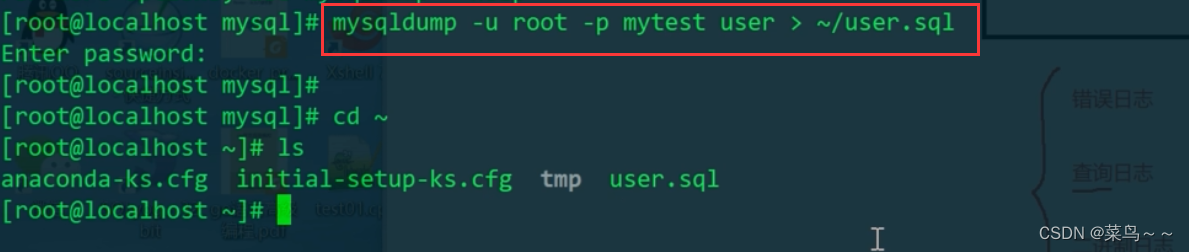
vim user.sql查看user.sql文件内容如下: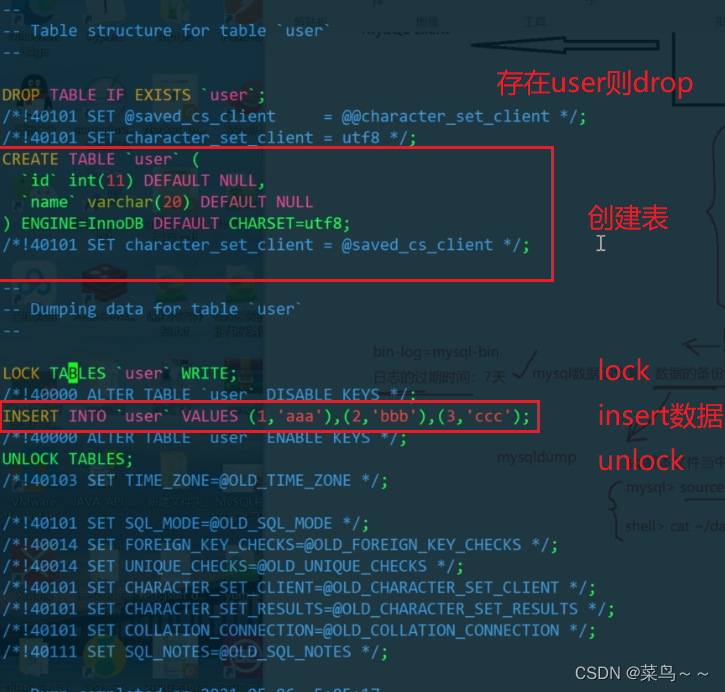
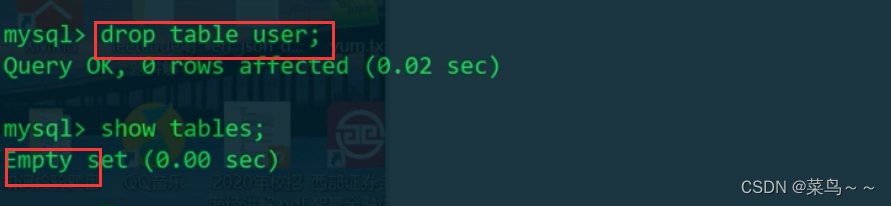
现在mytest库里面,我们把表删了,或者是我们向进行数据迁移,在另一个库上重建这个表。我们有了这个sql脚本在root根目录下放着,权限不够,要在普通用户下执行,所以把user.sql移到普通用户下(或者我们可以一开始就在普通用户下执行mysqldump -u root -p mytest user > ~/user.sql把mytest库的user表的数据导出到.sql文件中,就不用执行接下来的步骤,直接执行source /home/admin/user.sql,就可以恢复出user表和数据)

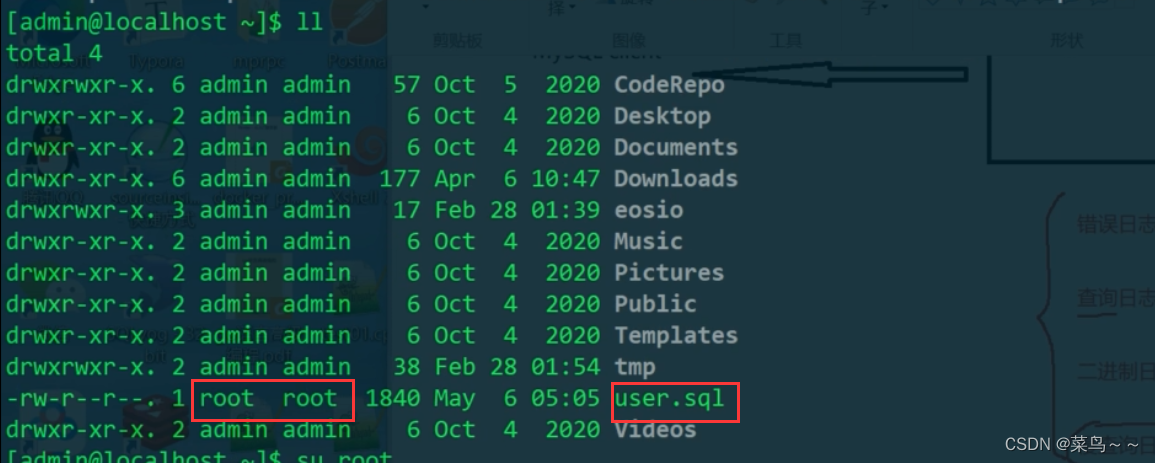
现在user.sql是root的文件,我们变更一下属主,使得普通用户也可以操作
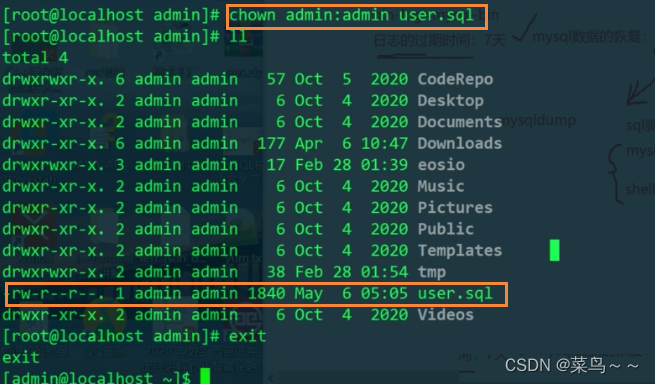
然后我们source,相当于把.sql脚本重新执行一遍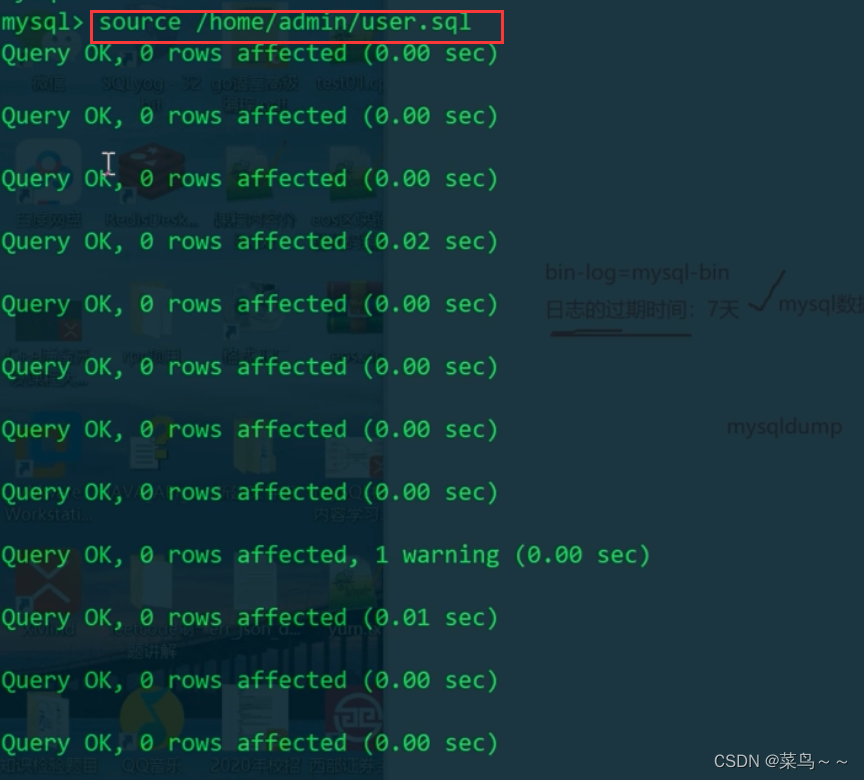
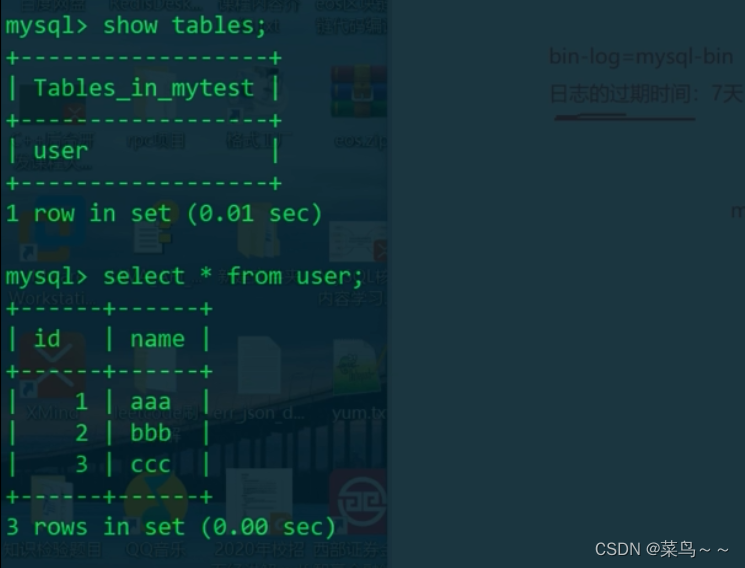
user表和数据全部恢复出来了,有了.sql的脚本,可以在任意的mysql库上去重建库表及数据
我们还可以直接导出纯表数据
user.txt内容如下: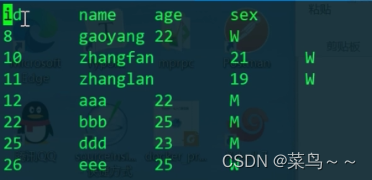
这样就把user表里面的数据全部导出来了,我们再去用python或者go去写一些脚本进行数据分析的时候,可以通过-t来作为来作为分隔符把每一个字段的数据都获取出来做额外的数据分析,比如分析用户的行为,建立用户的画像等等。
mysqldump数据备份命令总结
- 导出建库建表的SQL
//导出所有库
mysqldump -u 用户名 -p --all-databases > ~/xxx.sql
//一次可以导出多个库
mysqldump -u 用户名 -p --databases db1[db2] > ~/xxx.sql
//导出库或者库里面的某张表
mysqldump -u 用户名 -p dbname [tablename]> ~/xxx.sql
- 导出纯数据
mysql -u 用户名 -p -D school -e 'select * from user where age>10' > ~/user.txt
- 通过备份的.sql,导入数据,建库建表
登录mysql,在mysql的shell上执行下面语句
source ~/school.sql
或者直接在linux的shell下执行
cat ~/data.sql|mysql -u root -p
这样就可以把我们之前备份的数据到mysql的库表中
边栏推荐
- Elimination games
- Game theory matlab
- C # create self host webservice
- RobotFramework入门(三)WebUI自动化之百度搜索
- Summary of Bible story reading
- Universal crud interface
- RobotFramework入门(二)appUI自动化之app启动
- Which ecology is better, such as Mi family, graffiti, hilink, zhiting, etc? Analysis of five mainstream smart brands
- Mysql database operation
- Day 50 - install vsftpd on ceontos6.8
猜你喜欢

Which ecology is better, such as Mi family, graffiti, hilink, zhiting, etc? Analysis of five mainstream smart brands
微服务间通信
XSS challenges绕过防护策略进行 XSS 注入

js 正则过滤和增加富文本中图片前缀
My C language learning records (blue bridge) -- files and file input and output
Taobao focus map layout practice
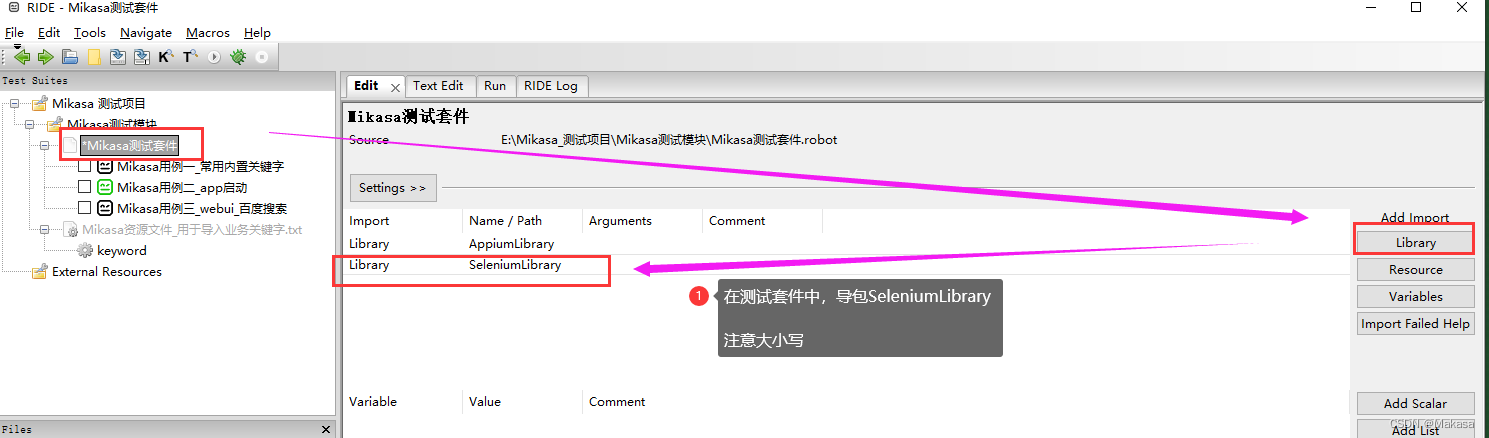
Introduction to robotframework (III) Baidu search of webui automation
![[unity3d] GUI control](/img/ef/9de2aa75c67cf825983867a913db74.png)
[unity3d] GUI control
![[Chongqing Guangdong education] higher mathematics I reference materials of Southwest Petroleum University](/img/0f/520242492524522c887b6576463566.jpg)
[Chongqing Guangdong education] higher mathematics I reference materials of Southwest Petroleum University
Eight super classic pointer interview questions (3000 words in detail)
随机推荐
My C language learning record (blue bridge) -- under the pointer
Introduction to robotframework (III) Baidu search of webui automation
tcpdump: no suitable device found
Eight super classic pointer interview questions (3000 words in detail)
#PAT#day10
CSP numeric sort
Referenceerror: primordials is not defined error resolution
Function knowledge points
MySQL advanced notes
技术分享 | undo 太大了怎么办
. Net 6 and Net core learning notes: Important issues of net core
Huawei, H3C, Cisco command comparison, mind map form from the basic, switching, routing three directions [transferred from wechat official account network technology alliance station]
Pat 1046 shortest distance (20 points) simulation
Web security SQL injection vulnerability (1)
OCR文字識別方法綜述
Universal crud interface
SD卡報錯“error -110 whilst initialising SD card
Differences and application scenarios between resulttype and resultmap
Detailed use of dbutils # yyds dry goods inventory #
Introduction to robotframework (II) app startup of appui automation