当前位置:网站首页>Opencv3 6.3 reduced pixel sampling with filters
Opencv3 6.3 reduced pixel sampling with filters
2022-07-02 08:08:00 【Villanelle#】
Reduce pixel sampling
The process of reducing image accuracy is called Reduce pixel sampling (downsampling), The process of improving image accuracy is called Improve pixel sampling (upsampling).
Spatial pseudofrequency
If you want to zoom out an image , Just eliminate the middle rows and columns of the image , Then splice the remaining pixels , The image effect is often unsatisfactory .
cv::Mat image = cv::imread("boldt.jpg");
cv::Mat reduced1(image.rows / 4, image.cols / 4, CV_8UC3);
for (int i = 0; i < reduced1.rows; i++)
{

    for (int j = 0; j < reduced1.cols; j++)
    {

        reduced1.at<cv::Vec3b>(i, j) = image.at<cv::Vec3b>(i * 4, j * 4);
    }
}
// Display each pixel four times its original size ( Use nearest point interpolation )
cv::resize(reduced1, reduced1, cv::Size(), 4, 4, cv::INTER_NEAREST);
cv::imshow("badly reduced", reduced1);

In this case , First traverse and reserve one of the four pixels , Re pass cv::resize() Function amplification . It can be seen that , The quality of the image is significantly reduced , Obvious sawtooth deformation can be seen , Is due to Spatial pseudofrequency Caused by the .
When trying to include high-frequency components in the image and the image is too small to include , Will appear Spatial pseudofrequency , The solution is Remove the high-frequency components before reducing the image , In this example, Gaussian filtering in the previous section is used .
cv::Mat reduced2(image.rows / 4, image.cols / 4, CV_8UC3);
// First, Gaussian filtering is used to remove high-frequency components
cv::GaussianBlur(image, image, cv::Size(11, 11), 2.0);
for (int i = 0; i < reduced2.rows; i++)
{

    for (int j = 0; j < reduced2.cols; j++)
    {

        reduced2.at<cv::Vec3b>(i, j) = image.at<cv::Vec3b>(i * 4, j * 4);
    }
}
// Display each pixel four times its original size ( Use nearest point interpolation )
cv::resize(reduced2, reduced2, cv::Size(), 4, 4, cv::INTER_NEAREST);
cv::imshow("reduced image", reduced2);

Image quality is much better than directly removing pixels , But also lost some delicate details .
in addition , Lead to a theorem Nyquist-Shannon Theorem , That is, the image is reduced by half , Its visible frequency bandwidth will also be reduced by half .
cv::pyrDown Achieve image reduction
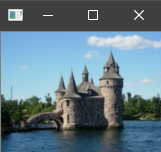
OpenCV Built in cv::pyrDown Function realizes image reduction , The principle is to use 5*5 Gauss filter , First, low-pass filter the image and then reduce it ( It can only be reduced to 1/2).
Its parameters are the original image 、 Output image .
cv::Mat reduced3;
cv::pyrDown(image, reduced3);
cv::imshow("pyrdown", reduced3);
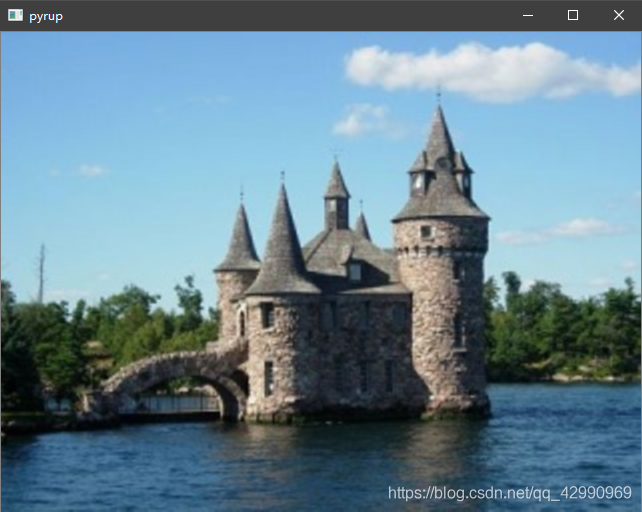
On the contrary , One more cv::pyrUp Function can enlarge the image size , The principle is first on every two lines / The pixel value inserted between two columns is 0 The pixel , Then apply to the expanded image 5*5 Gauss filter .
The parameters are : Original image 、 Output image .
cv::Mat enlarged;
cv::pyrUp(image, enlarged);
cv::imshow("pyrup", enlarged);
The above two built-in functions can only achieve twice the reduction and amplification , In fact, there is a more general function cv::resize, You can specify the size of the scaled image .
cv::resize Use of functions
Function signature
CV_EXPORTS_W void resize( InputArray src, OutputArray dst,
                          Size dsize, double fx = 0, double fy = 0,
                          int interpolation = INTER_LINEAR );
- The parameters are : Original image , Output image , The size of the output image ,x Directional amplification factor ,y Directional amplification factor , Interpolation method .
- You can not specify the size of the output image ( The specified value is empty cv::Size()), Must be specified x and y Amplification factor of direction , If 2 Just double the magnification .
- You may not specify the magnification factor ( The default is 0), You must specify the size of the output image .
- If the interpolation method here is not specified as bilinear interpolation
cv::INTER_LINEAR, You can combine the values of multiple adjacent pixels , It is better to . In addition, there is nearest neighbor interpolationcv::INTER_LINEAR, The nearest pixel will be selected for interpolation .
边栏推荐
- Find and rfind methods in string
- CVPR19-Deep Stacked Hierarchical Multi-patch Network for Image Deblurring论文复现
- 力扣每日一题刷题总结:栈与队列篇(持续更新)
- Cvpr19 deep stacked hierarchical multi patch network for image deblurring paper reproduction
- Sparse matrix storage
- 最长等比子序列
- 力扣方法总结:双指针
- Meta Learning 简述
- install.img制作方式
- The hystrix dashboard reported an error hystrix Stream is not in the allowed list of proxy host names solution
猜你喜欢






随机推荐
jetson nano安装tensorflow踩坑记录(scipy1.4.1)
Global and Chinese market of medicine cabinet 2022-2028: Research Report on technology, participants, trends, market size and share
Open3d learning note 4 [surface reconstruction]
稀疏矩阵存储
OpenCV3 6.2 低通滤波器的使用
Organigramme des activités
图像增强的几个方法以及Matlab代码
Jupyter Notebook常用快捷键(在命令模式中按H也可查看)
WCF更新服务引用报错的原因之一
【MnasNet】《MnasNet:Platform-Aware Neural Architecture Search for Mobile》
業務架構圖
Open3D学习笔记一【初窥门径,文件读取】
Nacos service registration in the interface
Carsim-问题Failed to start Solver: PATH_ID_OBJ(X) was set to Y; no corresponding value of XXXXX?
Multi site high availability deployment
最长等比子序列
Carla-UE4Editor导入RoadRunner地图文件(保姆级教程)
Feature Engineering: summary of common feature transformation methods
High school mathematics compulsory one
Go functions make, slice, append