当前位置:网站首页>Open3d learning note 5 [rgbd fusion]
Open3d learning note 5 [rgbd fusion]
2022-07-02 07:54:00 【Silent clouds】
1.RGB Images + Depth image fusion
First establish RGBD Images .
depth = o3d.io.read_image("path/to/depth.jpg")
color = o3d.io.read_image("path/to/color.jpg")
rgbd_image = o3d.geometry.RGBDImage.create_from_color_and_depth(
            color, depth, depth_trunc=4.0, convert_rgb_to_intensity=False)
according to RGBD Image and camera internal parameters generate point cloud data
pcd = o3d.geometry.PointCloud.create_from_rgbd_image(rgbd_image,
                #  Input open3d Recognizable camera internal parameters , If you use your own camera , You need to do the conversion of internal parameters first
                o3d.camera.PinholeCameraIntrinsic(
                    o3d.camera.PinholeCameraIntrinsicParameters.
                    PrimeSenseDefault))
#  Display the generated point cloud
o3d.visualization.draw_geometries([pcd])
2.RGBD The fusion
First, you need to prepare the camera trajectory , File name suffix .log
0 0 1
1.00000000 -0.00000000 -0.00000000 -0.00000000
-0.00000000 1.00000000 0.00000000 -0.00000000
0.00000000 -0.00000000 1.00000000 0.00000000
0.00000000 0.00000000 0.00000000 1.00000000
1 1 2
0.99999139 -0.00001393 0.00415030 0.00118646
-0.00003622 0.99992698 0.01208406 -0.02351636
-0.00415016 -0.01208411 0.99991837 -0.00144057
0.00000000 0.00000000 0.00000000 1.00000000
Use the following function to read
class CameraPose:
    def __init__(self, meta, mat):
        self.metadata = meta
        self.pose = mat

    def __str__(self):
        return 'Metadata : ' + ' '.join(map(str, self.metadata)) + '\n' + \
            "Pose : " + "\n" + np.array_str(self.pose)

def read_trajectory(filename):
    traj = []
    with open(filename, 'r') as f:
        metastr = f.readline()
        while metastr:
            metadata = list(map(int, metastr.split()))
            mat = np.zeros(shape=(4, 4))
            for i in range(4):
                matstr = f.readline()
                mat[i, :] = np.fromstring(matstr, dtype=float, sep=' \t')
            traj.append(CameraPose(metadata, mat))
            metastr = f.readline()
    return traj
Read image file function
def sorted_alphanum(file_list_ordered):
    convert = lambda text: int(text) if text.isdigit() else text
    alphanum_key = lambda key: [convert(c) for c in re.split('([0-9]+)', key)]
    return sorted(file_list_ordered, key=alphanum_key)

def get_file_list(path, extension=None):
    if extension is None:
        file_list = [path + f for f in os.listdir(path) if os.path.isfile(join(path, f))]
    else:
        file_list = [
            path + f
            for f in os.listdir(path)
            if os.path.isfile(os.path.join(path, f)) and os.path.splitext(f)[1] == extension
        ]
    file_list = sorted_alphanum(file_list)
    return file_list
RGBD The reconstruction
Data sets can be obtained from github In order to get ,open3d_downloads.
def load_point_clouds(volume, voxel_size=0.0,debug_mode = True):
    path = "mode/livingroom1_clean_micro/"

    rgbd_images = []
    pcds = []
    depth_image_path = get_file_list(os.path.join(path, "depth/"),
                                    extension=".png")
    color_image_path = get_file_list(os.path.join(path, "image/"),
                                    extension=".jpg")
    assert (len(depth_image_path) == len(color_image_path))

    for i in range(len(depth_image_path)):
        depth = o3d.io.read_image(os.path.join(depth_image_path[i]))
        color = o3d.io.read_image(os.path.join(color_image_path[i]))
        rgbd_image = o3d.geometry.RGBDImage.create_from_color_and_depth(
            color, depth, depth_trunc=4.0, convert_rgb_to_intensity=False)
        if debug_mode:
            pcd = o3d.geometry.PointCloud.create_from_rgbd_image(
                rgbd_image,
                o3d.camera.PinholeCameraIntrinsic(
                    o3d.camera.PinholeCameraIntrinsicParameters.
                    PrimeSenseDefault))
            pcd.transform([[1, 0, 0, 0], [0, -1, 0, 0], [0, 0, -1, 0], [0, 0, 0, 1]])
            pcd_down = pcd.voxel_down_sample(voxel_size=voxel_size)
            o3d.visualization.draw_geometries([pcd_down])
            pcds.append(pcd_down)
        else:
            camera_poses = read_trajectory("mode\\livingroom1_clean_micro\\test_scene\\trajectory.log")
            volume.integrate(rgbd_image,
            o3d.camera.PinholeCameraIntrinsic(
                o3d.camera.PinholeCameraIntrinsicParameters.PrimeSenseDefault),
            np.linalg.inv(camera_poses[i].pose))
        rgbd_images.append(rgbd_image)
    if debug_mode:
        return pcds
    else:
        return volume
3. The overall code
Total data set 210 Zhang , Read all .
Now start calling the above functions , Generate the fused point cloud . Notice that there are a lot of pictures , It takes a long time .
from ntpath import join
import open3d as o3d
import numpy as np
import os
import re

#  Camera tracks
class CameraPose:
    def __init__(self, meta, mat):
        self.metadata = meta
        self.pose = mat

    def __str__(self):
        return 'Metadata : ' + ' '.join(map(str, self.metadata)) + '\n' + \
            "Pose : " + "\n" + np.array_str(self.pose)

def read_trajectory(filename):
    traj = []
    with open(filename, 'r') as f:
        metastr = f.readline()
        while metastr:
            metadata = list(map(int, metastr.split()))
            mat = np.zeros(shape=(4, 4))
            for i in range(4):
                matstr = f.readline()
                mat[i, :] = np.fromstring(matstr, dtype=float, sep=' \t')
            traj.append(CameraPose(metadata, mat))
            metastr = f.readline()
    return traj

#  Read picture file
def sorted_alphanum(file_list_ordered):
    convert = lambda text: int(text) if text.isdigit() else text
    alphanum_key = lambda key: [convert(c) for c in re.split('([0-9]+)', key)]
    return sorted(file_list_ordered, key=alphanum_key)

def get_file_list(path, extension=None):
    if extension is None:
        file_list = [path + f for f in os.listdir(path) if os.path.isfile(join(path, f))]
    else:
        file_list = [
            path + f
            for f in os.listdir(path)
            if os.path.isfile(os.path.join(path, f)) and os.path.splitext(f)[1] == extension
        ]
    file_list = sorted_alphanum(file_list)
    return file_list
# RGBD The reconstruction
def load_point_clouds(volume, voxel_size=0.0,debug_mode = True):
    path = "mode/livingroom1_clean_micro/"

    rgbd_images = []
    pcds = []
    depth_image_path = get_file_list(os.path.join(path, "depth/"),
                                    extension=".png")
    color_image_path = get_file_list(os.path.join(path, "image/"),
                                    extension=".jpg")
    assert (len(depth_image_path) == len(color_image_path))

    for i in range(len(depth_image_path)):
    # for i in range(4):
        depth = o3d.io.read_image(os.path.join(depth_image_path[i]))
        color = o3d.io.read_image(os.path.join(color_image_path[i]))
        rgbd_image = o3d.geometry.RGBDImage.create_from_color_and_depth(
            color, depth, depth_trunc=4.0, convert_rgb_to_intensity=False)
        if debug_mode:
            pcd = o3d.geometry.PointCloud.create_from_rgbd_image(
                rgbd_image,
                o3d.camera.PinholeCameraIntrinsic(
                    o3d.camera.PinholeCameraIntrinsicParameters.
                    PrimeSenseDefault))
            pcd.transform([[-1, 0, 0, 0], [0, -1, 0, 0], [0, 0, -1, 0], [0, 0, 0, 1]])
            pcd_down = pcd.voxel_down_sample(voxel_size=voxel_size)
            o3d.visualization.draw_geometries([pcd_down])
            pcds.append(pcd_down)
        else:
            camera_poses = read_trajectory("mode\\livingroom1_clean_micro\\test_scene\\trajectory.log")
            volume.integrate(rgbd_image,
            o3d.camera.PinholeCameraIntrinsic(
                o3d.camera.PinholeCameraIntrinsicParameters.PrimeSenseDefault),
            np.linalg.inv(camera_poses[i].pose))
        rgbd_images.append(rgbd_image)
    if debug_mode:
        return pcds
    else:
        return volume
from time import time

start_time = time()
volume = o3d.pipelines.integration.ScalableTSDFVolume(
    voxel_length=4.0 / 512.0,
    sdf_trunc=0.04,
    color_type=o3d.pipelines.integration.TSDFVolumeColorType.RGB8)

voxel_size = 0.02
debug_mode=False
pcds_down = load_point_clouds(volume, voxel_size, debug_mode=debug_mode)
if not debug_mode:
    mesh = pcds_down.extract_triangle_mesh()
    mesh.compute_vertex_normals()
    mesh.transform([[1, 0, 0, 0], [0, -1, 0, 0], [0, 0, -1, 0], [0, 0, 0, 1]])
    print(" Spend time :", time() - start_time)
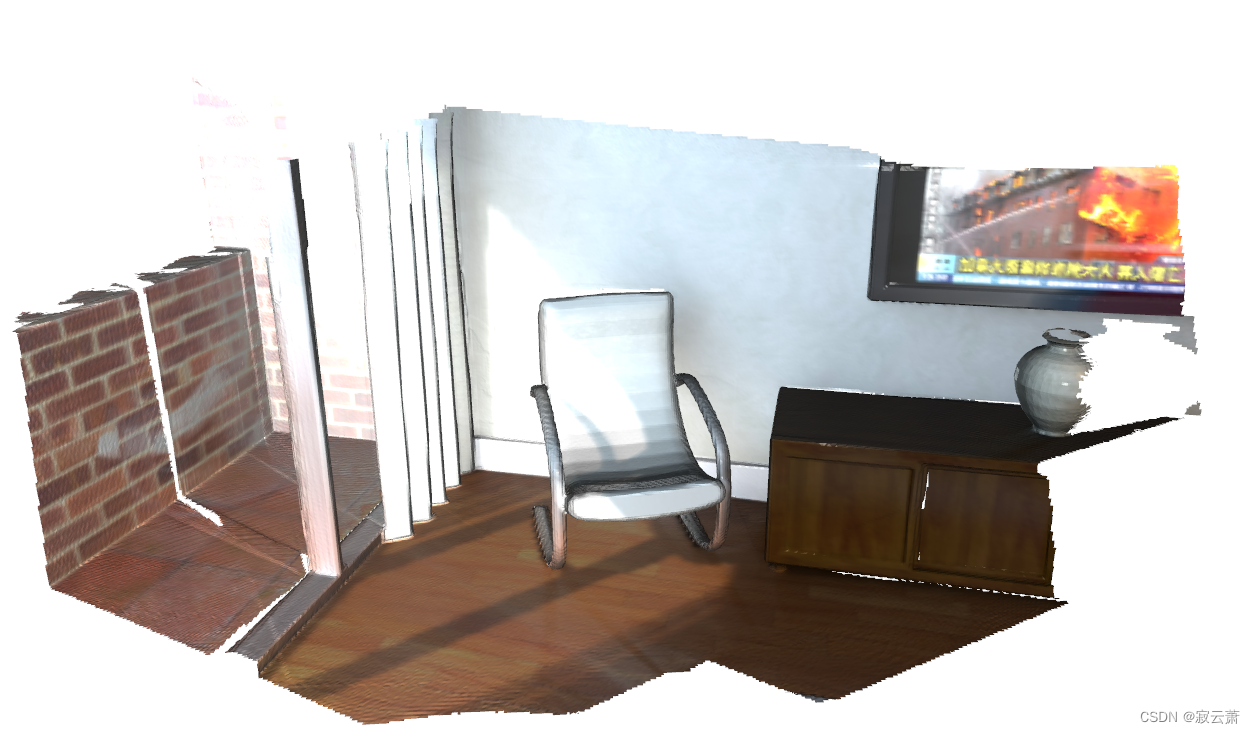
    o3d.visualization.draw_geometries([mesh])
边栏推荐
- Hystrix dashboard cannot find hystrix Stream solution
- 【多模态】CLIP模型
- MMDetection安装问题
- Machine learning theory learning: perceptron
- 【MagNet】《Progressive Semantic Segmentation》
- 【Hide-and-Seek】《Hide-and-Seek: A Data Augmentation Technique for Weakly-Supervised Localization xxx》
- 使用百度网盘上传数据到服务器上
- mmdetection训练自己的数据集--CVAT标注文件导出coco格式及相关操作
- 【Random Erasing】《Random Erasing Data Augmentation》
- (15) Flick custom source
猜你喜欢

【Wing Loss】《Wing Loss for Robust Facial Landmark Localisation with Convolutional Neural Networks》
【MagNet】《Progressive Semantic Segmentation》
![[multimodal] clip model](/img/45/8501269190d922056ea0aad2e69fb7.png)
[multimodal] clip model
Memory model of program

Faster-ILOD、maskrcnn_benchmark训练自己的voc数据集及问题汇总

Machine learning theory learning: perceptron
Implementation of yolov5 single image detection based on onnxruntime
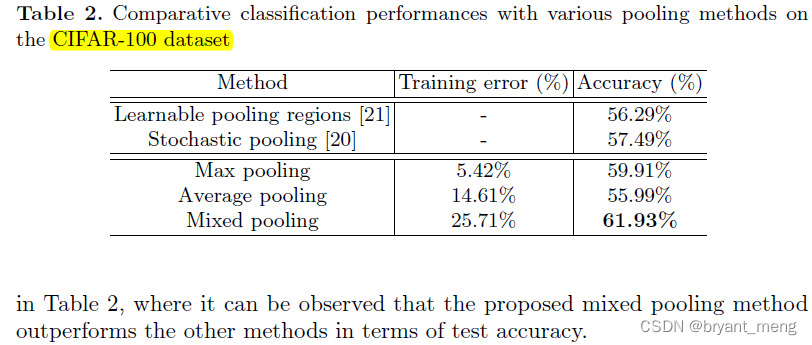
【Mixed Pooling】《Mixed Pooling for Convolutional Neural Networks》

【FastDepth】《FastDepth:Fast Monocular Depth Estimation on Embedded Systems》
【Sparse-to-Dense】《Sparse-to-Dense:Depth Prediction from Sparse Depth Samples and a Single Image》
随机推荐
How gensim freezes some word vectors for incremental training
MoCO ——Momentum Contrast for Unsupervised Visual Representation Learning
【学习笔记】反向误差传播之数值微分
TimeCLR: A self-supervised contrastive learning framework for univariate time series representation
【TCDCN】《Facial landmark detection by deep multi-task learning》
联邦学习下的数据逆向攻击 -- GradInversion
使用百度网盘上传数据到服务器上
用MLP代替掉Self-Attention
Win10+vs2017+denseflow compilation
What if a new window always pops up when opening a folder on a laptop
Traditional target detection notes 1__ Viola Jones
Gensim如何冻结某些词向量进行增量训练
【BiSeNet】《BiSeNet:Bilateral Segmentation Network for Real-time Semantic Segmentation》
[CVPR‘22 Oral2] TAN: Temporal Alignment Networks for Long-term Video
Proof and understanding of pointnet principle
Solve the problem of latex picture floating
【Cascade FPD】《Deep Convolutional Network Cascade for Facial Point Detection》
Calculate the total in the tree structure data in PHP
(15) Flick custom source
One book 1078: sum of fractional sequences